

Participating Frequently
July 23, 2022
Answered

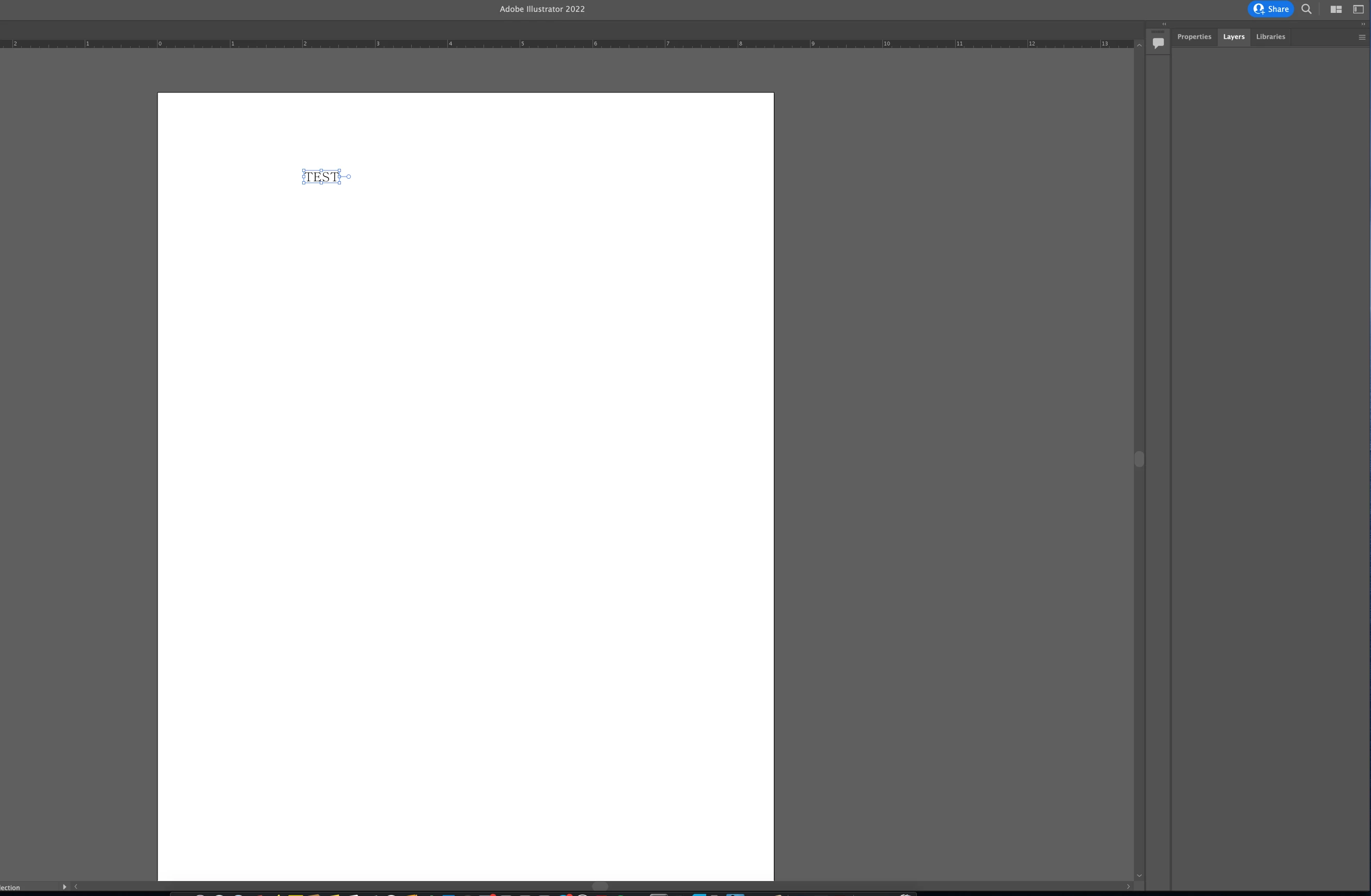
Layers panel is there but not showing any layers

  • July 23, 2022
  • 4 replies
  • 16401 views

yeah so i have my file opened and layers panel is there but the layers dont show

not on my second monitor or anything

Correct answer Daniel31793927dwd8

I had the same problem, but when I clicked 'control' in the 'window' drop down menu to reinstated the top tool bar and the layers and properties suddenly appeared. Then I hid the toolbar again and the layers stayed visible.

4 replies

patt_PSD
Participant
February 5, 2025

Double click at layer panel name, layer will be appeared and double click again it will be hidden.

Anshul_Saini
Community Manager
Community Manager
July 26, 2022

Hi @InHo25362947iljg,


We are sorry for the trouble. I would like to know if the issue is resolved for you or if you are still dragging layers off and on to resolve this? If it is not resolved, would you mind sharing a few details like:

  • The exact version of OS (Windows/macOS) & Illustrator
  • Are you using an M1 Mac (apple silicon)?
  • When did this start happening? Are there any recent changes made to your system? For example, any antivirus, system updates, plugins, or web extensions installed recently.
  • What is the make & model of your monitor(s) and its display resolution?
  • Have you tried the steps suggested by Monika?


Kindly update the discussion if you still need assistance with it. We'd be happy to help.


Thanks & Regards,

Anshul Saini

eclecticscribe
Participating Frequently
July 11, 2023

This is still happening in July 2023. Occastionally I open AI and the layer panel is empty, but dragging the panel off the tab makes them visible again. I consiider this a minor problem because it's a simple fix. Before coming accross this solution I was resetting the preferences to solve the problem, and that was a bit painful having to rebuild them. I really grateful for the easier fix by InHo…. I don't recall having this problem until I replace my acient 2013 iMac with the the one below. I haven't noticed a pattern, but so far it only happens a few times a month and I use Illustrator almost every day, usually in conjuction with After Effects. The only plugin I'm using in Illustrator is Overlord for shapelayer transfers to AE.


Mac Studio M1 Ultra

64GB

macOS Ventura 13.4.1

Apple Studio Display (default 2560 x 1440)

HP w2408 Display (Default @ 1920 x 1299)

Daniel31793927dwd8Correct answer
Participant
August 21, 2023

I had the same problem, but when I clicked 'control' in the 'window' drop down menu to reinstated the top tool bar and the layers and properties suddenly appeared. Then I hid the toolbar again and the layers stayed visible.

Participating Frequently
July 23, 2022

i dont know why but i just draged the layers tab off and back on and now it works


Monika Gause
Community Expert
Community Expert
July 23, 2022

When was the last time you rebooted the computer? Maybe now would be a good time?

Participating Frequently
July 23, 2022

yeah it didnt work

Monika Gause
Community Expert
Community Expert
July 23, 2022

Does it work in a newly created file?

If not, you will hate the next step even more: reset the Illustrator preferences. You might want to do it by renaming the folder (this way it can be undone)

https://helpx.adobe.com/illustrator/using/setting-preferences.html