


Locked items within layer - able to delete
(please note I'm a community expert it's not the Mac Os or the version of Illustrator etc.)
Wondering if this is a bug - or a setting I'm missing
I was working in Illustrator 2021 for production reasons
But installed 2023 to see if it's the same and it is.
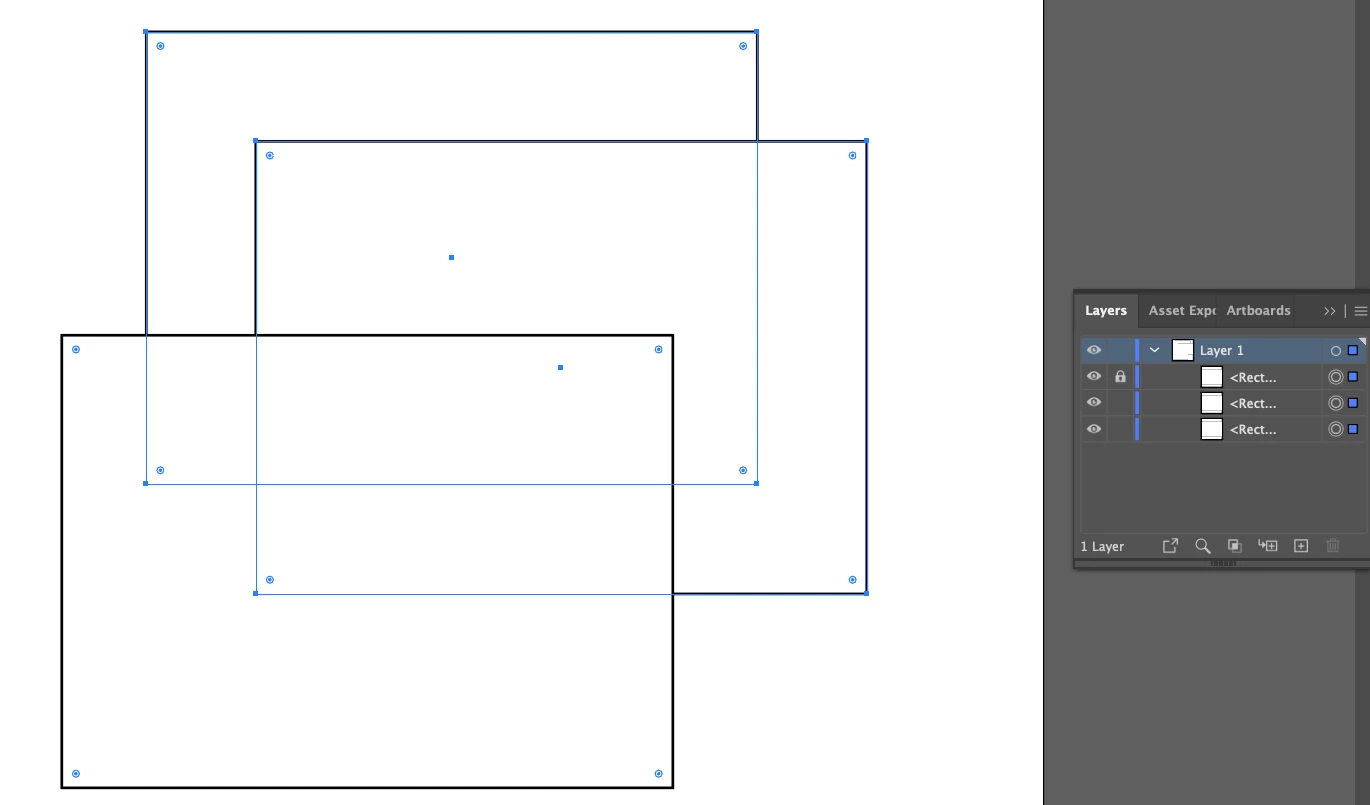
When I create objects in a layer - and select one and lock it in the layer.
Pressing the Layer 1 blue square to select all in the layer also selects the Locked Object
When I press delete on the keyboard - it deletes the object that is locked
Anyone else experienced this and how to fix it?
I want to be able to lock elements within a layer - and then delete the remainder of the layer.
Of course. I can select the artwork on the artboard and that's fine, it doesn't select the object that is locked.
But curious why the Layers panel allows you to select and delete a locked object?
 AdChoices