



Question
Make page border visible in printing with Illustrator CC
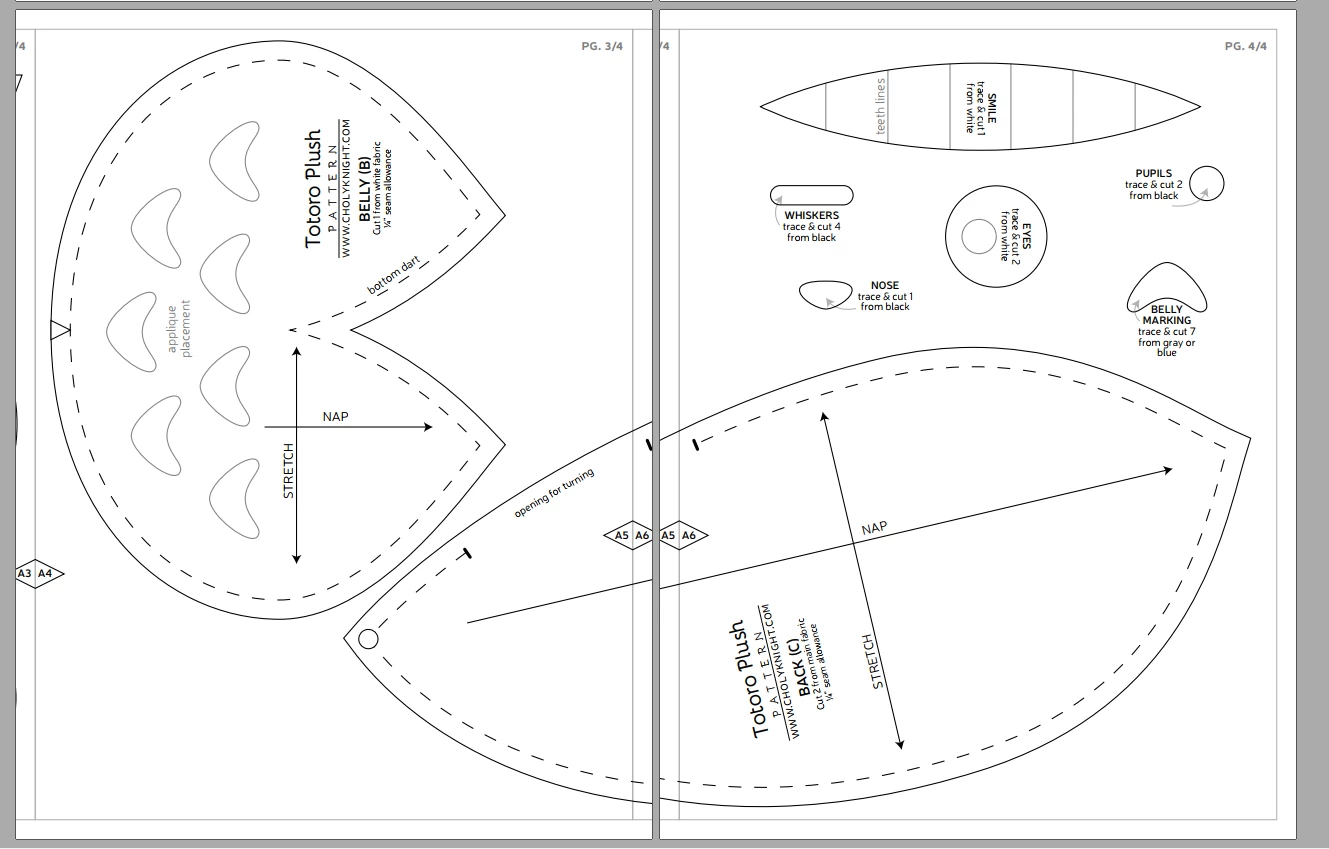
I have made a large sewing pattern using Illustrator CC, my intention is to create a PDF file that is suitable to print in actual size on A4 paper, and each of the page will have straight lines guiding how to trim and cut the pages. It is similar to the image below: when I print it out it will have a thin line along the pages and you can cut and align the pages and tape them together.
I tried to set up with Marks and Bleed, but the lines were not visible when printing (I could only print marks). I had to draw a line before cutting, which is a waste of time.
Can anyone help me to create a line around the page similar to below? Can I make it into a template for later use?
 AdChoices