


making dashed strokes using pattern brush so the lines are editable
I'm am on Windows 10, using Illustrator 2024, which I got 1 week ago.
I am creating Celtic Knot designs that will be used to cut out stencils. Dashed lines are great, except I cannot have lines touching when they get to an intersection. It is crucial that my lines show the over and under crossovers. But, it is also imperative that the lines coming to an intersection do not touch the crossing lines.
It has been suggested that I have to make the lines with a pattern brush so that they are editable. I've tried to make a straight pattern brush with 10% spacing. All is well until that point. I keep getting a notice that I have to select a side pattern. I can't have anything besides the dashed line as a computer will be reading this for the cutting lines. I am doing the following steps:
- upload my hand drawn design and open new layer
- Using pen tool, I make lines 1/4" wide, making sure every place a line crosses over itself I use a new different color
- Group, Shape Builder with thin outlines
- Merge areas to create over and under crossings
- Group, Set up Pattern Brush.......then I head into a brick wall
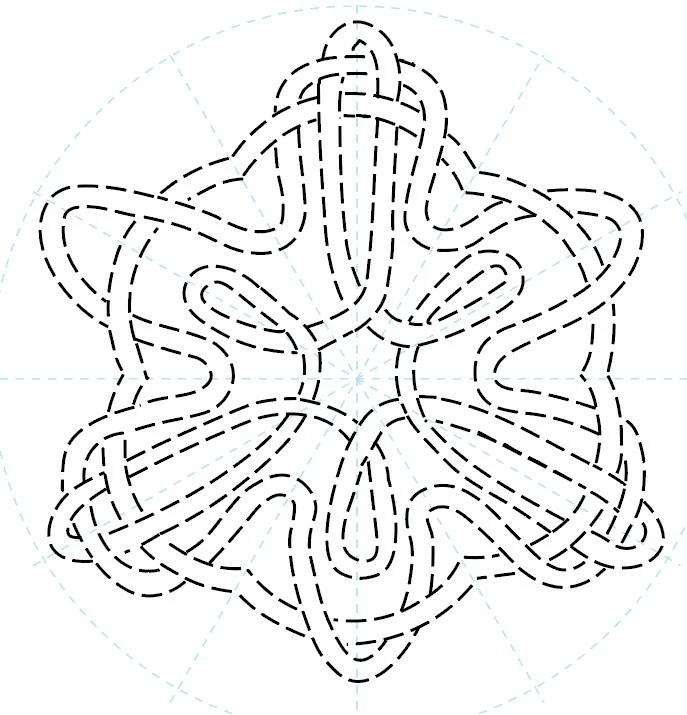
The following is an example of how my last piece looked before I discovered Shape Builder and before I realized that to cut stencils I cannot have the lines touch the intersecting lines (it cause the machine to cut out entire sections instead of leaving a line for me to use to mark my work with the stencil.
 AdChoices