New Participant
December 13, 2017
Answered

Making wavey line with varying frequency and height

  • December 13, 2017
  • 1 reply
  • 4390 views

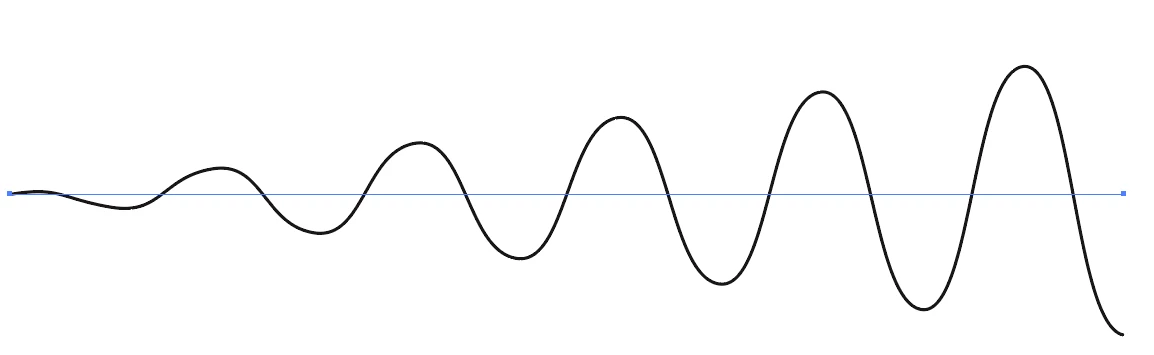
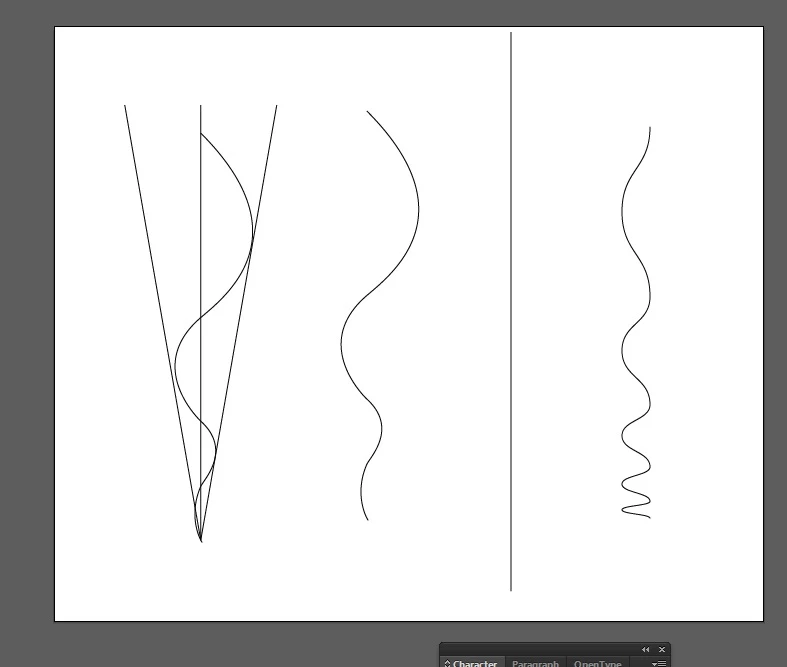
Hi, I'm trying to create a wavey line which decreases with frequency, as well as increasing in height as it goes along. So far all I have managed to do is create it manually (left part of the image below). The closest I can get to this within illustrator using automated processes is with the 'zig zag' distort and transform effect, which does not have an option for height.

My question is: is there a way of creating a line like the one on the left without having to do it manually? If not, does anyone have some tips as to how to do it manually - I can get it to look reasonably good, but it's fiddly and takes more time than I think it probably could)?

Thank you

This topic has been closed for replies.
Correct answer Monika Gause

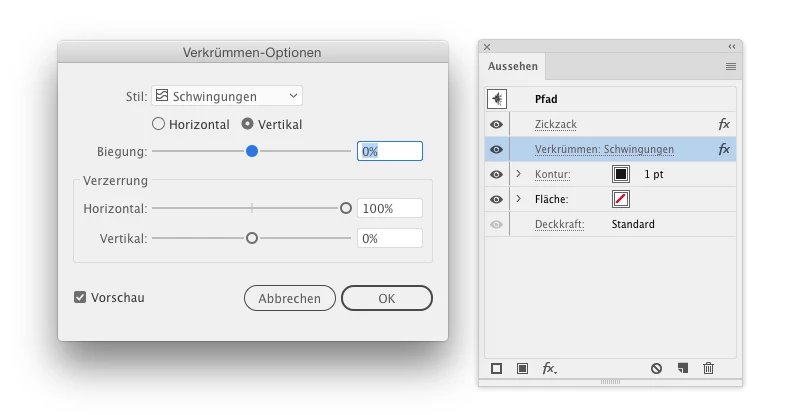
Apply Zigzag effect followed by Wave effect

Searching in the forum you will find a thread some days ago and this is the solution posted by Kurt Gold, which is somewhat easier to edit than doing this with a brush and a width profile.

1 reply

Monika Gause
Monika GauseCorrect answer
Adobe Expert
December 13, 2017

Apply Zigzag effect followed by Wave effect

Searching in the forum you will find a thread some days ago and this is the solution posted by Kurt Gold, which is somewhat easier to edit than doing this with a brush and a width profile.

GyranakAuthor
New Participant
December 13, 2017

Fantastic, thank you! I did try searching beforehand, but could not find the same question):