



Mask does not retain proper opacity when saving as pdf and emailing file
I'm having a problem with Illustrator not retaining the proper transparency of my clipping masks when I am doing a gradient fade.
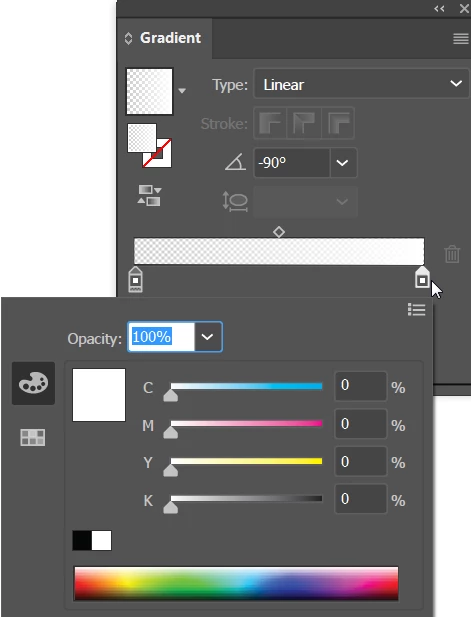
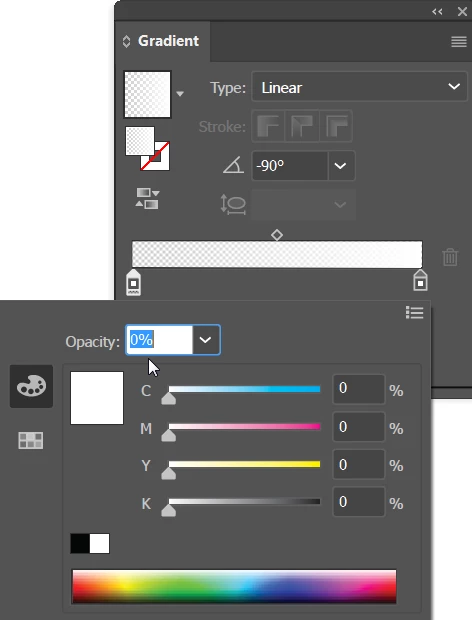
Essentially, I am trying to create a fade from 0% opacity to 100% opacity. I achieve this affect by placing a gradient box over my objects, selecting all objects including the gradient box, then clicking on "Make Mask" in my transparency window. The effect looks exactly as it should while in Illustrator.
I save a copy of the file as an editable PDF and open it on my computer in Acrobat and it still looks good.
However...
When I email the file or transfer it via thumbdrive to another computer the opacity gets all messed up and I can clearly see the objects where they should be totally transparent. It doesn't matter what program I try, the opacity is wrong.
It is worth noting that when I save the pdf by going to file>print>pdf it looks fine. It also looks fine if I save as a png. The issue occurs when I save as an editable pdf that is transferred or emailed (even if I email it to myself and open it on the same computer this happens). I noticed that it also happens if I open the pdf in Photoshop.
I have attached a sample image. The stars on the left are what I want.
Any ideas? Please help, this is driving me crazy and I have an assignment due! Thanks in advance!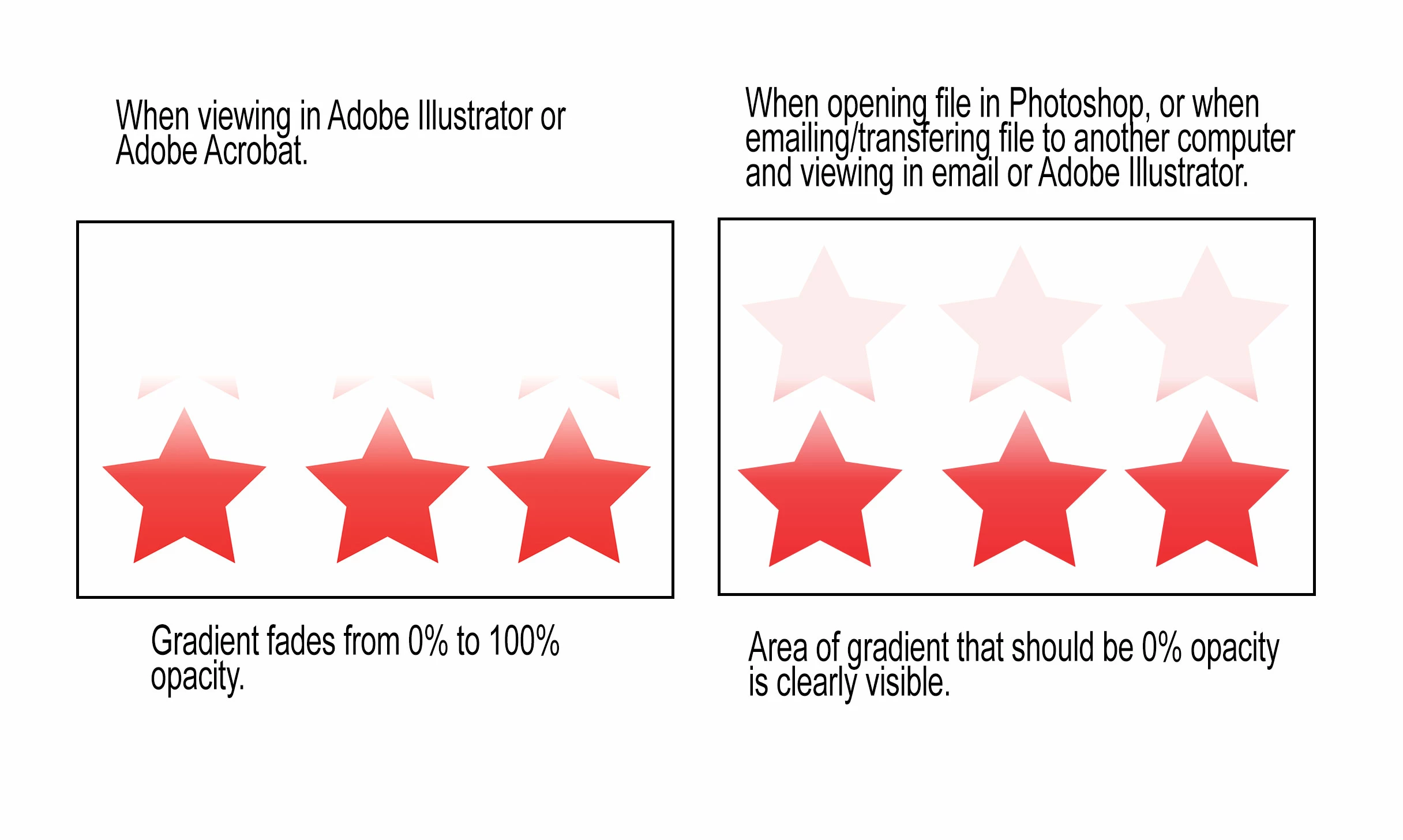
 AdChoices