



Menus shrinking, Bounding boxes glitch
Hey all,
In the last week my Illustrator has had some pretty major bugs happen. Using a Windows Surface Book 2 2019
1. A selection of my menus have shrunk within their normal tab. I can still select the options by hovering over where they should normally be in the tab, and the smaller visual does highlight when my mouse is over certain options. But it's making every change a guessing game. It's also happened to my 'open recent window' and a bunch of other features... Image attached of how it looks with my library tab.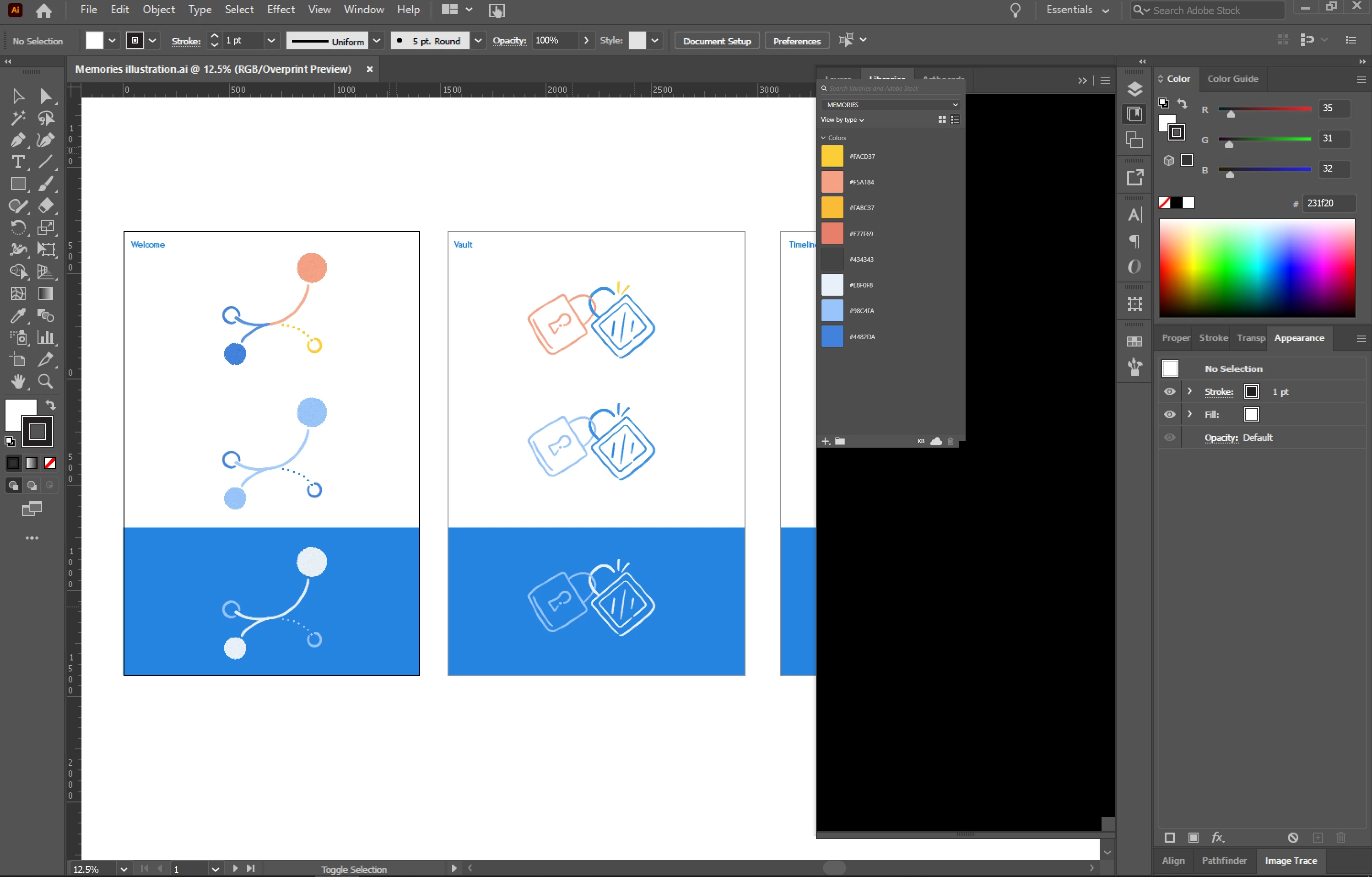
2. Bounding boxes are glitching. When i drag select an object(s), the box appears as one point. It's not until a pan my mouse back and forth over where the bounding box should be it appears. Same goes for if I have deselected the box, it remains on screen till I do the same 'erasing' of it with my cursor. I have a hunch this might be from some brushes I'm using? But it was working fine for a day or two, then I booted it up one morning and everything had changed... Image attached is an example of how it looks while I 'reveal' the bounding box.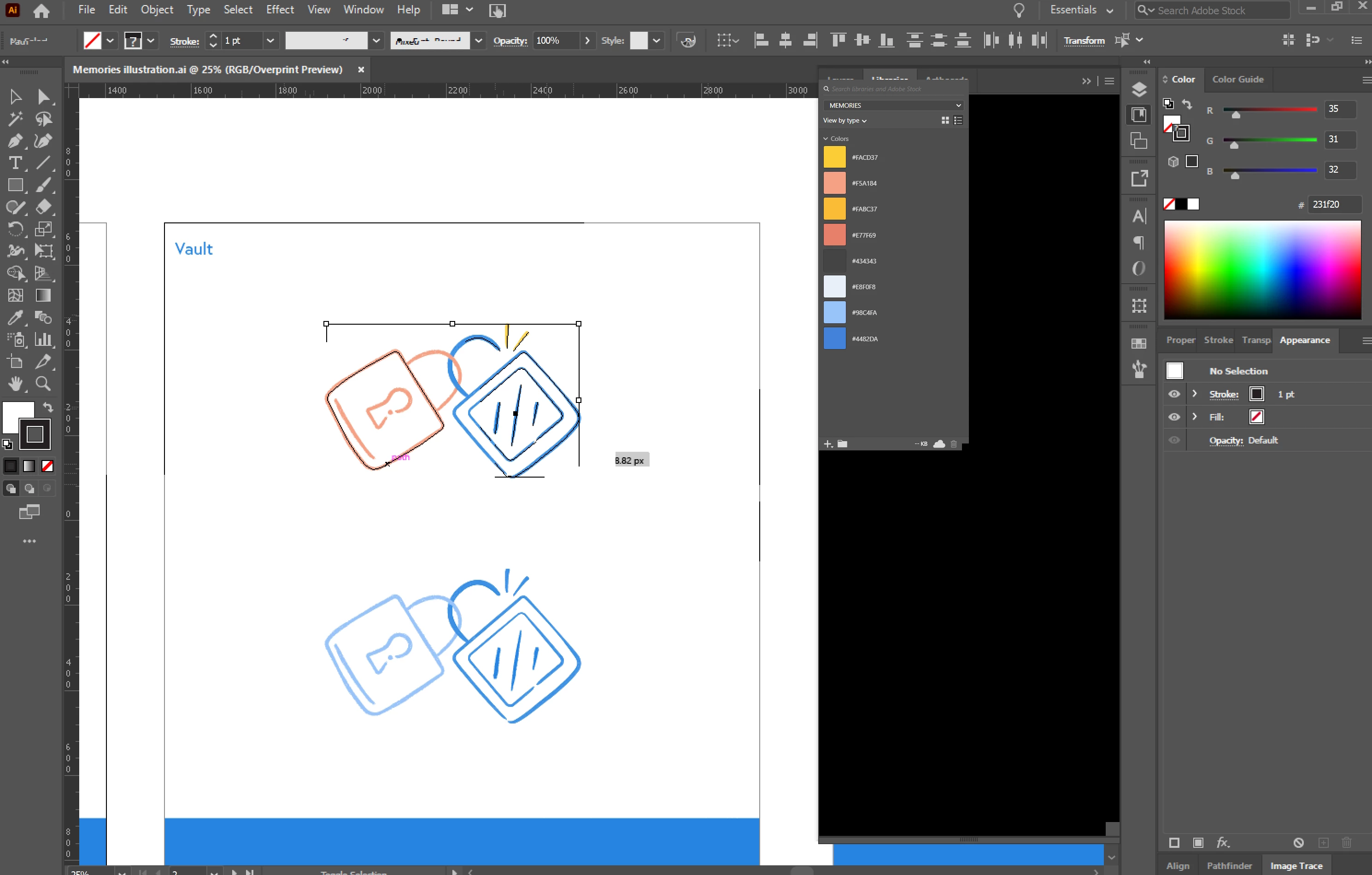
Hope someone could shed some light on this - my illustrator is technically still working but it's taking me double the time to get any work done.
Edit: I've tried installing older versions, glitches are still there.
Edit Edit: Copy + pasted illustrations into a new doc and the boundry box issue has stopped (still there in the old doc). Menu problem still not fixed though.
Thanks!
 AdChoices