


Answered
Missing Fill and Stroke options in Illustrator 2020
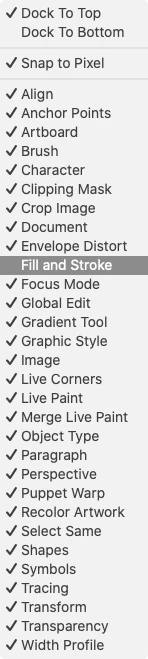
I am missing these options in the upper-left corner. I can't change the fill/stroke color or any of the stroke properties from the top control bar as I have always done.

This is what mine looks like:

The fill and stroke options should be all the way on the left after "Path."
I have only noticed this after updating to 2020. Is this intentional, or is there a way I can fix it somehow? This really affects my workflow and productivity!
 AdChoices