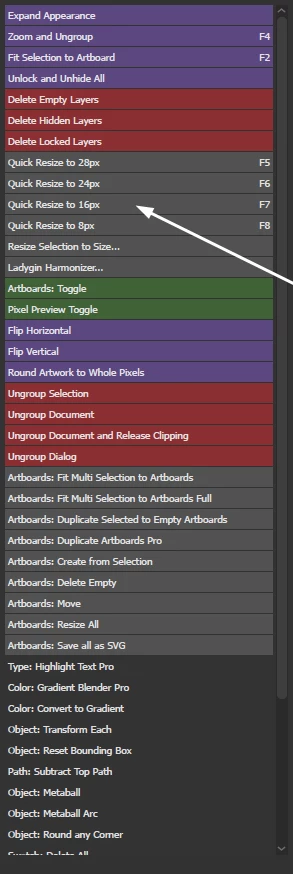
Save multiple script files with the desired CFG.size values: 8, 16, etc. This version without value input. Or maybe the version already written by femkeblanco is enough for you. My version takes into account the size of text objects and clipping groups.
/*
  Resize each object to a specified size on the larger side
  Discussion: https://community.adobe.com/t5/illustrator-discussions/need-a-script-to-resize-a-selection-to-an-arbitrary-size-by-it-s-longest-dimension-w-h/m-p/13883217#M371020
  Author: Sergey Osokin, email: hi@sergosokin.ru
  Based on https://github.com/creold/illustrator-scripts/blob/master/md/Item.md#resizeonlargerside
*/

//@target illustrator
app.preferences.setBooleanPreference('ShowExternalJSXWarning', false); // Fix drag and drop a .jsx file

function main () {
  var CFG = {
        size: 16, // Default
        units: getUnits(), // Active document units
        isBounds: app.preferences.getBooleanPreference('includeStrokeInBounds')
      };

  if (!documents.length) {
    alert('Error\nOpen a document and try again');
    return;
  }

  if (!selection.length || selection.typename == 'TextRange') {
    alert('Error\nPlease select atleast one object');
    return;
  }

  // Scale factor for Large Canvas mode
  CFG.sf = activeDocument.scaleFactor ? activeDocument.scaleFactor : 1;
  var newSize = convertUnits(CFG.size, CFG.units, 'px') / CFG.sf;

  for (var i = 0, len = selection.length; i < len; i++) {
    var item = selection[i],
        bnds, width, height, largeSide, ratio;

    // Calc ratio
    if (isType(item, 'text')) {
      var txtClone = item.duplicate(),
          txtOutline = txtClone.createOutline();
      bnds = CFG.isBounds ? txtOutline.visibleBounds : txtOutline.geometricBounds;
      txtOutline.remove();
    } else if (isType(item, 'group') && item.clipped) {
      bnds = CFG.isBounds ? getMaskPath(item).visibleBounds : getMaskPath(item).geometricBounds;
    } else {
      bnds = CFG.isBounds ? item.visibleBounds : item.geometricBounds;
    }

    width = Math.abs(bnds[2] - bnds[0]);
    height = Math.abs(bnds[3] - bnds[1]);
    largeSide = Math.max(height, width);
    ratio = 100 / (largeSide / newSize);

    item.resize(ratio, ratio, true, true, true, true, ratio);
  }
}

// Get active document ruler units
function getUnits() {
  if (!documents.length) return '';
  var key = activeDocument.rulerUnits.toString().replace('RulerUnits.', '');
  switch (key) {
    case 'Pixels': return 'px';
    case 'Points': return 'pt';
    case 'Picas': return 'pc';
    case 'Inches': return 'in';
    case 'Millimeters': return 'mm';
    case 'Centimeters': return 'cm';
    // Added in CC 2023 v27.1.1
    case 'Meters': return 'm';
    case 'Feet': return 'ft';
    case 'FeetInches': return 'ft';
    case 'Yards': return 'yd';
    // Parse new units in CC 2020-2023 if a document is saved
    case 'Unknown':
      var xmp = activeDocument.XMPString;
      if (/stDim:unit/i.test(xmp)) {
        var units = /<stDim:unit>(.*?)<\/stDim:unit>/g.exec(xmp)[1];
        if (units == 'Meters') return 'm';
        if (units == 'Feet') return 'ft';
        if (units == 'FeetInches') return 'ft';
        if (units == 'Yards') return 'yd';
        return 'px';
      }
      break;
    default: return 'px';
  }
}

// Convert units of measurement
function convertUnits(value, currUnits, newUnits) {
  return UnitValue(value, currUnits).as(newUnits);
}

// Check the item typename by short name
function isType(item, type) {
  var regexp = new RegExp(type, 'i');
  return regexp.test(item.typename);
}

// Get clipping path in group
function getMaskPath(group) {
  for (var i = 0, len = group.pageItems.length; i < len; i++) {
    var item = group.pageItems[i];
    if (isClippingPath(item)) return item;
  }
}

// Check clipping property
function isClippingPath(item) {
  var clipText = (isType(item, 'text') &&
    item.textRange.characterAttributes.fillColor == '[NoColor]' &&
    item.textRange.characterAttributes.strokeColor == '[NoColor]');
  return (isType(item, 'compound') && item.pathItems[0].clipping) ||
    item.clipping || clipText;
}

try {
  main();
} catch (e) {}



 AdChoices