Exit
  • Global community
    • Language:
      • Deutsch
      • English
      • Español
      • Français
      • Português
  • 日本語コミュニティ
  • 한국 커뮤니티
0

need help adding texture please!

New Here ,
Jan 07, 2023 Jan 07, 2023

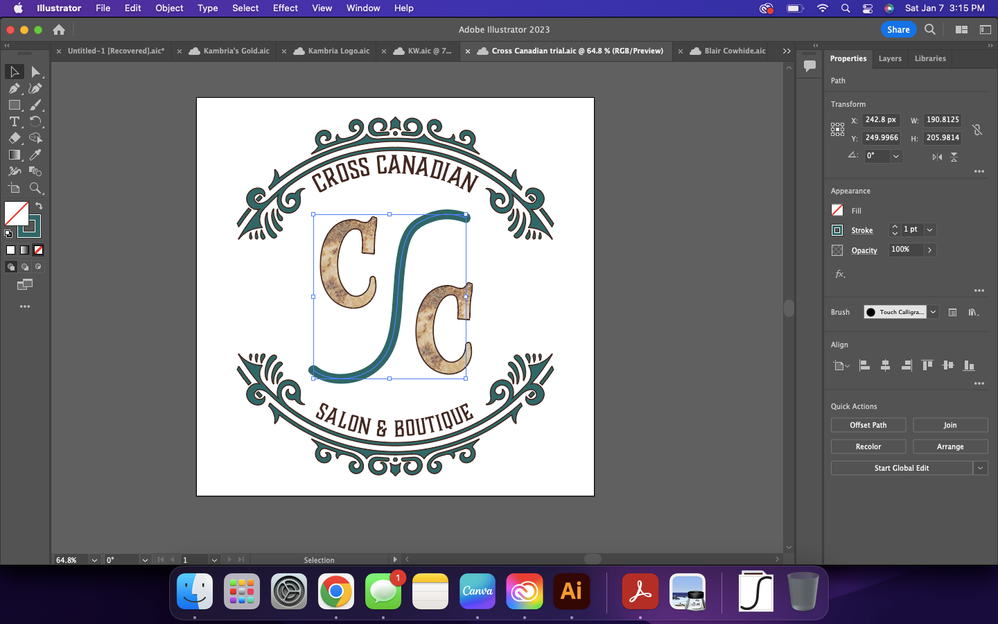
I'm trying to add texture to the path (squiggle) like the two Cs. When I try, it shows up like the second image. 
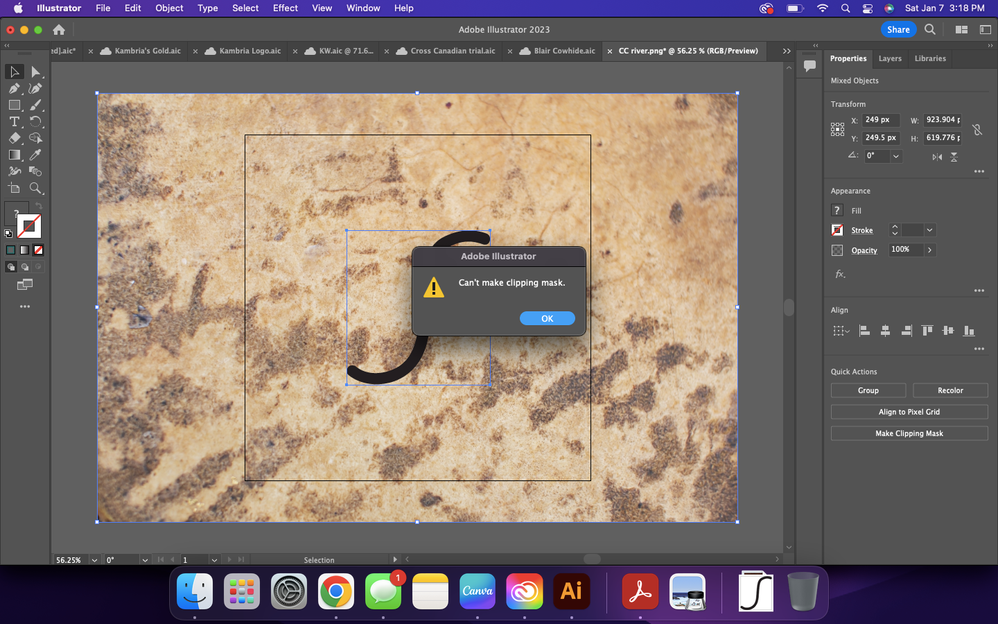
So I saved just the squiggle as an image and uploaded it separately. When I try to do a clipping mask like I do for font, it doesn't work. Is there any way to add texture to the squiggle?!Screen Shot 2023-01-07 at 3.15.17 PM.pngScreen Shot 2023-01-07 at 3.17.27 PM.pngScreen Shot 2023-01-07 at 3.18.30 PM.png

TOPICS
Draw and design , Tools
336
Translate
Report
Community guidelines
Be kind and respectful, give credit to the original source of content, and search for duplicates before posting. Learn more
community guidelines

correct answers 1 Correct answer

Community Expert , Jan 07, 2023 Jan 07, 2023

KW BD,


First Object>Path>Outline Stroke, then apply it as the clipping path for the clipping mask/set.


Edit: Hi Ton. We have had rain for a while here too.


Translate
Adobe
Community Expert ,
Jan 07, 2023 Jan 07, 2023

Try to outline the brush stroke first.

Translate
Report
Community guidelines
Be kind and respectful, give credit to the original source of content, and search for duplicates before posting. Learn more
community guidelines
Community Expert ,
Jan 07, 2023 Jan 07, 2023

KW BD,


First Object>Path>Outline Stroke, then apply it as the clipping path for the clipping mask/set.


Edit: Hi Ton. We have had rain for a while here too.


Translate
Report
Community guidelines
Be kind and respectful, give credit to the original source of content, and search for duplicates before posting. Learn more
community guidelines
New Here ,
Jan 08, 2023 Jan 08, 2023

Yay! It worked! Thank you!!

Translate
Report
Community guidelines
Be kind and respectful, give credit to the original source of content, and search for duplicates before posting. Learn more
community guidelines
Community Expert ,
Jan 08, 2023 Jan 08, 2023

For my part you are welcome, KW BD; Ton said it a few minutes before I did.


The reason for the need of outlining is that only the actual (spine of the) path can act as a clipping path.


It is possible to obtain the same appearance with the original stroked path if you use it for an Opacity Mask (through the Transparency panel) with both Clip and Invert Mask ticked (remember to select both the path and the textured object as with the clipping set).


In that way you can freely change the Stroke Weight and the shape of the (spine of the) path afterwards to adjust the appearance after the mak is made.

 

Translate
Report
Community guidelines
Be kind and respectful, give credit to the original source of content, and search for duplicates before posting. Learn more
community guidelines
Community Expert ,
Jan 08, 2023 Jan 08, 2023
LATEST

Hi Jacob, it feels like spring in januari.

Translate
Report
Community guidelines
Be kind and respectful, give credit to the original source of content, and search for duplicates before posting. Learn more
community guidelines