dhouk_panerabread
Inspiring
July 7, 2021
Answered

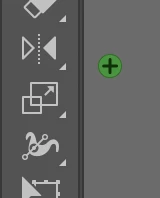
New green dot with a plus sign UI element

  • July 7, 2021
  • 1 reply
  • 2220 views

Hello, a few weeks ago I noticed this small green dot that sits in a fixed position near my Illustrator toolbar. When I hover over it the button displays a plus sign, but I can't observe any change when I press it. 

So far it's benign in that it's not impacting my ability to work, but I'm still curious about it and it does become a visual distraction when working on my arboards.

Anyone encounter this? 


This topic has been closed for replies.
Correct answer dhouk_panerabread

Ok, looks like it's a fairly innocuous bug in the interface. 


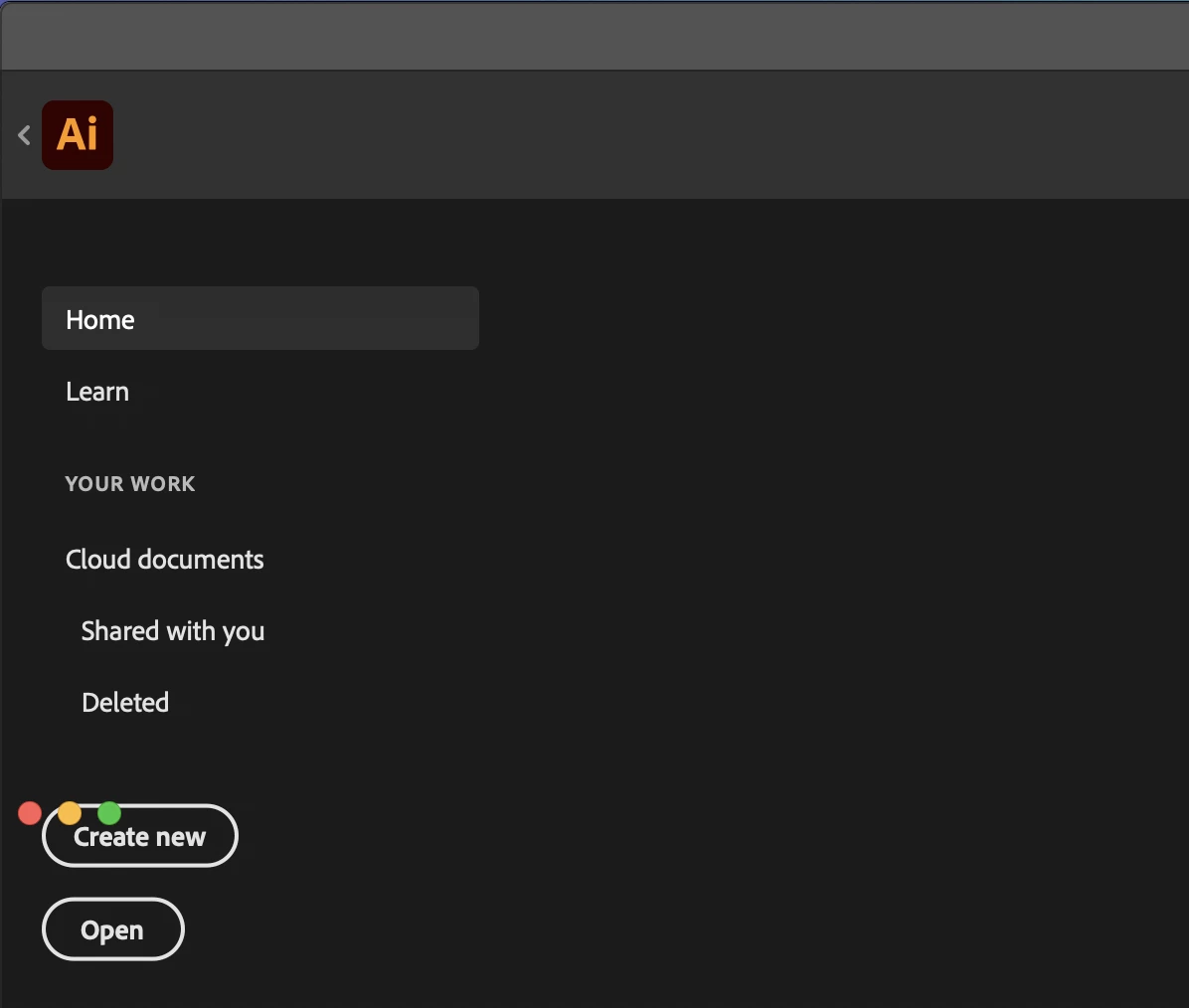
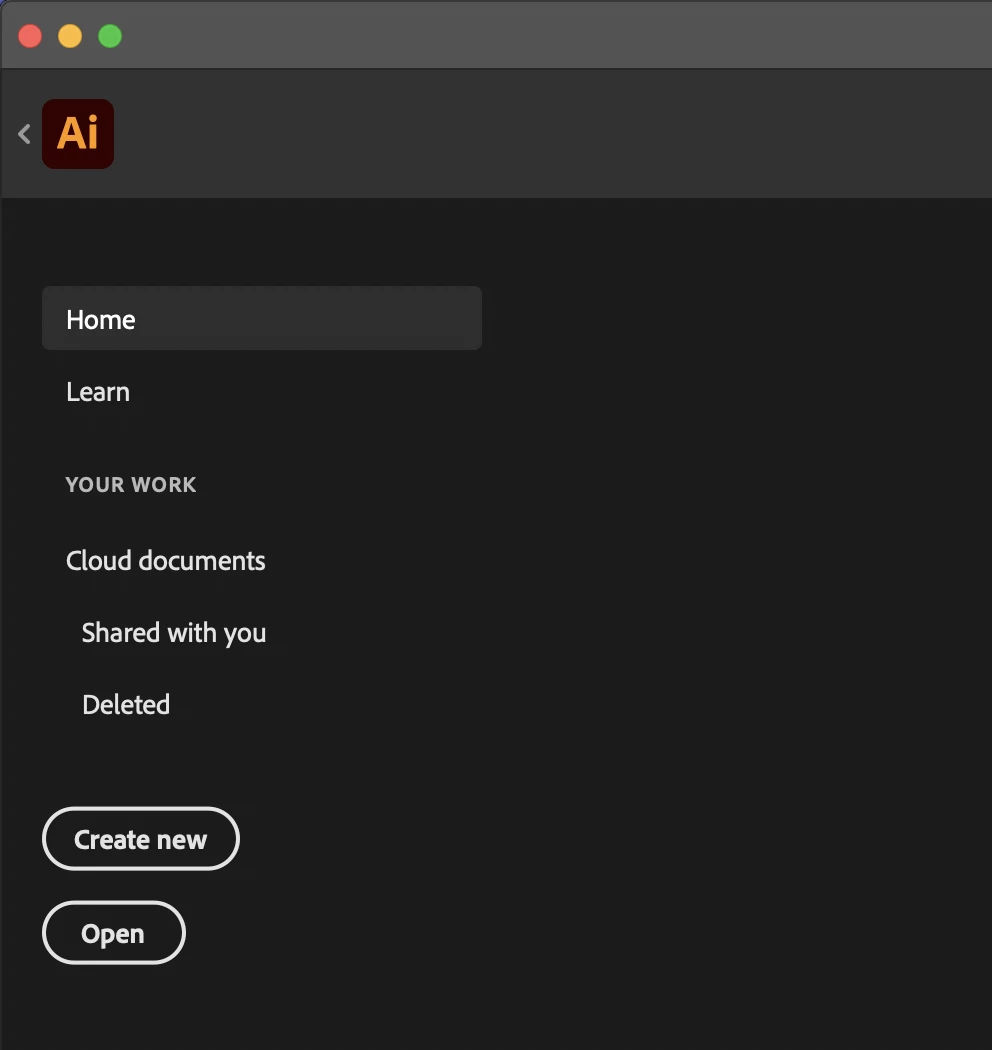
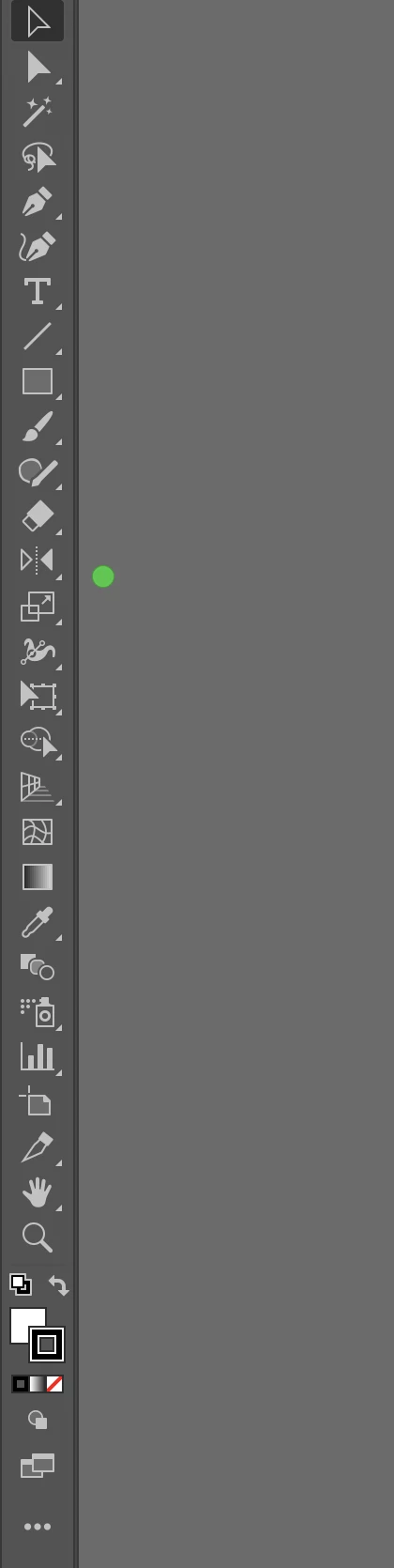
When I maximize the window the three top bar buttons of close, minimize, and expand drop down outside the top bar (see screenshot below). In the welcome screen you can see all three, but when I go into a file the red and yellow ones disappear. 


So, looks like the fix is that after I maximize the window I just manually resize it down a little then the buttons go back into place (and off my artboard). 


1 reply

michelew83603738
Community Expert
July 7, 2021

I certainly haven't encountered anything like that. Was there anything that you did before this appeared - update software, install something new etc? What OS, CC etc. please.

dhouk_panerabread
Inspiring
July 7, 2021

Thanks for replying. If I did anything to trigger this I'm unaware of what that would be. 

My Illustrator is v 25.3.1, part of my CC subscription, running on a Macbook Pro with Big Sur (macOS v11.4)