


Exit
  • Global community
    • Language:
      • Deutsch
      • English
      • Español
      • Français
      • Português
  • 日本語コミュニティ
  • 한국 커뮤니티
0

Options Missing Under Illustrator Object Tab

New Here ,
Jan 16, 2023 Jan 16, 2023

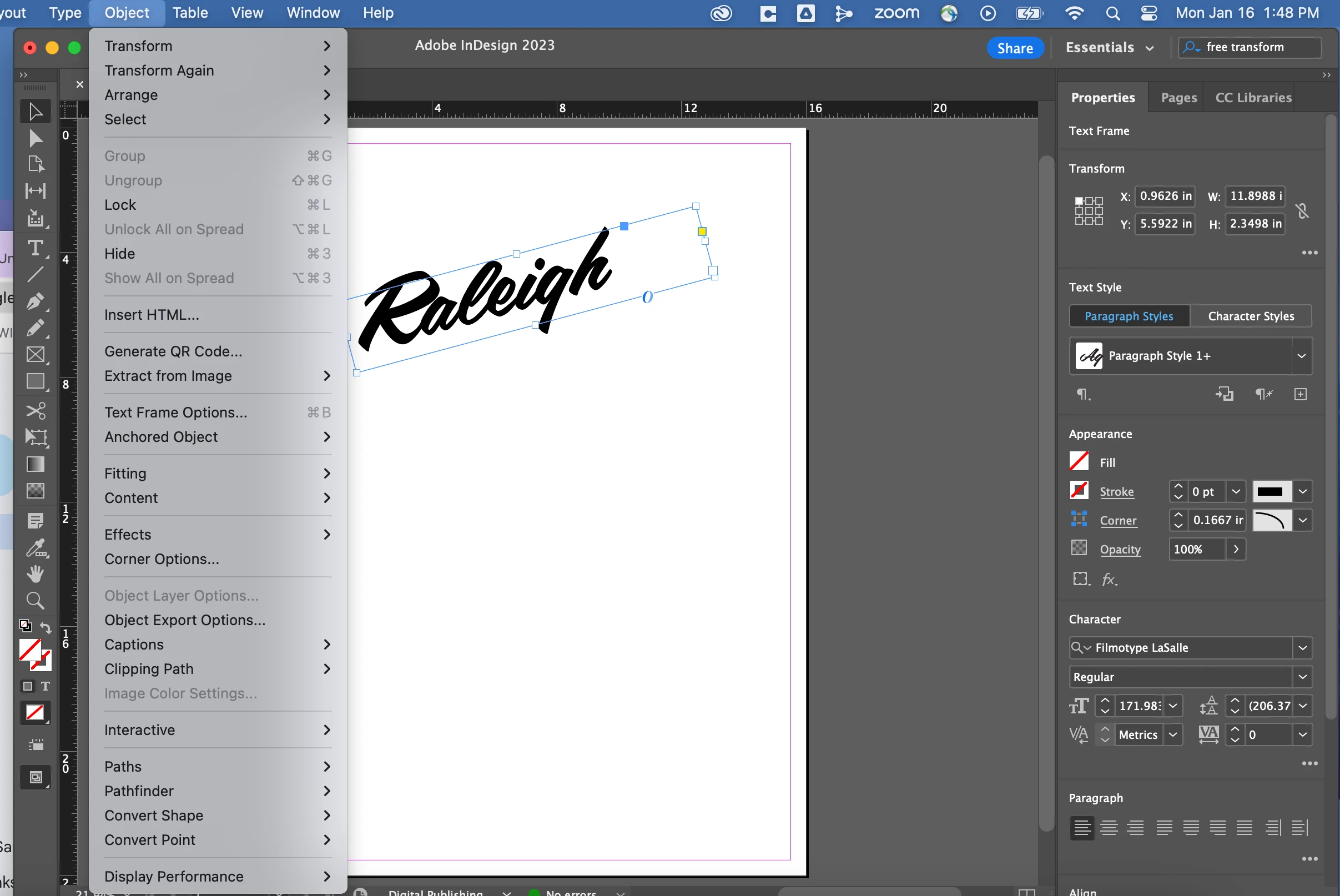
Hi! I am trying to warp my text (just curve it slightly) and after reading this tutorial, I believe I'm missing the functions to allow me to do so. I cannot find the envelope distort/make with warp toptions under the object drop down menu. Is there another way I can curve my text? Or how can I get to this button? I also could not figure out how to adjust the severity of the curve when creating in Adobe Express. Any help is greatly appreciated! Screenshot 2023-01-16 at 1.48.48 PM.png
TOPICS
Draw and design , Tools , Type
485
Translate
Report
Community guidelines
Be kind and respectful, give credit to the original source of content, and search for duplicates before posting. Learn more
community guidelines

correct answers 1 Correct answer

Community Expert , Jan 16, 2023 Jan 16, 2023

The screenshot is from InDesign.

Translate
Adobe
Community Expert ,
Jan 16, 2023 Jan 16, 2023

The screenshot is from InDesign.

Translate
Report
Community guidelines
Be kind and respectful, give credit to the original source of content, and search for duplicates before posting. Learn more
community guidelines
Adobe Employee ,
Jan 27, 2023 Jan 27, 2023
LATEST

Hello @Rebecca27965704pigk,


Thanks for reaching out. I hope the suggestions shared by Monika helped resolve the problem.

Feel free to reach out if you have more questions or need assistance. We'd be happy to help.


Thanks,

Anubhav

Translate
Report
Community guidelines
Be kind and respectful, give credit to the original source of content, and search for duplicates before posting. Learn more
community guidelines