


Participating Frequently
March 31, 2021
Answered

Outline mode: Center dot of objects disappear when I zoom in.

  • March 31, 2021
  • 2 replies
  • 456 views

Illustrator CC 2021 25.2.1

My center dots disappear when I zoom in (in outline mode), why? It's impossible to align objects/snap to point etc, by eye when the center dot disappear. Also the "Snap to point" feature stop working when I zoom in. This started happening with the latest update.
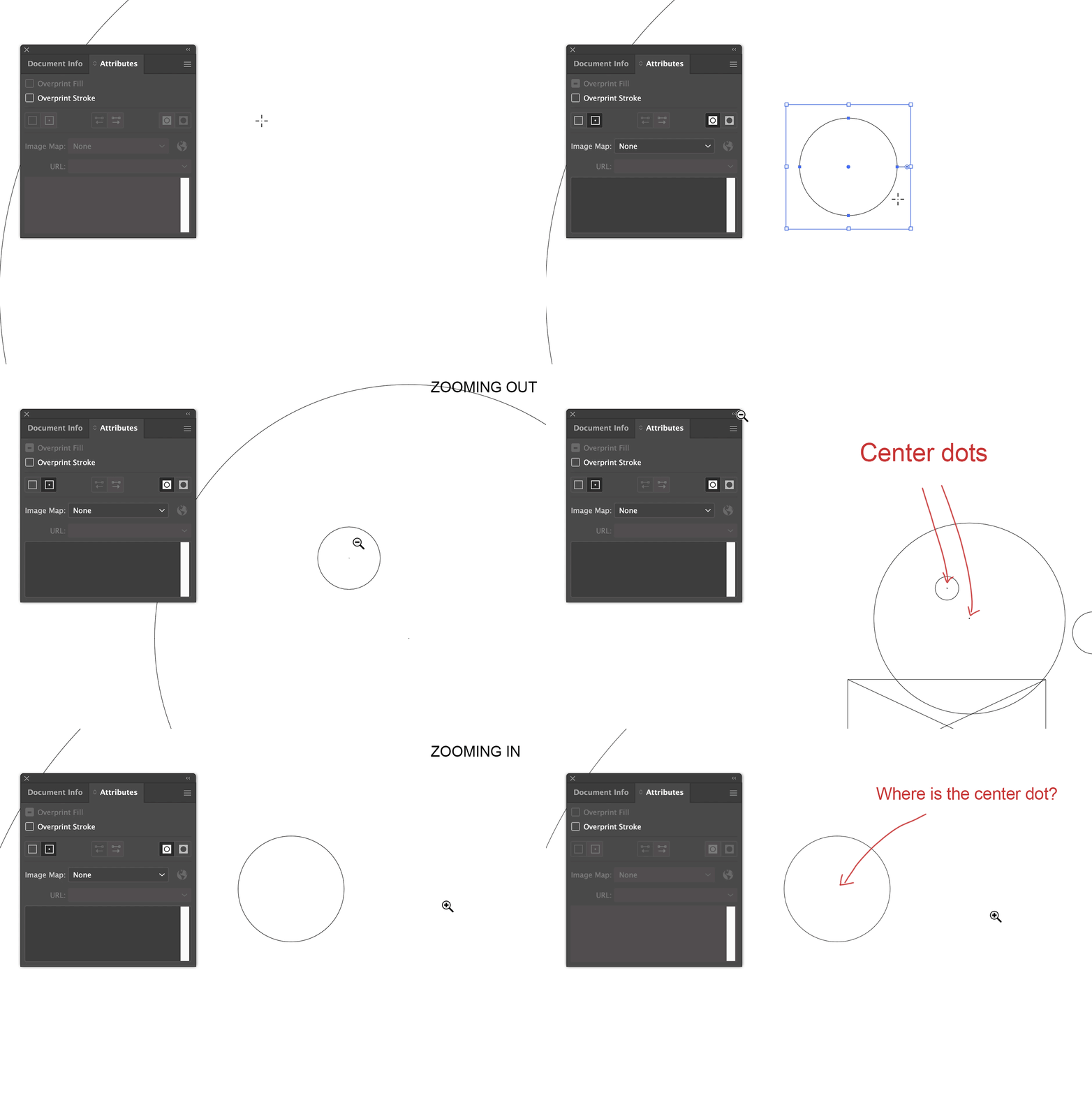
 

This topic has been closed for replies.
Correct answer Kurt Gold

It is one of the countless issues with the GPU preview.


You may switch to the CPU preview in the View menu.

Disadvantage: You won't be able to use the Scrubby Zoom feature while using the CPU preview.


2 replies

Kurt Gold
Community Expert
Community Expert
March 31, 2021

I do agree that it is a shame.


Let us hope that some competent engineers may cure the entire GPU disaster one fine day.


Kurt Gold
Community Expert
Kurt GoldCommunity ExpertCorrect answer
Community Expert
March 31, 2021

It is one of the countless issues with the GPU preview.


You may switch to the CPU preview in the View menu.

Disadvantage: You won't be able to use the Scrubby Zoom feature while using the CPU preview.


majo_seAuthor
Participating Frequently
March 31, 2021

Thanks, that did it, but everything lags alot (hand/move tool etc).

I'm on a MacBook Pro beast machine and still it have this issue, what a shame...


MacBook Pro (16 tum, 2019)

2,4 GHz 8-Core Intel Core i9

64 GB 2667 MHz DDR4

AMD Radeon Pro 5600M 8 GB