Participant
February 22, 2025
Answered

paragraph text inside a circle

  • February 22, 2025
  • 2 replies
  • 1267 views

hi! can someone help me on how to achieve this kind of paragraph text inside of a shape (circle)? type on a path seems to wrap the outside and warping seems to use the whole paragraph on the one line. thanks!

Correct answer renél80416020

Bonjour @elise_0720 ,

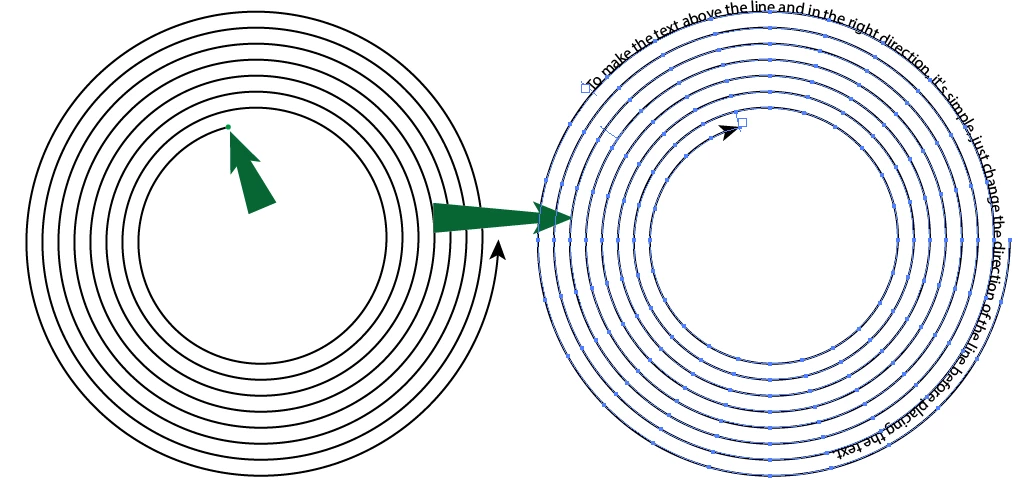
Pour que le texte soit au dessus du tracé et dans le bon sens, c'est simple, il suffit de changer le sens du tracé avant de placer le texte.

Pour inverser le sens du tracé, il faut utiliser l'outil plume (P) et pointer le point de départ de la spirale.

Remarque: le script Archimedean Spiral.jsx est limité à 1000points.
René
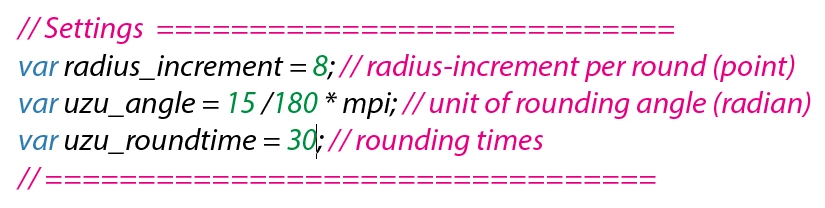
Ici maxi rounding times 40
 

PS Merci @Ton Frederiks pour le lien.

2 replies

kphotopage
Legend
February 23, 2025

I agree with Ton, type on a path and Archimedian Spiral is the way to go.


For Archimedean Spirals, my go to is using Inkscape. You have more control over how many turns to make.

For this particular graphic, the script Archimedian Spiral did not have enough turns.


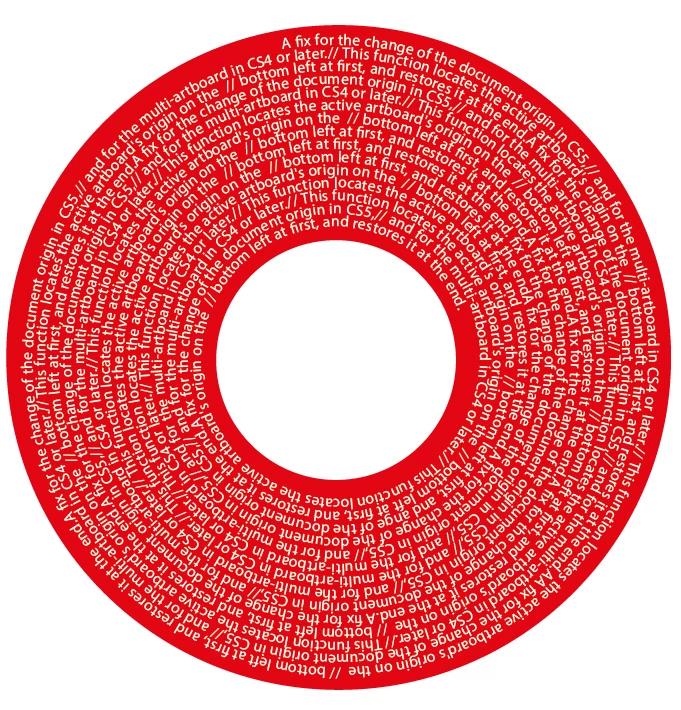
Here I used 20 turns. Scissor cut the inside and delete.


The only tricky part about this graphic was getting text to read left to right, starting from the outside going inward.

To do this, I resized the spiral to fit the LP record. I also changed the direction of the path.

Lastly, I changed the path to Text on a path.

K

Ton Frederiks
Community Expert
Community Expert
February 23, 2025

That looks good too! But you can also modify the script for the rounding times and radius increment.

Ton Frederiks
Community Expert
Community Expert
February 22, 2025

You need to create an Archimedian spiral, this script can do that:

https://github.com/Shanfan/Illustrator-Scripts-Archive/blob/master/jsx/Archimedean%20Spiral.jsx

An click in the center with the Type on a path tool.
