


Participating Frequently
July 25, 2024
Answered

Patterns not saving properly

  • July 25, 2024
  • 3 replies
  • 1914 views

Hello community!

When trying to save a pattern in Illustrator and going to use it from the Swatches > User Defined section, they either show empty or they show plain colors.

Method I use to save: Open the .ai pattern in Illustrator > Swatches > Save Swatches .
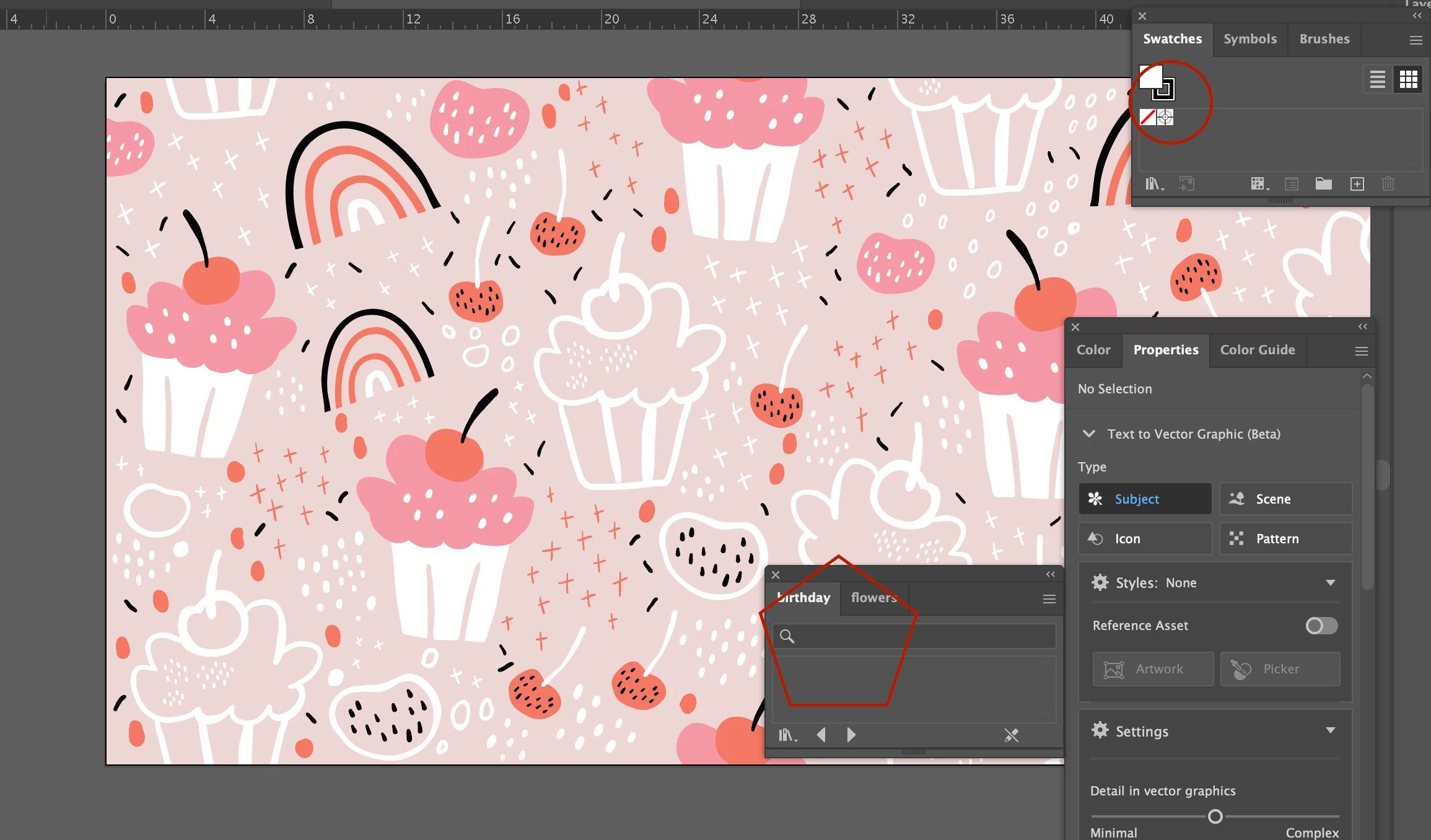
 

I am not sure what I am doing wrong. I tried a couple of patterns and it worked, but after that no pattern that I save using the same method is saving properly.


Could you please help?


Thanks!
This topic has been closed for replies.
Correct answer Monika Gause

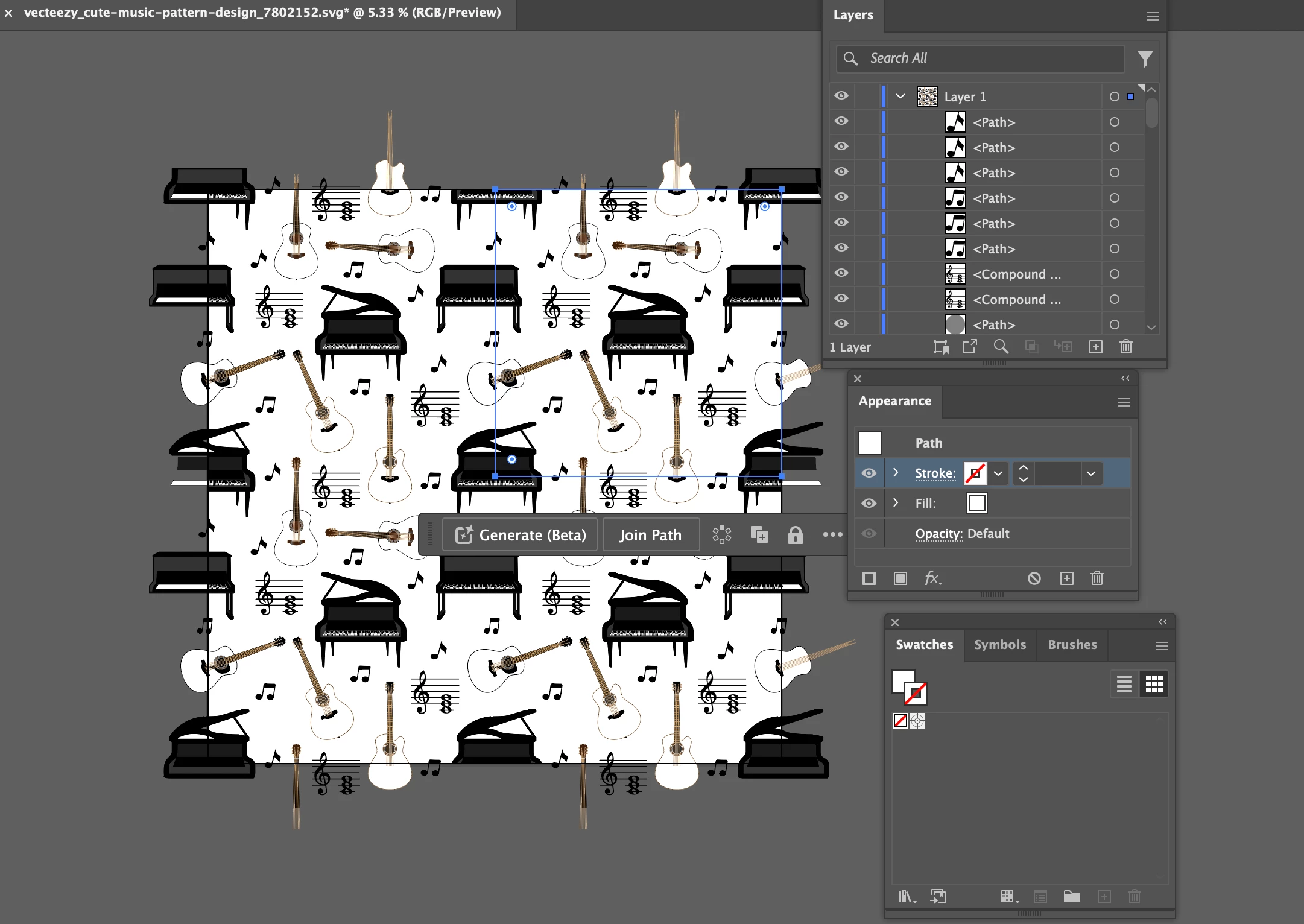
This is another one:

It is originally .svg.


That one just contains the artwork. You first need to make a pattern from it. It has 4 repeats on the artboard, you only want to use one of them. Use Object > Pattern > Make.


But beware! It is very complex. 700000 points. That is pretty detailed for a pattern. Most of the detail will probably not be visible when used in small scale.

3 replies

Ton Frederiks
Adobe Expert
July 28, 2024

Good to hear you solved it.

Monika Gause
Adobe Expert
July 25, 2024

If there are no swatches in the panel, then you cannot save them. So you should definitely read the link Bill posted about how to create a pattern swatch.


Did you create these patterns or did you download them?

Participating Frequently
July 25, 2024

I downloaded it from Adobe Stock in .ai format. After the download, it opened directly in Illustrator and then I did this: Swatches > Save Swatches > selected the Swatches folder.

This is another example:


And when selecting the pattern the swatch window on the right does not show the pattern, it shows plain colors and a random pattern. If I proceed to save it as mentioned above, it either saves it blank or saves what you can see in the window here, that has nothing to do with the actual pattern. I am quite confused.


I am using Illustrator 2024 on a mac Sonoma 14.2.1 (23C71).


Thanks!

Ton Frederiks
Adobe Expert
July 25, 2024

If it is a real pattern, you could try the following.

With the object that is filled with the pattern selected, click the + button in the Swatches panel.

Name the pattern and it should be added to the swatches.

Bill Silbert
Adobe Expert
July 25, 2024

Without knowing exactly what steps you took to create your patterns it is hard to see what the error might have been. I would suggest trying again following the steps outlined here: https://helpx.adobe.com/illustrator/using/create-edit-patterns.html. If you don't find the solution following the method provided then please provide full details of your process along with the exact version of Illustrator and operating system that you are using.

Participating Frequently
July 25, 2024

I downloaded it from Adobe Stock in .ai format. After the download, it opened directly in Illustrator and then I did this: Swatches > Save Swatches > selected the Swatches folder.

This is another example:


And when selecting the pattern the swatch window on the right does not show the pattern, it shows plain colors and a random pattern. If I proceed to save it as mentioned above, it either saves it blank or saves what you can see in the window here, that has nothing to do with the actual pattern. I am quite confused.


I am using Illustrator 2024 on a mac Sonoma 14.2.1 (23C71).


Thanks!