

The Invid
Participating Frequently
October 2, 2018
Resuelto

PDF file opens in pieces/blocks. Unable to edit individual elements.

  • October 2, 2018
  • 2 respuestas
  • 3550 visualizaciones

Not sure why, but when I open a PDF file in Illustrator it looks all broken up.  A bunch of squares and rectangles.  I did not create this file, but rather downloaded it. 

Is this some sort of protective feature that prevents users from altering the layout? 
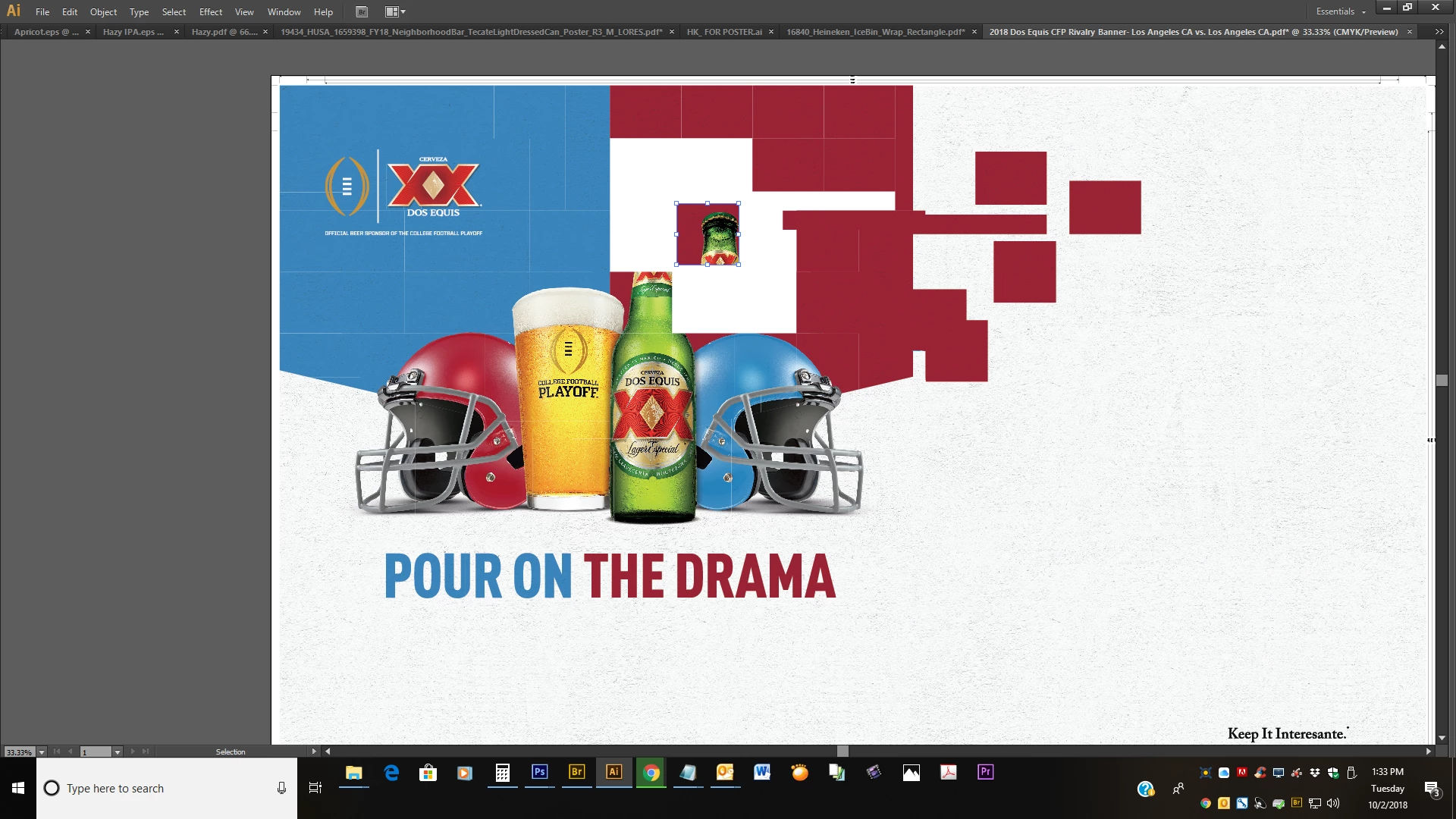
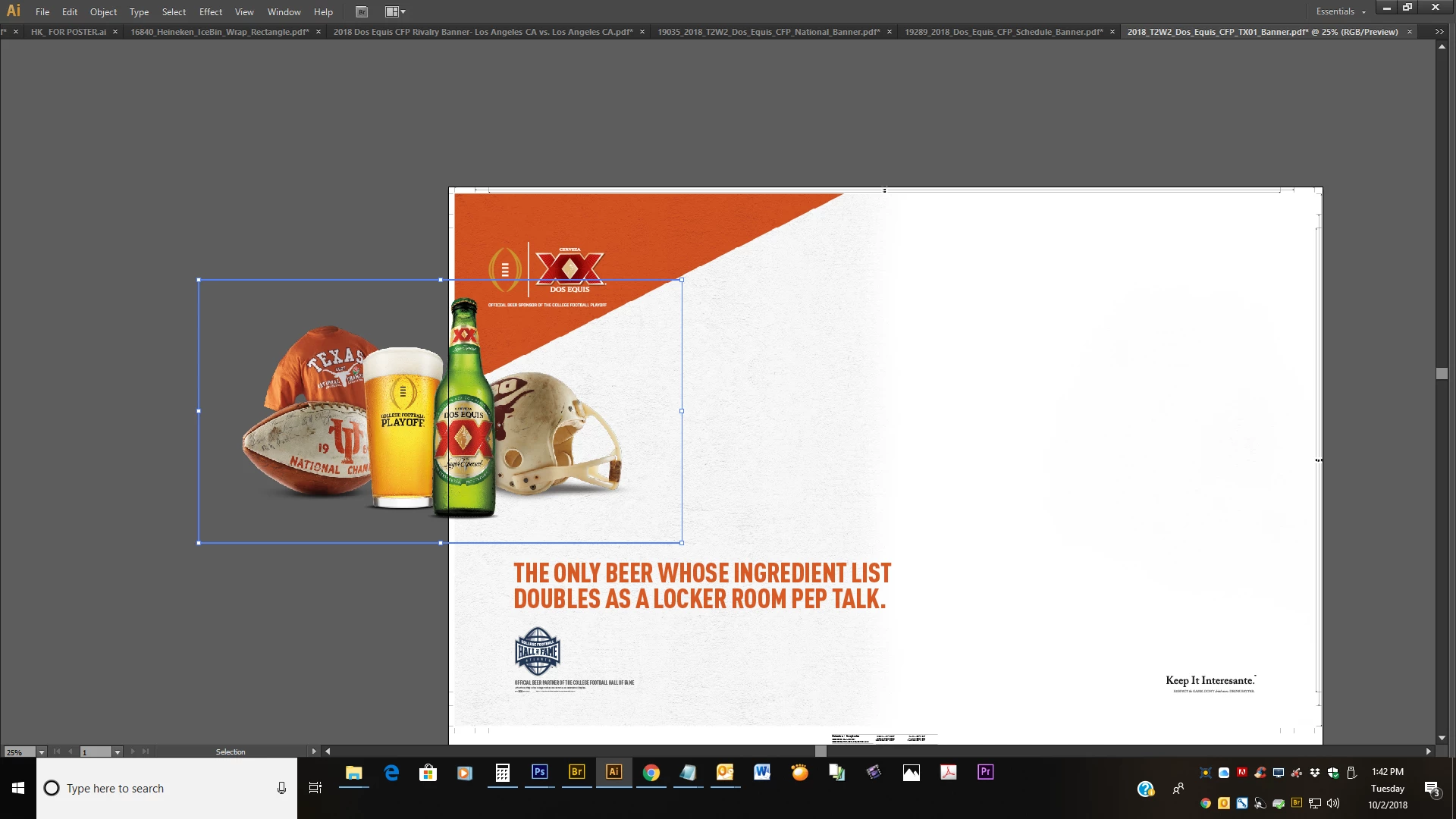
Sometimes, when I'm lucky, I am able to move the elements around as shown below...
Este tema ha sido cerrado para respuestas.
Mejor respuesta de Monika Gause

Illustrator is not a general purpose PDF editor.

You will need to what Illustrator can make out of what whatever program could export to that PDF. Too many wildcards in this for it too work smoothly.

2 respuestas

Theresa J
Community Expert
Community Expert
October 3, 2018

Monika is correct. Illustrator is not a PDF editor. Many people think it is, because you can open a PDF in Illustrator. The image in the file is all broken up because the PDF was saved from another application, (probably InDesign) with a PDF setting that flattened the transparency in the layout. The helmets and beer were probably created in Photoshop originally. The Photoshop file, with transparency was placed over other graphics in InDesign. The PDF setting flattened it into the pieces you see in Illustrator. If you need to make layout edits you will need the original working files. If simple text edits are all that is needed, you may be able to do that with Acrobat.

Monika Gause
Community Expert
Monika GauseCommunity ExpertRespuesta
Community Expert
October 2, 2018

Illustrator is not a general purpose PDF editor.

You will need to what Illustrator can make out of what whatever program could export to that PDF. Too many wildcards in this for it too work smoothly.