



Pixel Perfect Diagonal Lines and why Illustrator won't allow me to change size in transform box
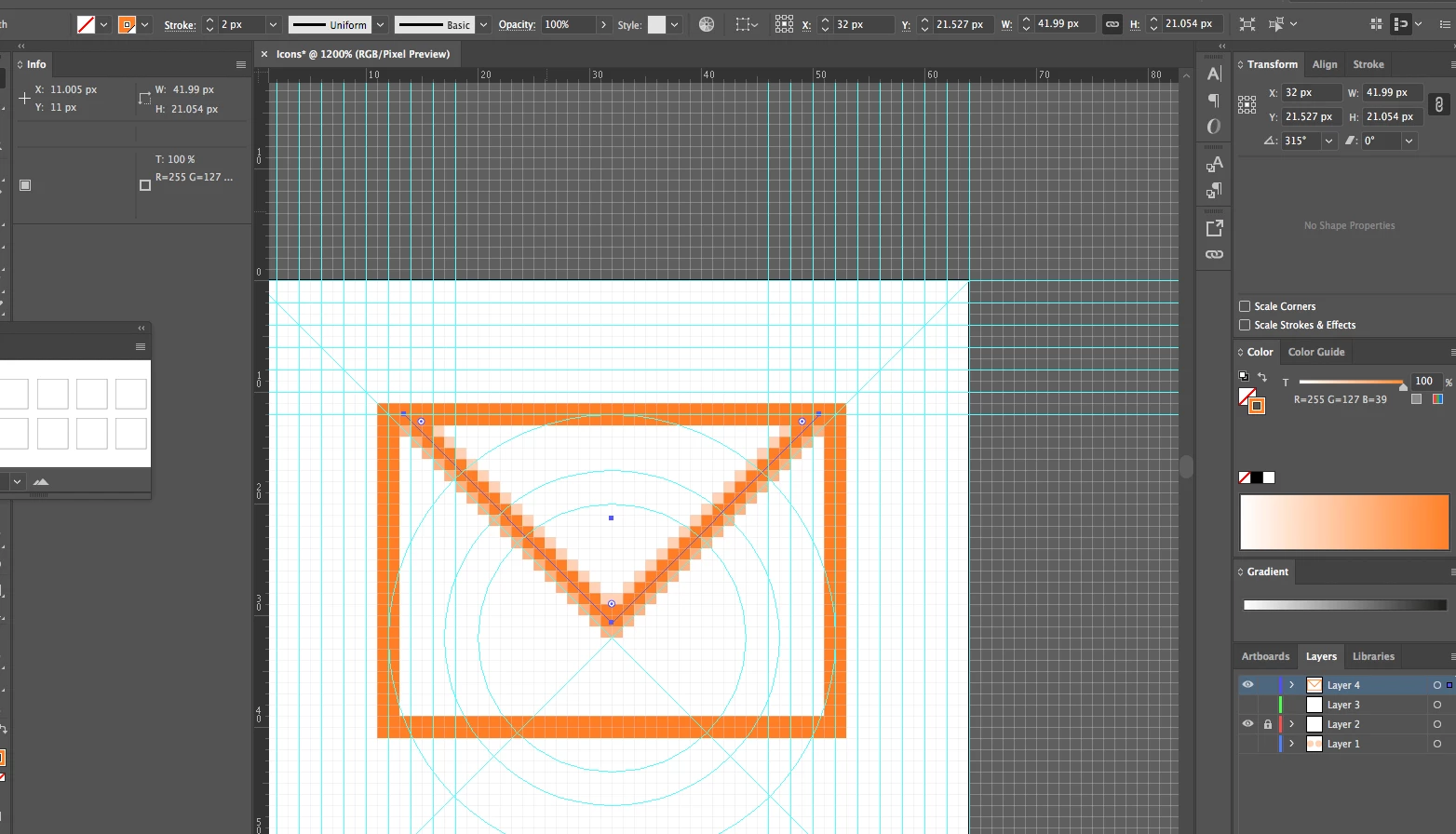
Hi I am trying to design a pixel perfect envelope icon. That actually sounds pretty easy but Illustrator will not let me do it.
I am not able to create a simple diagonal line that would have an even number size, there is always something along the 20.607 px or 41.213px
When I am trying to resize it and input a number that I want into the transform box, Illustrator changes them, for example typing in 42px will change it to 41.99px
I am using Pixel grid and Pixel Perfect also have snap to pixel on.
Tried without all these options and had the same problem.
When i try to resize it by using direct selection tool and just move it around it will not allow me to have a full number there is always 42.123px or 42.005px
I've tried making a square and then changing it into the triangle to use in my envelope icon, and this did not work either.
I am using Illustrator CC 2017 on MacOS
 AdChoices