


Participating Frequently
September 12, 2022
Answered
Problem connecting to paths seamlessly
- September 12, 2022
- 4 replies
- 981 views
Hi guys!
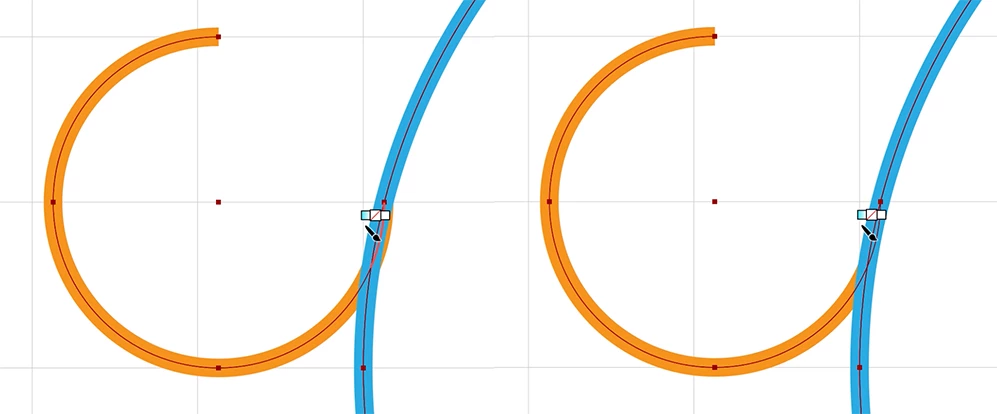
I drew two circles using the ellipse tool. In one of them, I've used the Direct selection tool to remove the right top portion.
I want to connect both paths smoothly, but the small semi circle overflows the circle, and I can't connect them seamlessly.
I'm using snapping to grid so both circles are aligned to the grid.
Switching to the outline view, it's possible to see that the paths are not intersecting each other.
Can you help me finding a way to get a smooth/perfect join?
Thanks!
 AdChoices