Participating Frequently
June 23, 2023
Answered

Problem rendering Illustrator PDF file

  • June 23, 2023
  • 2 replies
  • 1253 views

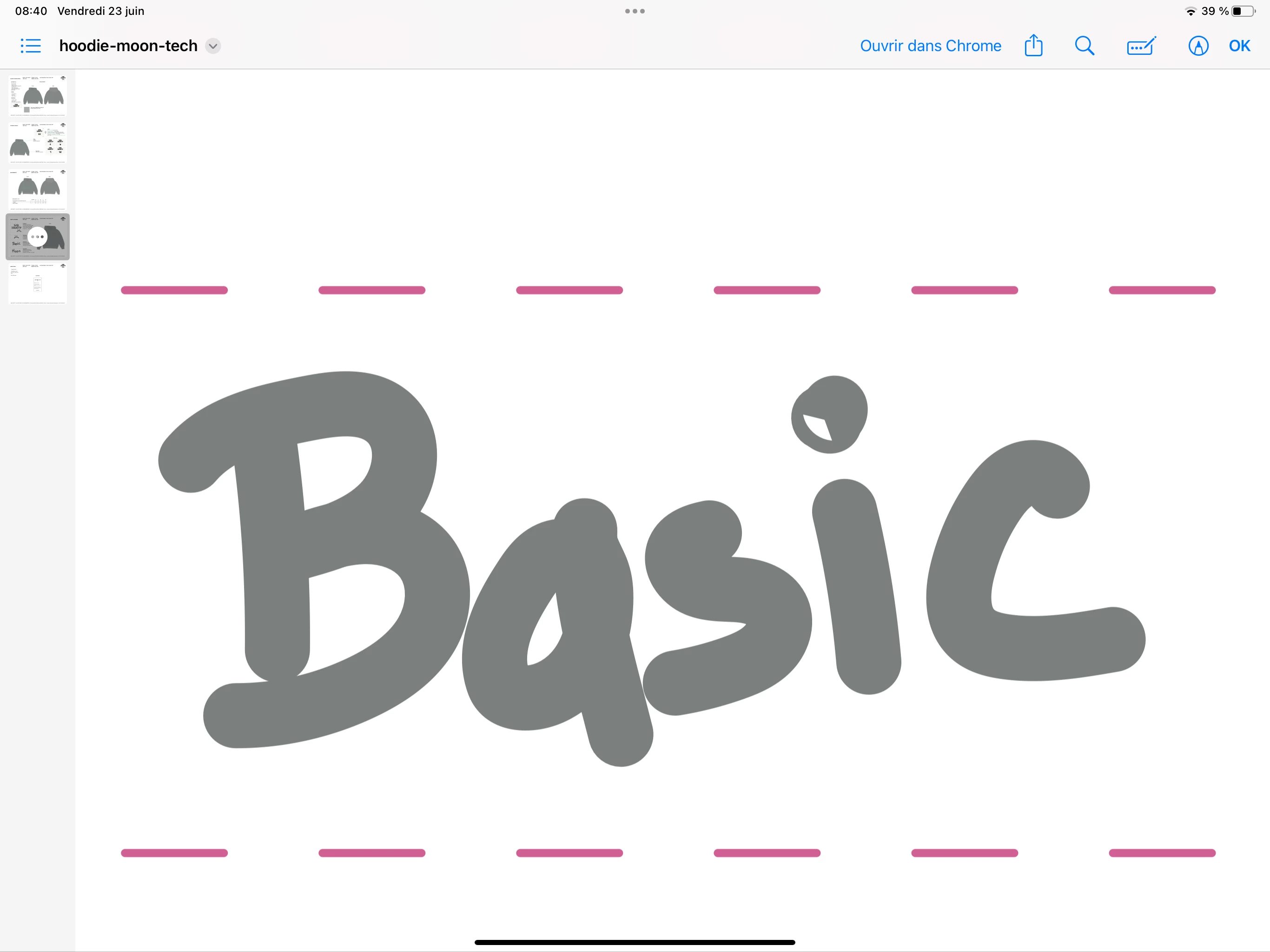
Do you know why we see a hole in the i when I open the pdf or print it?


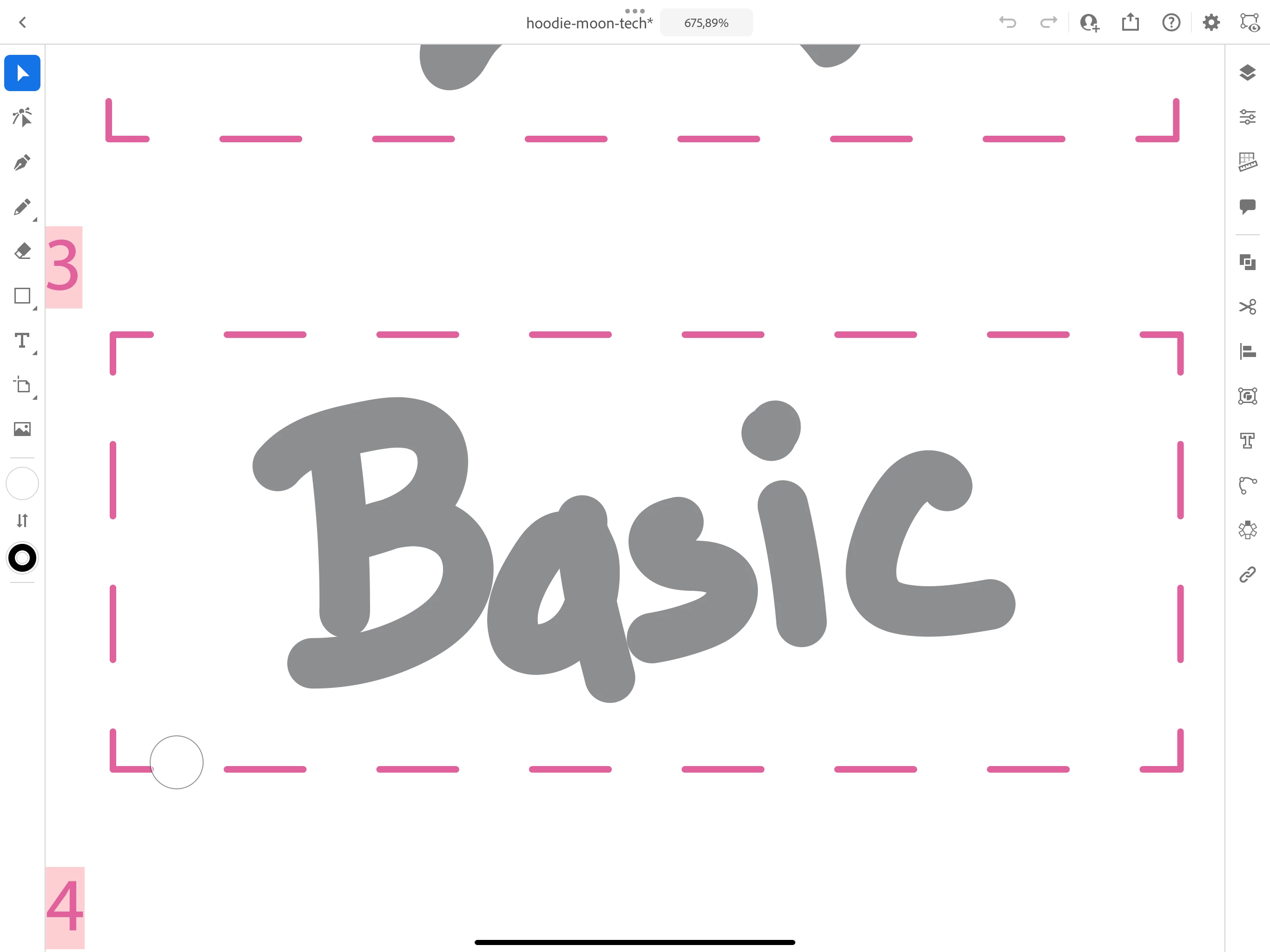
Whereas on Illustrator there is none.


If you know respond to this post or email me (personal detail removed by moderator) 


Thank you.


PDF :


AI Illustrator : 


This topic has been closed for replies.
Correct answer Wills@Gstudio

i don't understand can you show me how you do that ?


Screen_Recording_2023-06-23_at_14-45-21.mov

2 replies

Monika Gause
Adobe Expert
June 23, 2023

Have you drawn this with a brush? If that brush is self-overlapping then these things could happen. 

Can you provide the AI file?

Participating Frequently
June 23, 2023

I used the brush of caligraphy with rounded edge on the ipad to reproduce my writing.


Here is the file ai : 

https://mega.nz/file/5xZgTDaa#Q2vUk9CI3AECEfXeJsVyUDIUMiQUJXDozpKi21TRR04


darronb74171613
New Participant
June 23, 2023

You need to look at the dot of the i and correct the shape, there's overlapping strokes which may affect the export when stroke thickness is added. You might not see it in Illustrator but in wireframe it's there

Wills@Gstudio
Participating Frequently
June 23, 2023

Check in wireframe view for any non expected element, is this mobile Illustrator?

Participating Frequently
June 23, 2023

There it’s on ipad but it’s the same on mac


I didn’t understand what's wireframe

Wills@Gstudio
Participating Frequently
June 23, 2023

cmd+y is wireframe view where you can view only vector lines and dots and check for anything you would not expect to be there.