


Participating Frequently
July 1, 2020
Answered

Question: how to merge multiple paths into one layer without reducing to 1 color

  • July 1, 2020
  • 1 reply
  • 3037 views

Dear all,

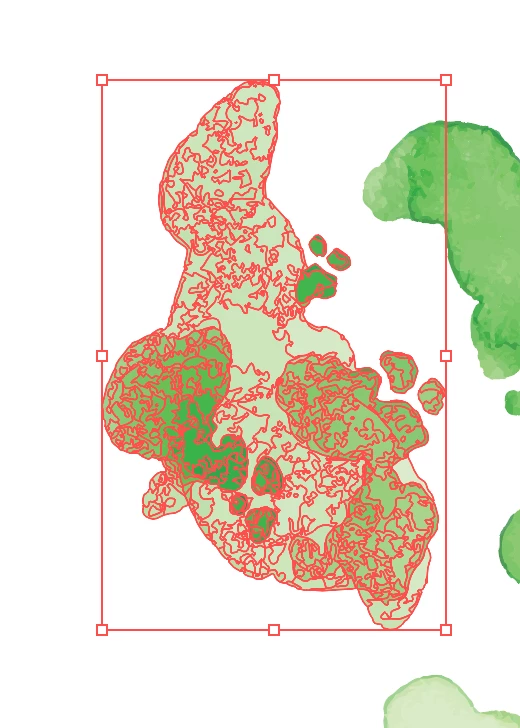
I am trying to as stated in my question to merge multiple paths into one layer, without losing the multiple colors in the illustration. I have tried pathfinder, but then it reduces the illustration to one color.


Is there someone who can help me out?

Underneath is a screenshot to guidance the question.


Thank you!
This topic has been closed for replies.
Correct answer Doug A Roberts

Hi, thank you for your response.


The complete image is a vector image and they aren't clipping paths.

What I need the layer to be is a object with outlines which doesn't loose the colors.


In the example you linked to, they use SVG clipping paths over an image.

1 reply

Doug A Roberts
Community Expert
Community Expert
July 1, 2020

That is a single layer.

If you mean one object, that would be a contradiction in terms: you can't have a single shape with multiple discrete colours.

Why do you think that you need it that way? What are you trying to achieve?

Participating Frequently
July 1, 2020

Thank you for your reply.

I need the layer to be like that so the 'object' has an outline which can be animated

Monika Gause
Community Expert
Community Expert
July 1, 2020

Yes, the outline is needed to make an animation as on this website:

https://tympanus.net/Development/OrganicShapeAnimations/ 


I am not the one who will make the animation, but to deliver the file.

I hope this provides some more information


They are using a clipping path?

If that is the case, forget your multiple colors.

But it looks like they are using a clipping path and an image in the background that gets clipped. I doubt that the background image is a vector image.


So please get some more information on how exactly that will work and what exactly you need.