


Participant
November 15, 2022
Answered

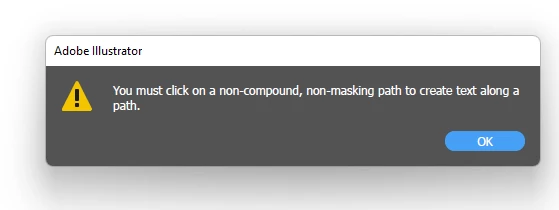
"You must click on a non-compound, non masking path to create text along a path"

  • November 15, 2022
  • 2 replies
  • 7746 views

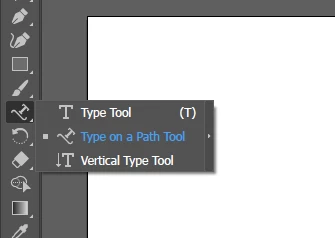
I would like to create curved text so I clicked the "Type on a Path Tool" as was indicated in every single tutorial on the internet.


I get the error message "You must click on a non-compound, non masking path to create text along a path."
 

There document I am working with is literally blank and there is nothing to deselect. 
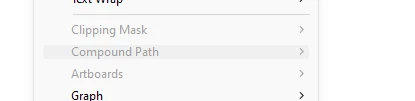


This question has been asked many times in other threads but all of those threads involve an actual project. There is LITERALLY nothing to deselect as this is a new document and I am trying to make a path with the "type along a path tool." 


This topic has been closed for replies.
Correct answer pixxxelschubser

First draw a line or a simple curve. Then activate the Type on a Path Tool. Move the cursor over the path and click. Either a dummy text appears that you can overwrite or you can simply start writing at the cursor position.


If that works for you

have fun

😉

2 replies

barbara_a7746676
Community Expert
Community Expert
November 15, 2022

You must first draw a path before you can put type on a path. The path can be drawn with the Pen tool or with any of the drawing tools you see in the Tools panel.

Once you have drawn the path,

Select the Type on a Path tool or the regular Type tool will also work.

Get your cursor very close to the edge of the path and click.

The default is that Illustrator will add dummy text that you can replace.

It can be tricky repositioning the text. One of the many tutorials you've seen on the web should have helpful instructions for editing and repositioning the text, and editing the path itself.


pixxxelschubser
Community Expert
pixxxelschubserCommunity ExpertCorrect answer
Community Expert
November 15, 2022

First draw a line or a simple curve. Then activate the Type on a Path Tool. Move the cursor over the path and click. Either a dummy text appears that you can overwrite or you can simply start writing at the cursor position.


If that works for you

have fun

😉

Participant
September 18, 2024

it works. tq