



1960sgal
Known Participant
January 29, 2019
Answered

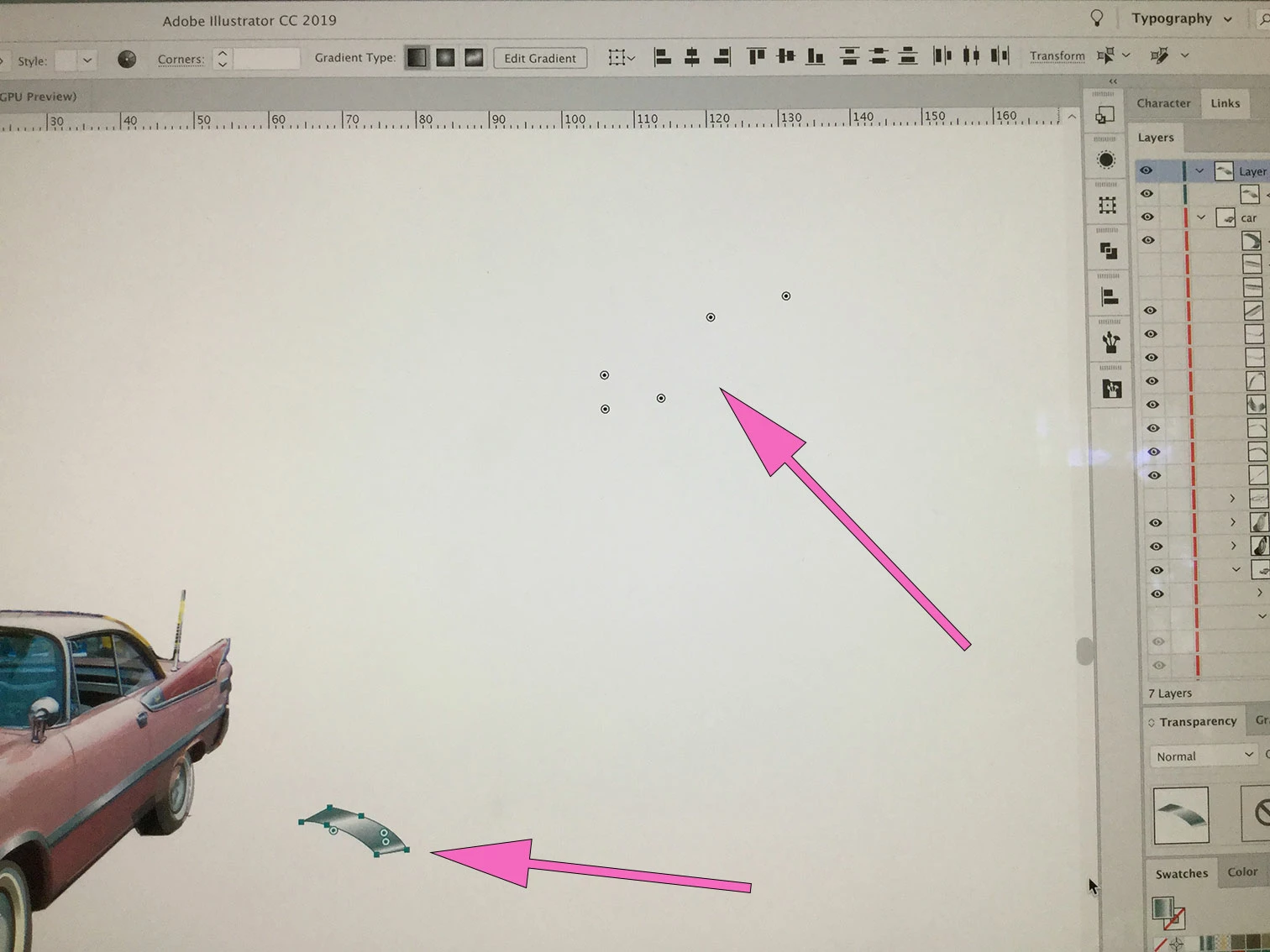
Random "Live Corners" or Center Marks all over the illustration space.
  • January 29, 2019
  • 1 reply
  • 657 views

Hi - I am at a loss here. I am working on a bit of the illustration as you see in the lower arrow...but I am getting all these other pints that tell my object that it's center is way off in the upper right corner. Can someone please tell me whats is going on + how to fix this? It is really slowing me down. I am on an imac, mojave, AICC. Thanks!

    This topic has been closed for replies.
    Correct answer Monika Gause

    Does it happen with this file or others as well?

    When was you last computer restart?

    1 reply

    Monika Gause
    Community Expert
    Community Expert
    January 29, 2019

    There are no objects over there?

    Can you try View > Preview on CPU?

    1960sgal
    1960sgalAuthor
    Known Participant
    January 29, 2019

    No - I have even turned all the other layers off. And picked through to see if there is something under there. View using CPU does nothing.

    1960sgal
    1960sgalAuthor
    Known Participant
    January 29, 2019

    Does it happen with this file or others as well?

    When was you last computer restart?


    Hi Monika, Yep - seems like it is resolved. I did a restart. I should have done that first. Thanks for your input. Cheers!