



jca3d
Inspiring
January 10, 2019
Answered

Recent, New Doc and notifications aren't displaying properly. Why??

  • January 10, 2019
  • 1 reply
  • 714 views

Hi, all. I'm a PC user running Windows 10 and this issue has been going on for the last several Adobe updates. I've also tried un-/re-installing illustrator without any success to fix the issue.

Illustrator only shows about 7/8 of the first screen upon opening: Recent documents. The display is anchored at the top left corner of my screen and then cuts to black 7/8 across and 7/8 down my screen.

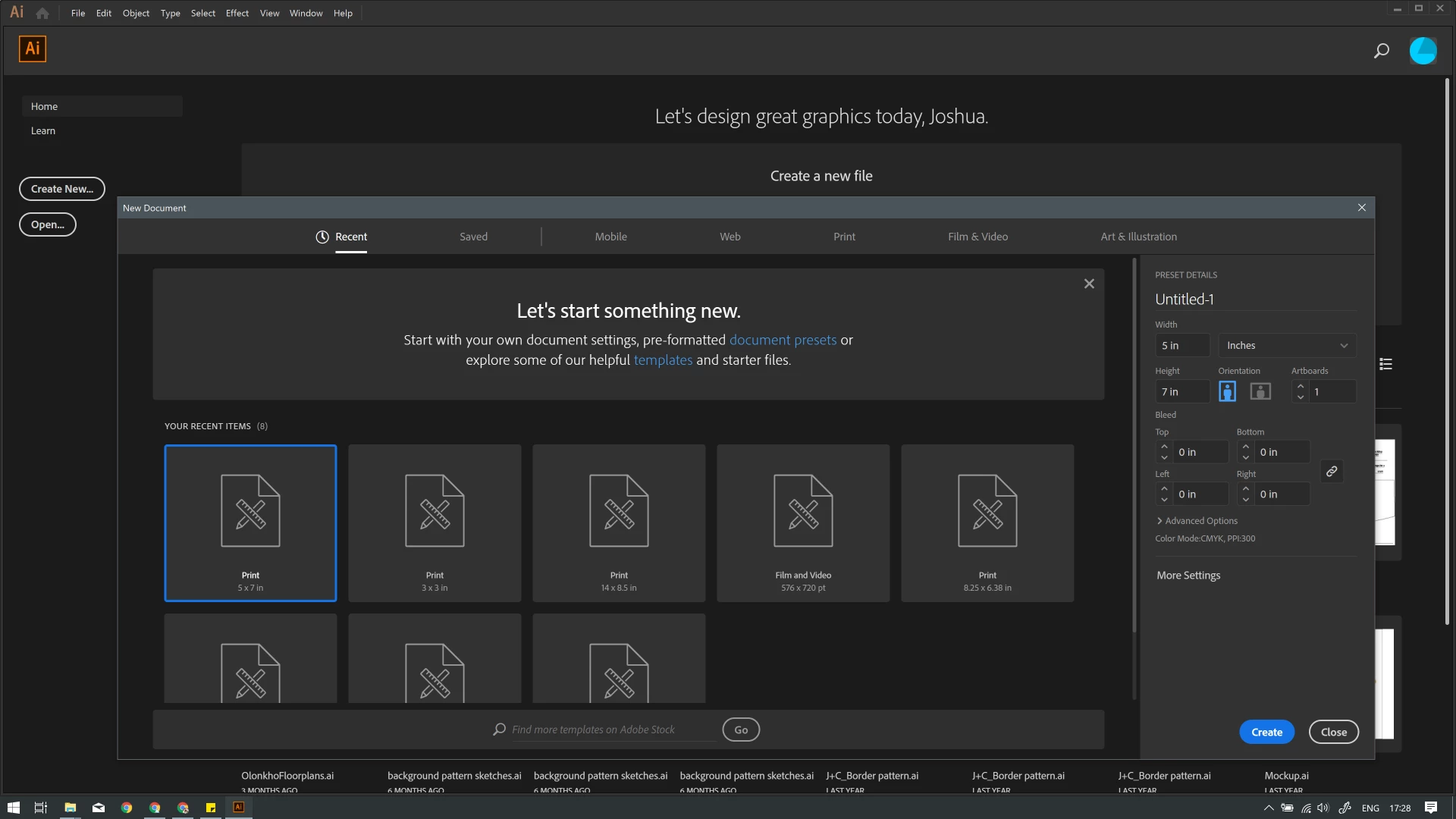
Next, when I choose "Create new" I'm given a screen that also doesn't show all it should. In the header I see Recent, Saved, Mobile, and Web. I believe the other options should be Print, Film & Video, and Art & Illustration but it doesn't display those because the window is too small. Below that, I see "Let's start something new. Start with your own document settings or from a range of dc... [it gets cut off]... to get working quickly." I do not have the option of scrolling under "YOUR RECENT ITEMS (7)" and can only see 3 of the supposedly 7 options there.

Finally, the pop-up notification to update Illustrator displays partially as well. My only option is to click "Remind me later" though I can see part of the rounded blue "update" button.

I'll try to post some photos. Anybody know what might be the root cause of all this?? It's been driving me crazy!
    This topic has been closed for replies.
    Correct answer jca3d

    That's the setting I was referring to.

    Can you just grab the bottom right corner and drag it to make that window bigger?


    Oh! The newest Illustrator update fixed that issue. Fantastic! It made it through several prior updates but now I can see everything clearly!!

    1 reply

    jca3d
    jca3dAuthor
    Inspiring
    January 10, 2019

    ^ Here's the New Document screen, displaying incorrectly. ^

    ^ This is what happens if I try to enlarge it... the display area shrinks vertically but displays the right panel. It also makes that field of white appear for some reason. ^

    ^ Top right corner: update notification displaying partially. ^

    Monika Gause
    Community Expert
    Community Expert
    January 10, 2019

    Can you check all the resolution settings for your monitor in Windows and in Illustrator preferences? Looks like something might not match there.

    jca3d
    jca3dAuthor
    Inspiring
    January 10, 2019

    Monika,

    All my other Adobe products display properly so, if it's a resolution issue, it's in Illustrator, not my computer. What am I looking for in Illustrator's Preferences? Would resolution be under User Interface, Performance, General, or elsewhere? I'm not sure what I'm looking for.