


Known Participant
May 15, 2018
Answered

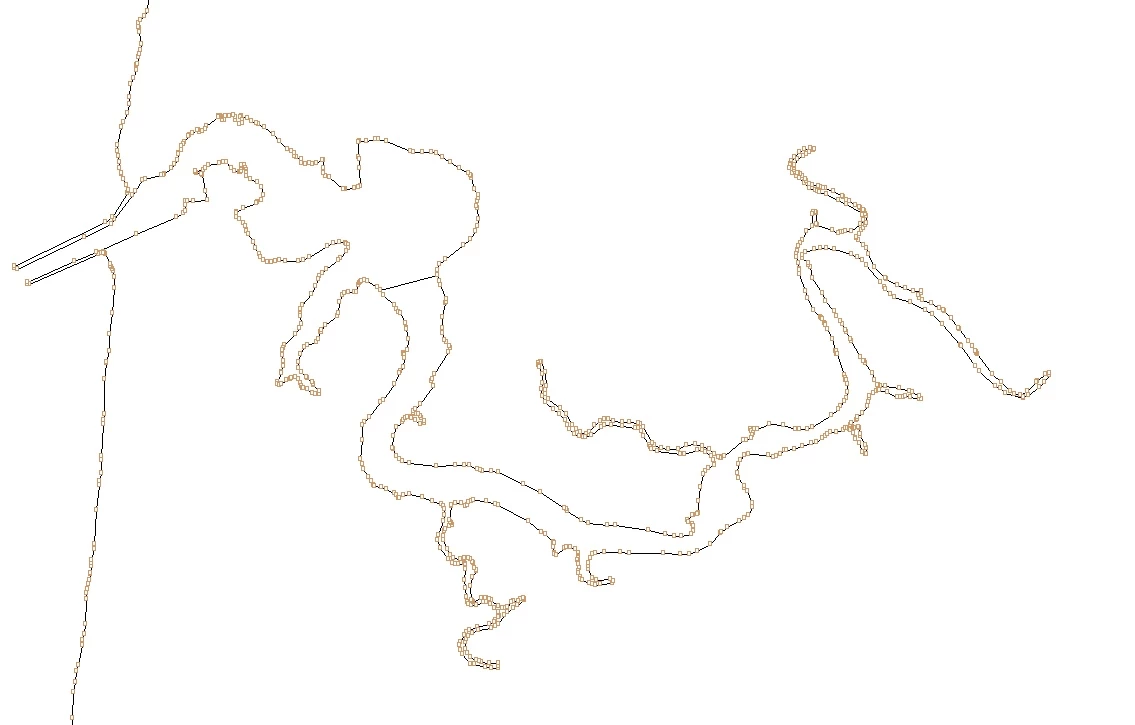
Removing anchor points, but not changing the shape of object
  • May 15, 2018
  • 4 replies
  • 2254 views

Hello,

Above is a illustration of a river for a map. The artwork has an over abundant of anchor points as you can see.

Is there a way of deleting the anchor points, but still keep the river line work the same? Can it be made into artwork w/o anchor's?

I tried using the direct select tool - object - path - remove anchor points, but it deletes the entire river.

Thank you for your help and time with this.

-Chris

This topic has been closed for replies.
Correct answer JonathanArias

use the smooth tool, zoom in and smooth out the line?

4 replies

ChrisG66Author
Known Participant
May 15, 2018

All great answers!!!! Thank you so much!!! I greatly appreciate it.

Ton Frederiks
Community Expert
Community Expert
May 15, 2018

Object > Path > Simplify can  help.

Or plug-ins from Astute Graphics.

Larry G. Schneider
Community Expert
Community Expert
May 15, 2018

Or Object>Path>Simplify and use something like 95 in the curve window.

JonathanArias
JonathanAriasCorrect answer
Legend
May 15, 2018

use the smooth tool, zoom in and smooth out the line?