


Removing Overlaps in Lettering from Variable Fonts
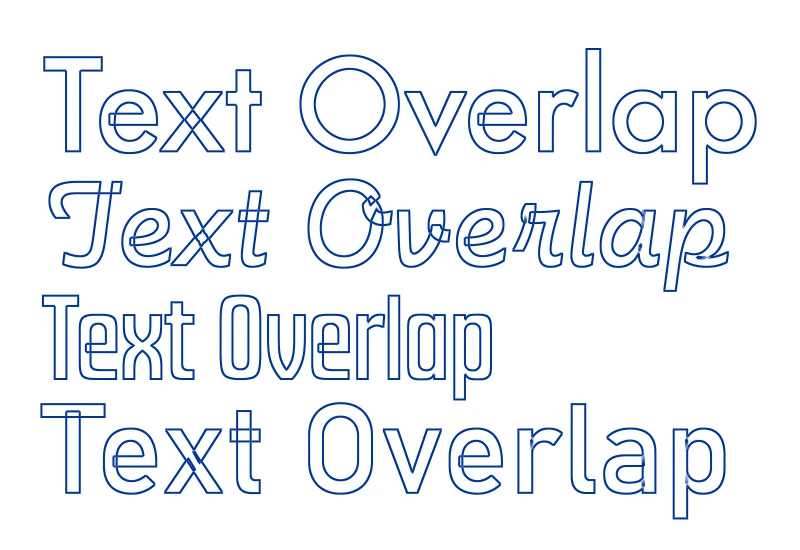
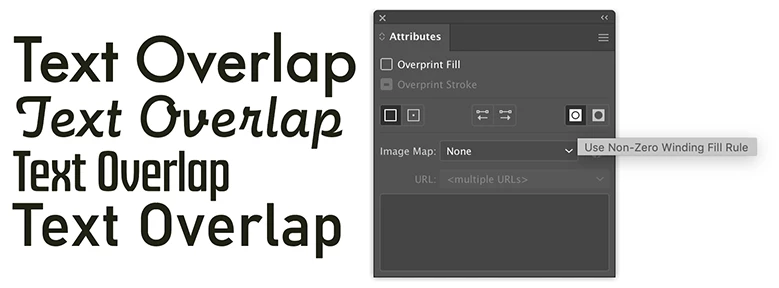
I think OpenType Variable Fonts are pretty nifty. But they can include a side-effect of letter forms with overlapping parts, even a single shape overlapping on itself. See the attached image for an example. That side-effect of overlapping parts can be pretty harmful if that lettering will be sent to something like a vinyl cutting machine or computerized routing table. A knife blade or router bit will cut through material wherever a path line is present.
A long time ago Macromedia Freehand featured an "Xtra" called "remove overlap." With one click it would weld over the overlapping lines in objects similar to the letters from those Variable Fonts. CorelDRAW has a similar (but not obvious) Weld function (Object menu>Shaping>Weld). The normal weld function buttons in CorelDRAW don't remove the overlaps. You have to use that drop-down menu item.
Does the current version of Adobe Illustrator have a similar one-click function anywhere to get rid of overlaps? The Shape Builder tool is the only thing I can find that delivers a desirable result, but you have to manually go letter by letter using the tool to draw through the overlaps. It's not bad if it's just a few objects to touch up. It can be a waste of time if you're having to fix a bunch of lines of copy.
IIRC, some years ago, the Unite function in Illustrator's Pathfinder palette was able to automatically get rid of overlaps with one click. It doesn't do that now.
 AdChoices