


New Participant
June 28, 2020
Answered

Resolution of Effects in Illustrator

  • June 28, 2020
  • 1 reply
  • 422 views

Hi everyone,


Sorry I'm still new to Illustrator and still trying to figure it out. I've searched the internet to try and find help but can't find what I'm after.


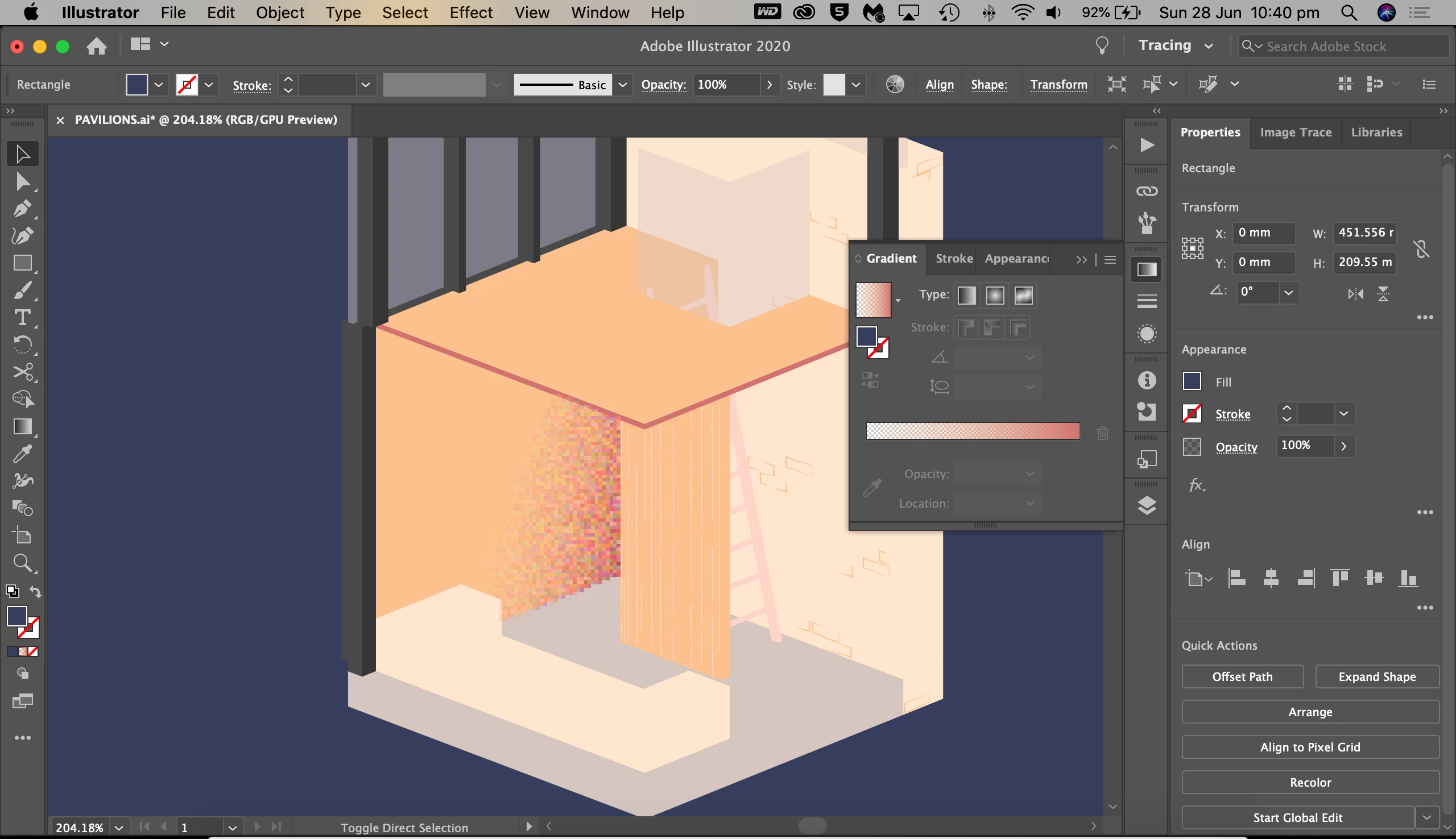
Basically, I've changed the effect of a solid colour shape to a gradient then added the grain, texture effect, however as you can see the resolution is so bad and I can't figure out how to improve it.


I'm using Ilustrator 2020 on Mac, thanks for any help in advance 🙂 
This topic has been closed for replies.
Correct answer Kurt Gold

In the Effect menu there is an item called Document Raster Effects Settings.


Adjusting the settings there may help.

1 reply

Kurt Gold
Kurt GoldCorrect answer
Community Expert
June 28, 2020

In the Effect menu there is an item called Document Raster Effects Settings.


Adjusting the settings there may help.

emh3Author
New Participant
June 29, 2020

Perfect, thank you!