


Inspiring
February 6, 2023
Answered

Script "Divide TextFrame"

  • February 6, 2023
  • 2 replies
  • 5061 views

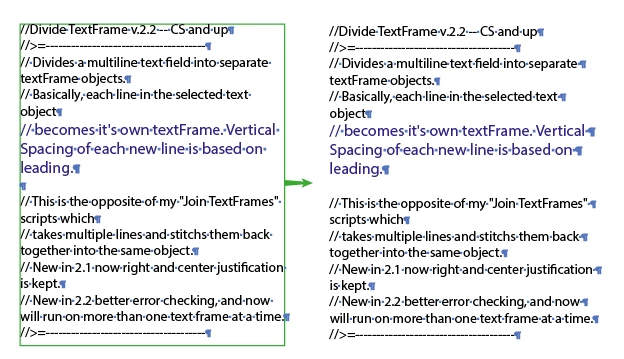
There is an old, but sometimes helpfull script from John Wundes to devide Text frames.


/////////////////////////////////////////////////////////////////
//Divide TextFrame v.2.2 -- CS and up
//>=--------------------------------------
// Divides a multiline text field into separate textFrame objects.
// Basically, each line in the selected text object
// becomes it's own textFrame. Vertical Spacing of each new line is based on leading.
// 
// This is the opposite of my "Join TextFrames" scripts which
// takes multiple lines and stitchs them back together into the same object.
// New in 2.1 now right and center justification is kept.
// New in 2.2 better error checking, and now will run on more than one text frame at a time.
//>=--------------------------------------
// JS code (c) copyright: John Wundes ( john@wundes.com ) www.wundes.com
//copyright full text here:  http://www.wundes.com/js4ai/copyright.txt
////////////////////////////////////////////////////////////////// 

var doc = activeDocument;
var genError= "DivideTextFrame must be run on a point-text text-frame. ";
var ret_re = new RegExp("/[\x03]|[\f]|[\r\n]|[\r]|[\n]|[,]/"); 
if(doc){
        var docsel = doc.selection;
        var sel = [];
    //remember initial selection set
         for(var itemCt=0, len = docsel.length ;itemCt<len;itemCt++){
             if(docsel[itemCt].typename == "TextFrame"){
                  sel.push(docsel[itemCt]);
             }
         }
     
        if(sel.length){  //alert(sel.length+" items found.");
            for(var itemCt=0, len = sel.length ;itemCt<len;itemCt++){
                divide(sel[itemCt]);
            }      
        }else{
                alert(genError +"Please select a Text-Frame object. (Try ungrouping.)");
        }       
}else{
    alert(genError + "No document found.");
};
 
function divide(item){ 
    
	//get object position
    var selWidth = item.width; 
if(item.contents.indexOf("\n") != -1){
	//alert("This IS already a single line object!");
}else{
        
    //getObject justification
    var justification = item.story.textRange.justification;
    
	//make array
	var lineArr = fieldToArray(item);
	tfTop = item.top;
	tfLeft = item.left;
	item.contents = lineArr[0];

	//for each array item, create a new text line
	var tr = item.story.textRange;
	var vSpacing = tr.leading;
    var newTF;
	for(j=1 ; j<lineArr.length ; j++){
		newTF = item.duplicate(doc, ElementPlacement.PLACEATBEGINNING);
		newTF.contents = lineArr[j];
		newTF.top = tfTop - (vSpacing*j);
        if(justification == Justification.CENTER)
        { 	
             newTF.left = (tfLeft + (selWidth/2)) - (newTF.width/2);	
        }
    else 
            if(justification == Justification.RIGHT)
        {
            newTF.left = (tfLeft + selWidth) - newTF.width;	
        }
    else 
    {
           newTF.left = tfLeft;
    }
		newTF.selected = false;		
	}
}

function fieldToArray(myField) {  
		retChars = new Array("\x03","\f","\r","\n"); 
		var tmpTxt = myField.contents.toString();
		for (all in retChars )
        {
            tmpArr = tmpTxt.split(retChars[all]); 
        }  
		return tmpTxt.split(ret_re);
	}
 
    }


Correct answer renél80416020

Essayez cela...


// JavaScript Document for Illustrator
var remove = true;
var doc = activeDocument;
var genError= "DivideTextFrame must be run on a point-text text-frame. ";
  if(doc){
    var docsel = doc.selection;
    var k = 0;
      if(docsel.length){  //alert(sel.length+" items found.");
        for(var itemCt=0, len = docsel.length ;itemCt<len;itemCt++){
          if(docsel[itemCt].typename == "TextFrame"){
            if(docsel[itemCt].lines.length == 1){
              //alert("This IS already a single line object!");
              continue;
            }
            else{
              divide(doc,docsel[itemCt]);
              k++;
            }
          }
        }
        if(k == 0)alert(genError +"Please select a Text-Frame object. (Try ungrouping.)");
      }
      else{
        alert(genError + "No document found.");
      }
}
//------------
function divide(relativeObjet,item){
  //getObject justification and leading
  var justification = item.textRange.justification;
  var vSpacing0 = item.textRange.leading;
  var vSpacing =  vSpacing0;
  var tfTop = item.top;
  var tfLeft = item.left;
  var newTF;
    for(var j = 0; j < item.lines.length; j++){
        if (!item.lines[j].characters.length) {
          tfTop -= vSpacing0;
            continue;
        }
      newTF = relativeObjet.textFrames.add();
      item.lines[j].characters[0].duplicate(newTF.insertionPoints[0]);
      vSpacing = newTF.textRange.leading;
      newTF.contents = item.lines[j].contents;
      newTF.top = tfTop;
      tfTop -= vSpacing;
        switch (justification) {
          case (Justification.CENTER): newTF.left = tfLeft+(item.width-newTF.width)/2; break;
          case (Justification.RIGHT): newTF.left = tfLeft+item.width-newTF.width; break;
          default : newTF.left = item.left;
        }
        newTF.textRange.justification = justification;
    }
  if (remove) {item.remove();}
}


2 replies

Met1
Brainiac
February 7, 2023

Works for me, with or without Femke's correction (separates on return - got hard returns in your text?)

uesixAuthor
Inspiring
February 7, 2023

works

renél80416020
renél80416020Correct answer
Inspiring
February 7, 2023

Essayez cela...


// JavaScript Document for Illustrator
var remove = true;
var doc = activeDocument;
var genError= "DivideTextFrame must be run on a point-text text-frame. ";
  if(doc){
    var docsel = doc.selection;
    var k = 0;
      if(docsel.length){  //alert(sel.length+" items found.");
        for(var itemCt=0, len = docsel.length ;itemCt<len;itemCt++){
          if(docsel[itemCt].typename == "TextFrame"){
            if(docsel[itemCt].lines.length == 1){
              //alert("This IS already a single line object!");
              continue;
            }
            else{
              divide(doc,docsel[itemCt]);
              k++;
            }
          }
        }
        if(k == 0)alert(genError +"Please select a Text-Frame object. (Try ungrouping.)");
      }
      else{
        alert(genError + "No document found.");
      }
}
//------------
function divide(relativeObjet,item){
  //getObject justification and leading
  var justification = item.textRange.justification;
  var vSpacing0 = item.textRange.leading;
  var vSpacing =  vSpacing0;
  var tfTop = item.top;
  var tfLeft = item.left;
  var newTF;
    for(var j = 0; j < item.lines.length; j++){
        if (!item.lines[j].characters.length) {
          tfTop -= vSpacing0;
            continue;
        }
      newTF = relativeObjet.textFrames.add();
      item.lines[j].characters[0].duplicate(newTF.insertionPoints[0]);
      vSpacing = newTF.textRange.leading;
      newTF.contents = item.lines[j].contents;
      newTF.top = tfTop;
      tfTop -= vSpacing;
        switch (justification) {
          case (Justification.CENTER): newTF.left = tfLeft+(item.width-newTF.width)/2; break;
          case (Justification.RIGHT): newTF.left = tfLeft+item.width-newTF.width; break;
          default : newTF.left = item.left;
        }
        newTF.textRange.justification = justification;
    }
  if (remove) {item.remove();}
}


femkeblanco
Brainiac
February 6, 2023

I don't use the latest version, but for-in loops are core Javascript, so I'm doubtful that they've stopped working in the latest version.  Nevertheless, it would be helpful if another user can confirm whether or not the script works in the latest version.  Meanwhile, what does the error message say and when does the error occur?  Also, as far as I can tell, the whole for-in loop block is superfluous in the script, so you can try removing


for (all in retChars )
        {
            tmpArr = tmpTxt.split(retChars[all]); 
        }


uesixAuthor
Inspiring
February 6, 2023

Your're right.

femkeblanco
Brainiac
February 6, 2023

This splits the string: 

return tmpTxt.split(ret_re);


The for-in loop block returns an array to the variable tmpArr, which isn't used anywhere in the script.