Hi @Isaac265865188lnf, I have some functions I have previously written on hand, so I have put together this script quickly to do what I think you want. At the least it will show you a different approach and I think that will be useful.
- Mark
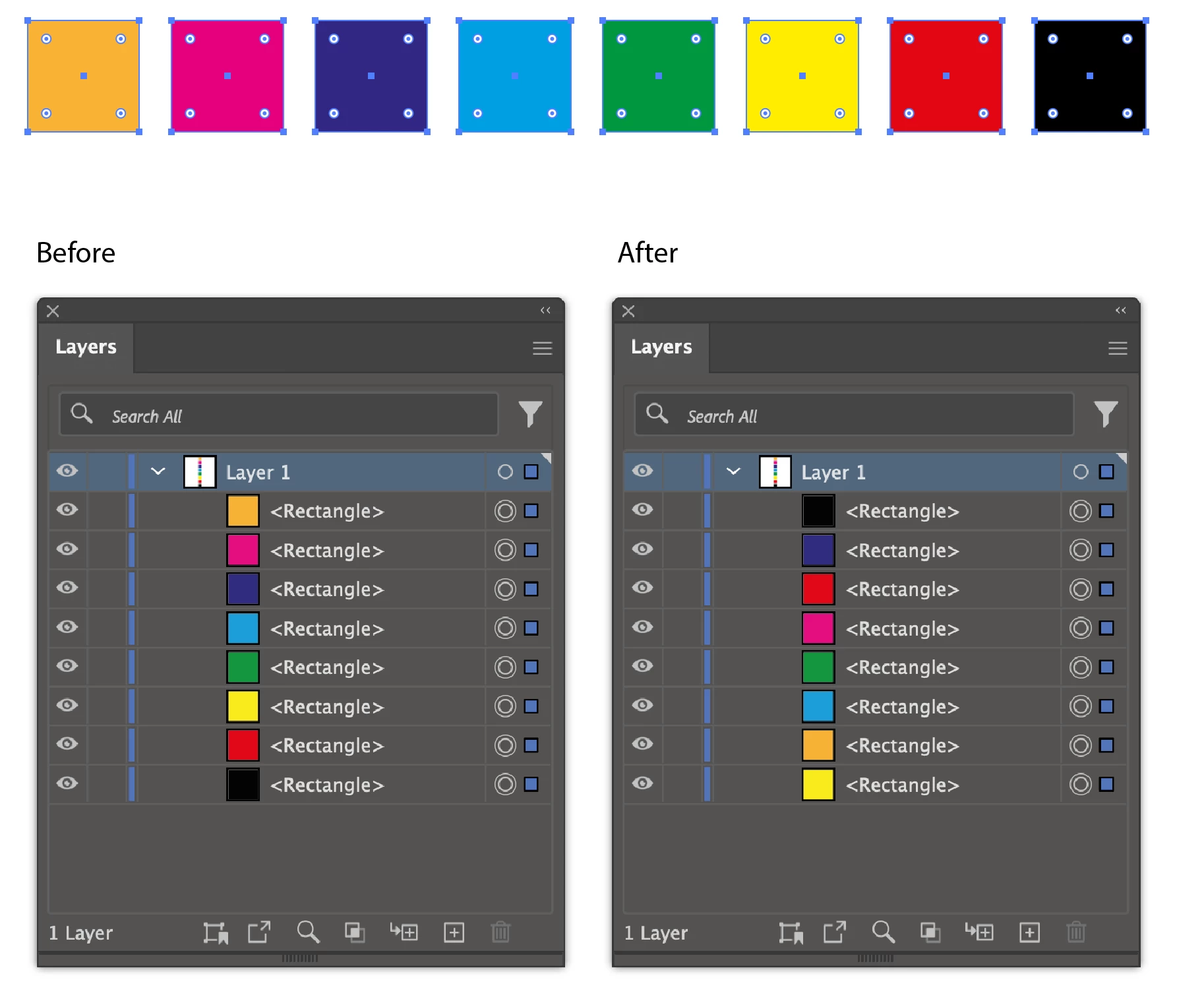
/**
 * Sort the selected items by their darkness value
 * (we use convert to grayscale, but you may want
 * to try other methods, too) and re-order so that
 * the darker items are in front of lighter items.
 * @author m1b
 * @discussion https://community.adobe.com/t5/illustrator-discussions/script-that-sorts-items-in-selection/m-p/14413597
 */
(function () {

    var doc = app.activeDocument,
        items = doc.selection,
        ordered = Array(items.length);

    // calculate the darkness and add to a sortable array
    for (var i = 0; i < items.length; i++) {

        if (undefined != items[i].fillColor)

            ordered[i] = {
                uuid: items[i].uuid,
                value: getGrayScaleValueFor(items[i].fillColor),
            };

    }

    // sort by darkness, descending
    ordered.sort(function (a, b) { return b.value - a.value });

    // make an item to act as a layer reference
    var reference = doc.groupItems.add();
    reference.move(items[0], ElementPlacement.PLACEBEFORE);

    try {

        // move each item to above the reference, in new order
        for (var i = 0, item; i < ordered.length; i++) {
            item = doc.getPageItemFromUuid(ordered[i].uuid);
            item.move(reference, ElementPlacement.PLACEBEFORE);
        }

    }

    catch (error) {
        alert(error);
    }

    finally {
        // clean up
        reference.remove();
    }

})();


/**
 * Returns a grayscale value, given a color breakdown.
 * @author m1b
 * @version 2022-05-23
 * @param {Array<Number>|Color} breakdown - array of color values, eg. [c, m, y, k] or [r, g, b], or a Color, eg. CMYKColor.
 * @returns {Number}
 */
function getGrayScaleValueFor(breakdown) {

    if ('Array' !== breakdown.constructor.name)
        breakdown = getColorBreakdown(breakdown);

    var gray;

    if (breakdown.length === 4)
        gray = app.convertSampleColor(ImageColorSpace.CMYK, breakdown, ImageColorSpace.GrayScale, ColorConvertPurpose.defaultpurpose);

    else if (breakdown.length === 3)
        gray = app.convertSampleColor(ImageColorSpace.RGB, breakdown, ImageColorSpace.GrayScale, ColorConvertPurpose.defaultpurpose);

    return gray;

};


/**
 * Returns an array of color channel values.
 * @author m1b
 * @version 2022-05-23
 * @param {Swatch|Color} col - an Illustrator Swatch or Color.
 * @param {Number} [tintFactor] - a number in range 0..1 (default: 1).
 * @returns {Array<Number>}
 */
function getColorBreakdown(col, tintFactor) {

    tintFactor = tintFactor || 1;

    if (col.hasOwnProperty('color'))
        col = col.color;

    if (col.constructor.name == 'SpotColor')
        col = col.spot.color;

    if (col.constructor.name === 'CMYKColor')
        return [col.cyan * tintFactor, col.magenta * tintFactor, col.yellow * tintFactor, col.black * tintFactor];

    else if (col.constructor.name === 'RGBColor')
        return [col.red * tintFactor, col.green * tintFactor, col.blue * tintFactor];

    else if (col.constructor.name === 'GrayColor')
        return [col.gray * tintFactor];

};



 AdChoices