

Answered
Seems simple but not working
I made continuous path that I want to change to a dash line so I went to stroke panel> dash lines put in dash and gap but it does not change.Any suggestions?
Thanks Susan

I made continuous path that I want to change to a dash line so I went to stroke panel> dash lines put in dash and gap but it does not change.Any suggestions?
Thanks Susan
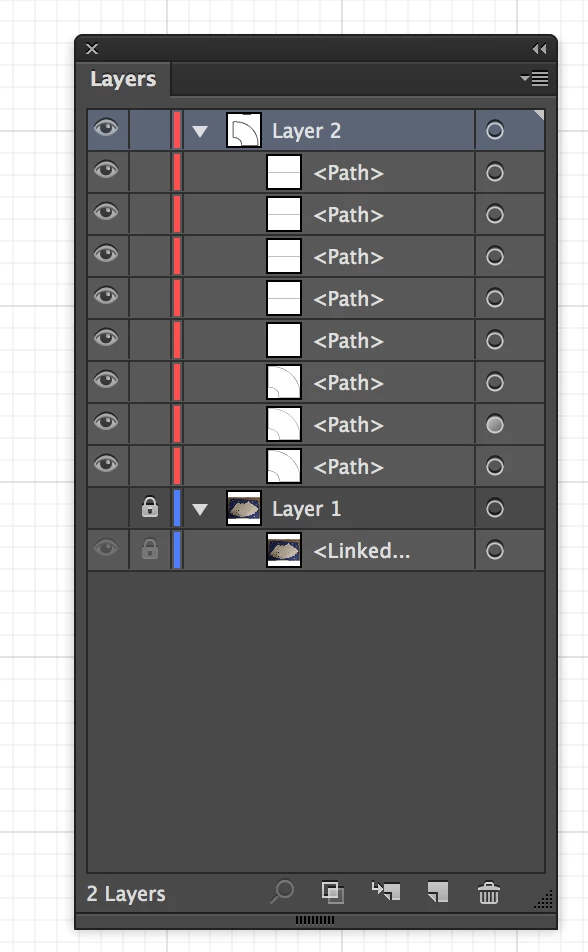
Thanks for posting the screenshot. I can see the bottom three paths in layer 2 appear to be a similar shape. I'd guess one is your outer path, one is your inner path, and then there's a duplicate. Click on the eye icons next to every path except the one where you want the dashes (don't turn the eye off for Layer 2, though). Make sure its target (the dot on the right in the layers panel) is still selected. Now, see if the dash applies to the stroke.
Already have an account? Login
Enter your E-mail address. We'll send you an e-mail with instructions to reset your password.
 AdChoices