


cédricl67786023
Inspiring
June 28, 2023
Answered

Select all text layers with the same name

  • June 28, 2023
  • 1 reply
  • 672 views

Hello dear Illustrator users,


I have a document containing 10 iterations of the same object. With identical naming for all the sublayers of each objects:
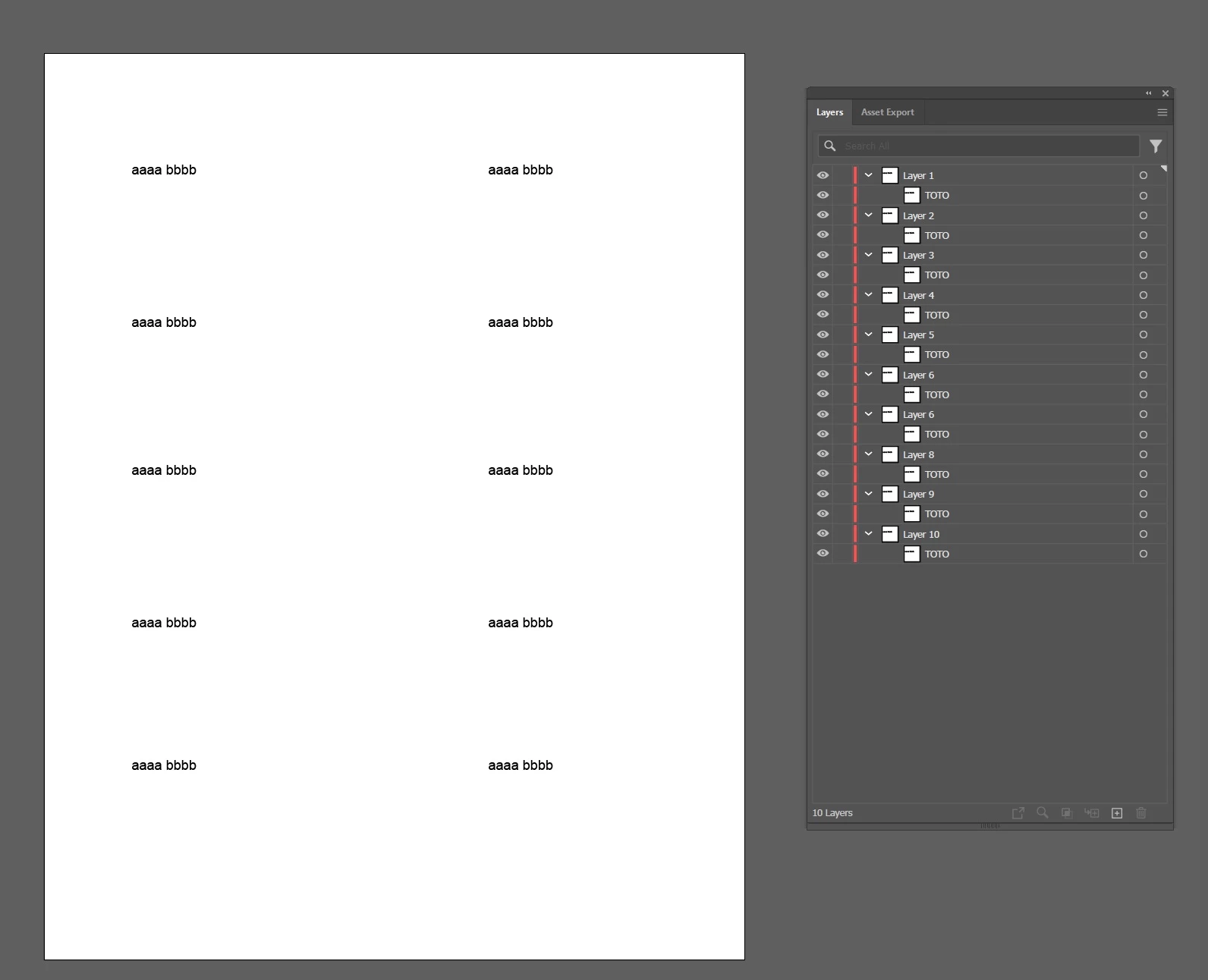


I need to replace the "space" between aaaa and bbbb by a line break for all 10 iterations ("bbbb" has to be a on a second line) on all 10 iterations.


I found a script on the Illustrator community that is working pretty well, but unfortunately only on the selected layer:


var text = app.activeDocument.selection[0];
var string = text.contents;
string = string.replace(/ /g,"\n");
text.contents= string;


I need the same thing but applied on all the layers with the name "TOTO" in this document (10 layers).


Thank you for your help.

This topic has been closed for replies.
Correct answer femkeblanco
var text = app.activeDocument.textFrames;
for (var i = 0; i < text.length; i++) {
    if (text[i].name == "TOTO") {
        var string = text[i].contents;
        string = string.replace(/ /g,"\n");
        text[i].contents= string;
    }
}

1 reply

femkeblanco
femkeblancoCorrect answer
Brainiac
June 28, 2023
var text = app.activeDocument.textFrames;
for (var i = 0; i < text.length; i++) {
    if (text[i].name == "TOTO") {
        var string = text[i].contents;
        string = string.replace(/ /g,"\n");
        text[i].contents= string;
    }
}
cédricl67786023
Inspiring
June 28, 2023

That is working perfectly! Thank you so much for your help.