- Home
- Illustrator
- Discussions
- Re: Select File Format dialog includes Extensis
- Re: Select File Format dialog includes Extensis

Copy link to clipboard
Copied
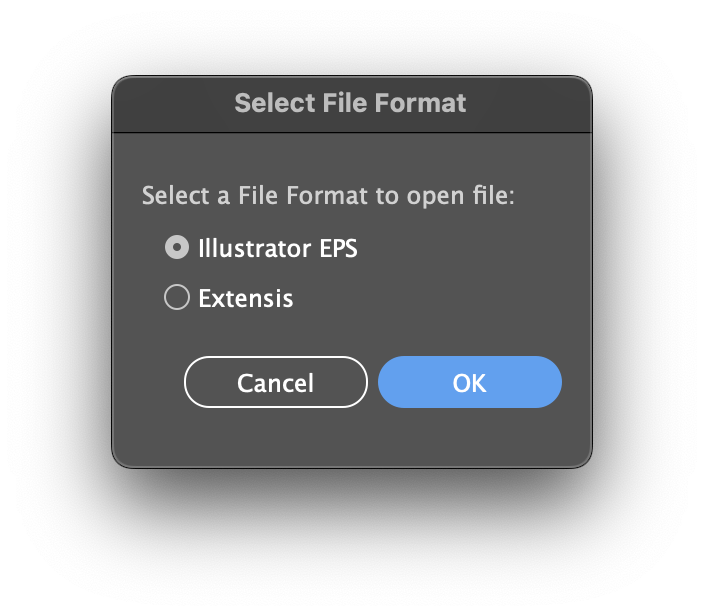
I recently started getting a "Select File Format" dialog when opening anything other than an Illustrator ".ai" file. I expect an import options dialog when importing text or Word docs, CAD files, even PDF or similar. But anything associated with Illustrator like SVG, PDF, or EPS should not give me this extra step. What's really confusing, "Extensis" is listed as a file type. How do I fix this?
Not the worst dialog from Adobe, but certainly an annoying extra step.
Mac OS 13.2.1 Ventura
Retina 5K, 27-inch, 2019 with Radeon Pro 580x 8GB
32 GB RAM
Adobe Illustrator 27.4.1
Extensis Connect Fonts 24.0.4


 1 Correct answer


What happens if you disable whatever you have installed from Extensis?
Did you check with Extensis for this problem?


Explore related tutorials & articles
 7
Replies
7
7
Replies
7

Copy link to clipboard
Copied
What happens if you disable whatever you have installed from Extensis?
Did you check with Extensis for this problem?
Copy link to clipboard
Copied
Yep, just tried disabling the font auto-activation plugin. The popup is gone. I have contacted Extensis.
Thank you for the quick response.
Copy link to clipboard
Copied
Good to hear you found the culprit.

Copy link to clipboard
Copied
Following this. I started seeing this as well. Disabling my Extensis font activation is a non-starter, unfortunately.

Copy link to clipboard
Copied
You will need to complain to Extensis.
Copy link to clipboard
Copied
Extensis is looking into it. I gave them all my info and some other file test results.
For now, it's just another popup to click through.
Copy link to clipboard
Copied
Update:
– from Extensis:
I just received word from our Dev Team that this issue has been worked on and resolved in our most recent update 24.0.5.
I've installed and tested the new version, and this seems to be fixed!


Get ready! An upgraded Adobe Community experience is coming in January.
Learn more
 AdChoices