



Set shapes as child and parent objects for dynamic box designs
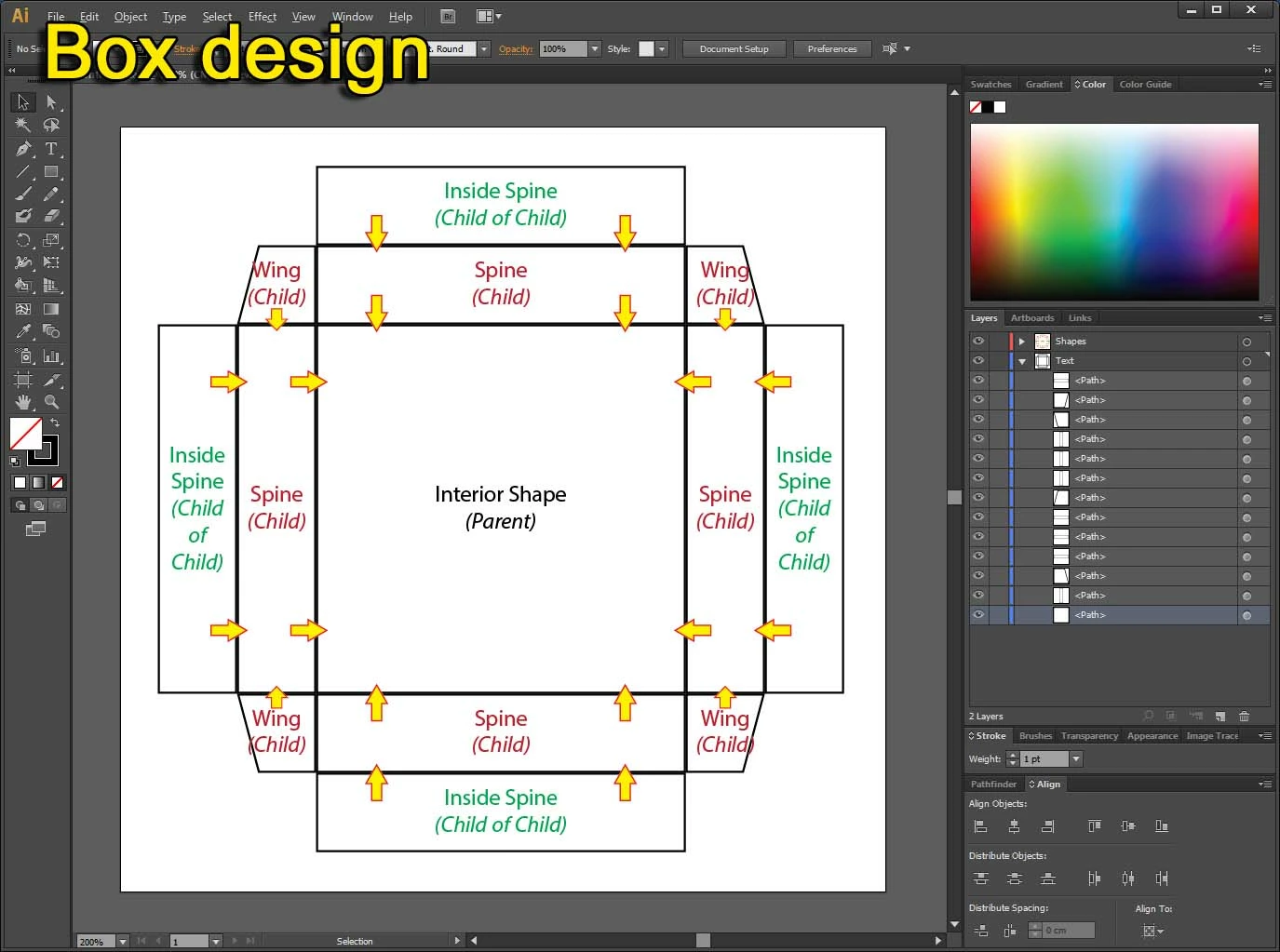
I'm working on box designs in Illustrator for a long time and it works great when it is built from the center to the outside. For example, a main shape for the box front/bottom face which is the interior of the box (considered as the parent object). And then working along to the side spines which are aligned to the main shape, moving forward to the wing flaps, etc (all these other shapes are considered Child objects, where each child object could also be considered as a parent of another child object). Eventually, all shapes are aligned to each other perfectly.
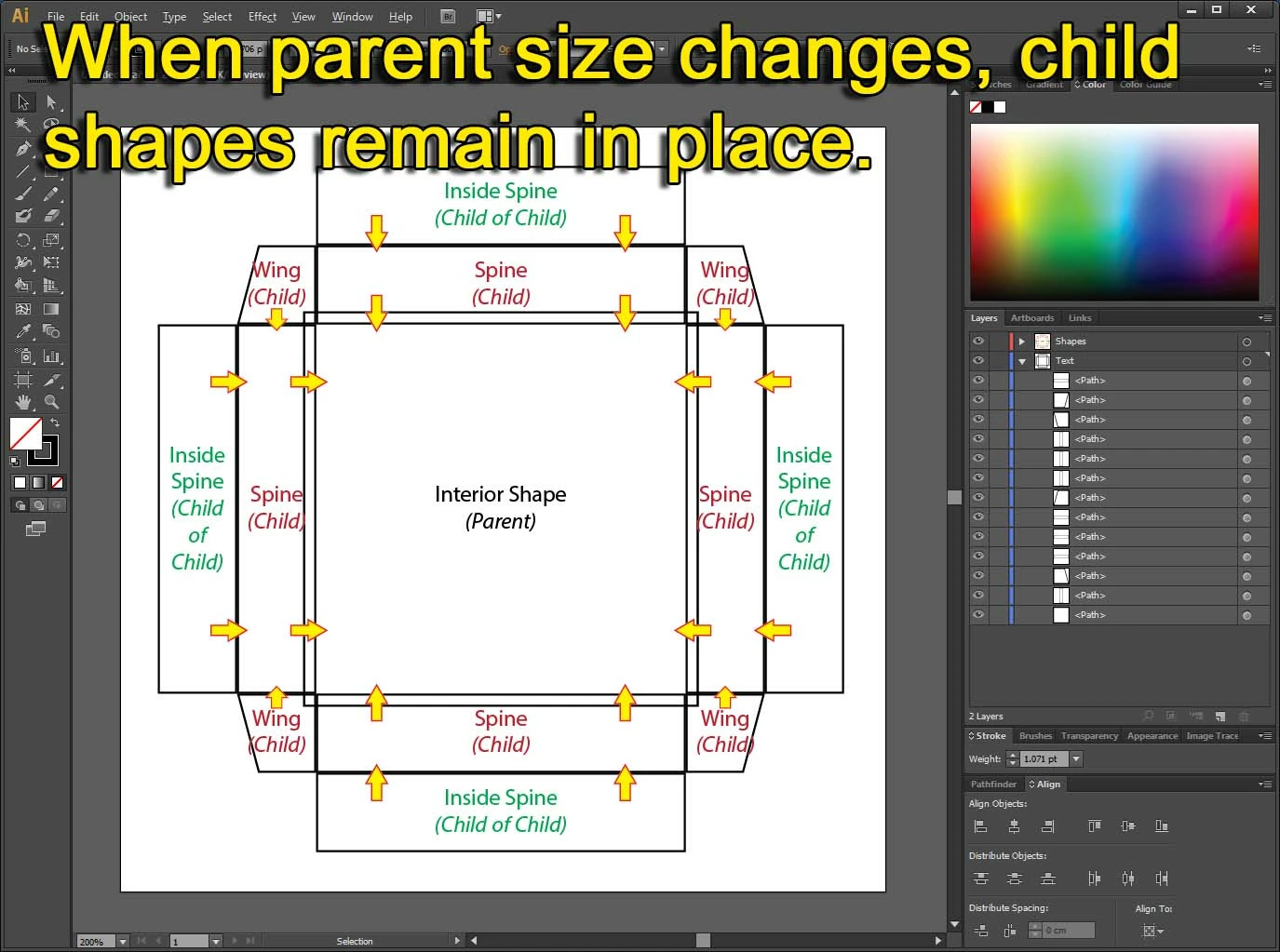
The only one thing I found cumbersome is when I need to change only interior size of the box (spines and wings should keep their original depth), and then all the surrounding shapes need to be re-aligned to the main interior shape. This becomes more cumbersome when the box is even more complicated where child shapes have their own child shapes. Everything need to be re-aligned.
Meanwhile as a workaround I make groups of the varies child shapes which keep most of the group's shapes within in aligned, and I only need to re-aligned the group back to the edge of the interior which its size was changed.
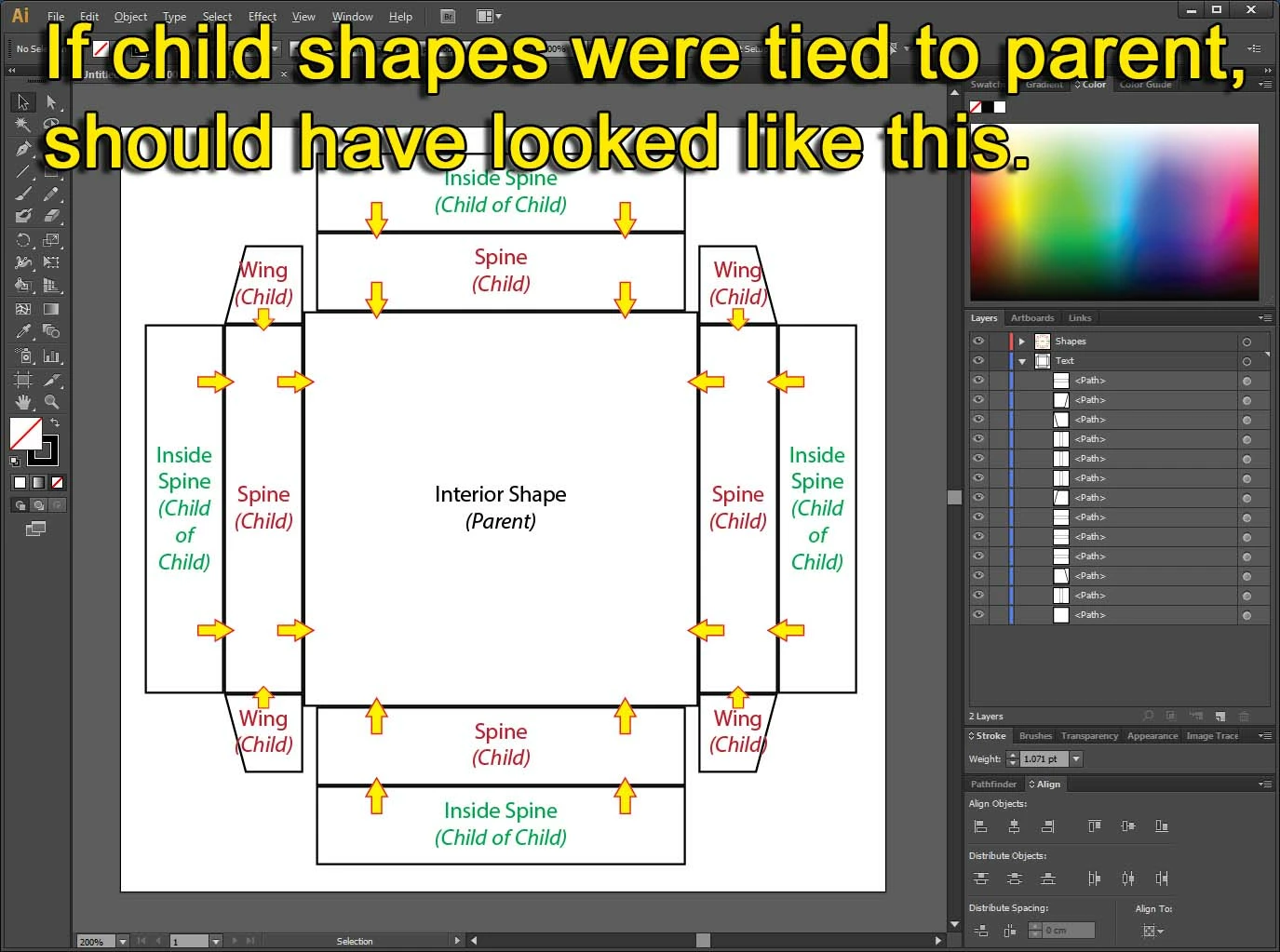
I wonder if there's an option to tie a shape to another shape, making a parent and child objects like in 3D modeling programs, and then when the parent's shape is moved or its size is changed, the child shape will move on the canvas along with it and keep its alignment / distance to the parent shape.
Attaches a few screenshots to better describe what I mean and what I'm after.
Please note that I use Adobe Illustrator CS6 since I prefer a permanent license. If it's impossible to achieve what I'm after in CS6 then I'd be happy to know if such feature exists in the CC version.
Thanks!
 AdChoices