

Answered

This topic has been closed for replies.
Zooming in I belive shows better what you are referring to.
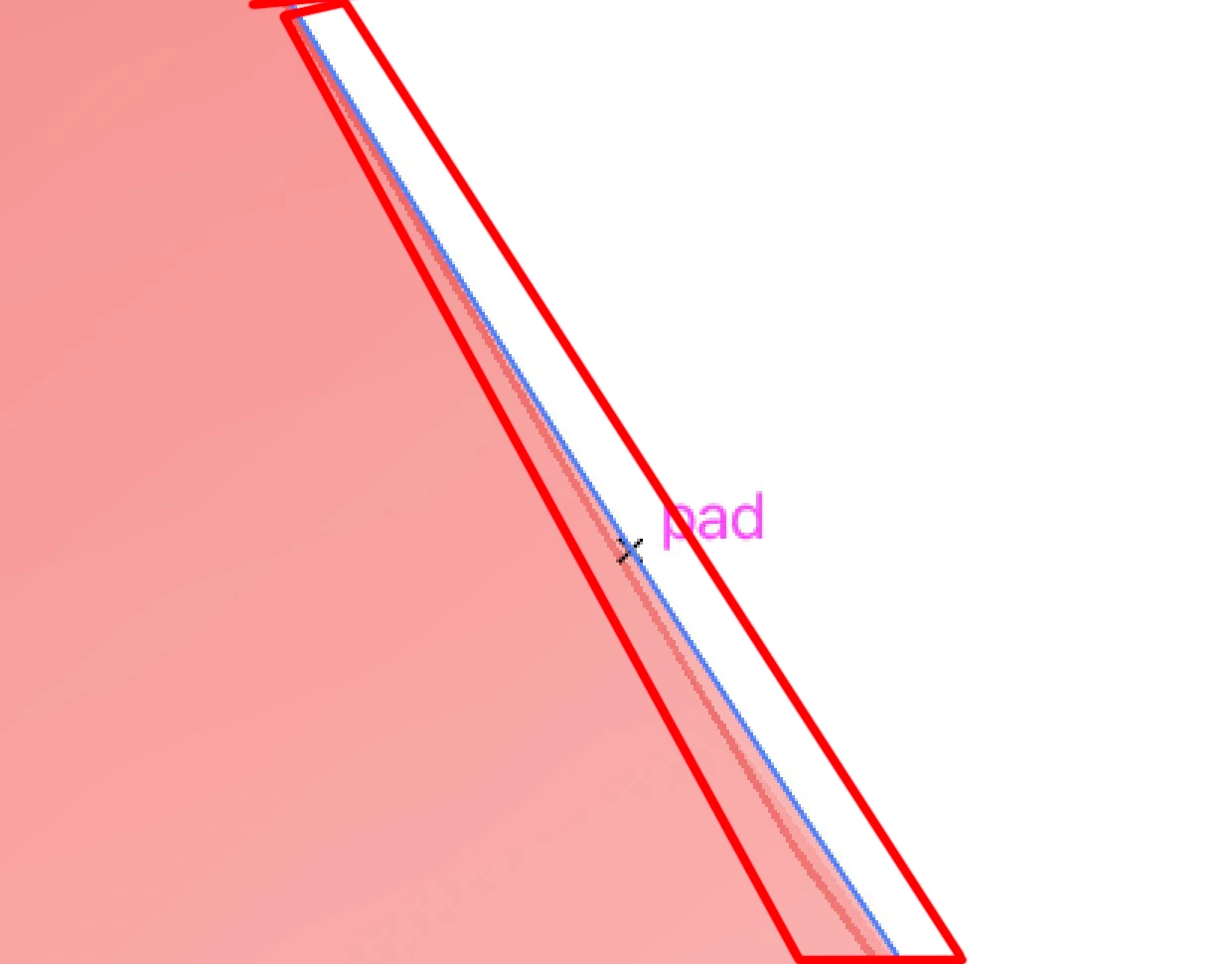
The blue line is using your selection as you probably know. The red bumpy line looks like an artifact that won't print. Try Command E to toggle between CPU preview & preview (look up after filename in parenthesis).
If that does not help turn off graphics processor.
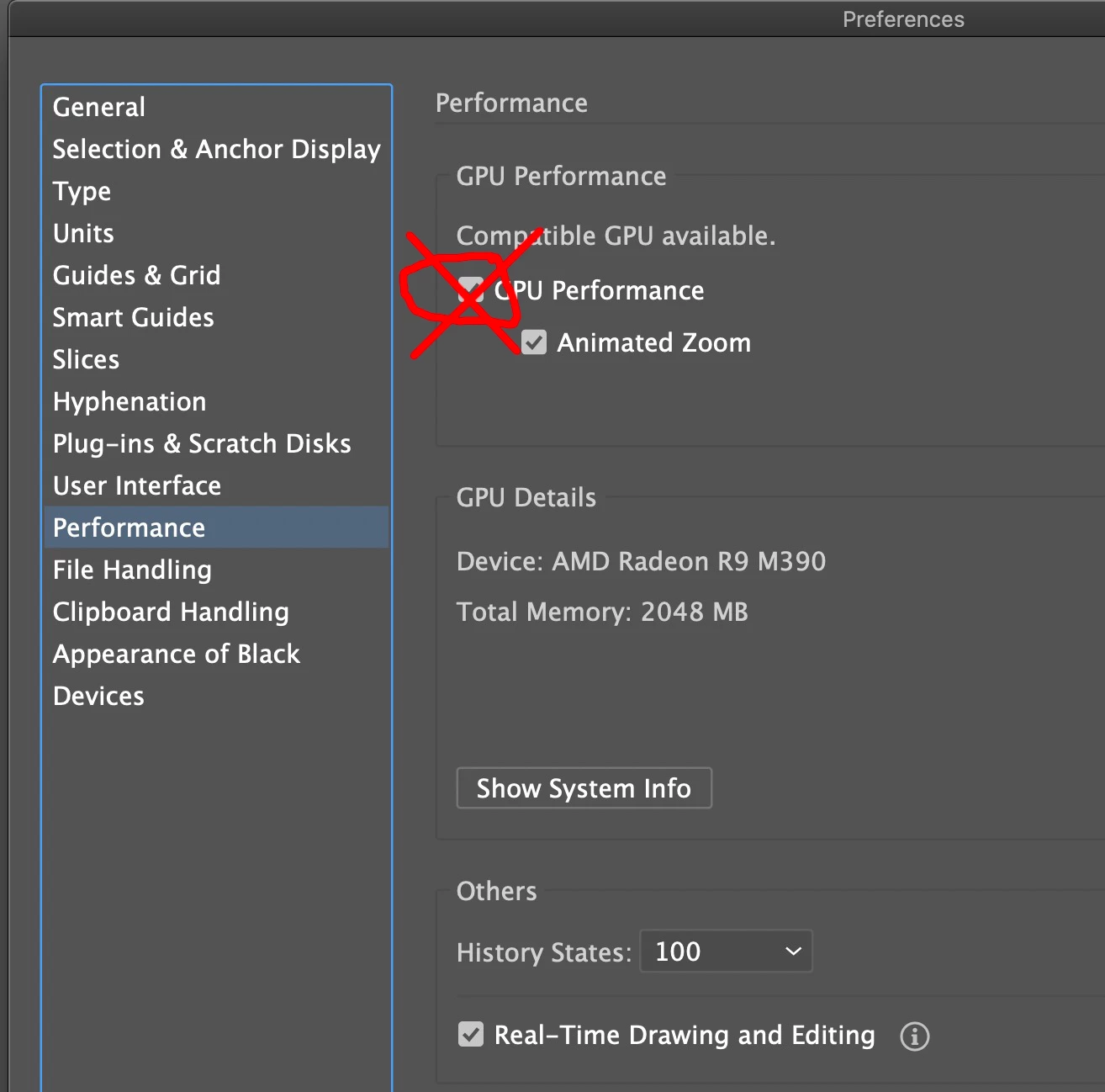
What version OS & Illustrator are you running?
Sign up
Already have an account? Login
To post, reply, or follow discussions, please sign in with your Adobe ID.
Sign inSign in to Adobe Community
To post, reply, or follow discussions, please sign in with your Adobe ID.
Sign inEnter your E-mail address. We'll send you an e-mail with instructions to reset your password.
 AdChoices