



Suite colour management is not enabled?
Hi,
I am trying to synchronize my Adobe products but when I go to Bridge to do this it comes up with a warning dialogue box that says:
"Suite Colour Management requires that a qualifying product has been launched at least once to enable this feature" But I have the whole CS6 suite of Adobe products.
Why is this not working please?
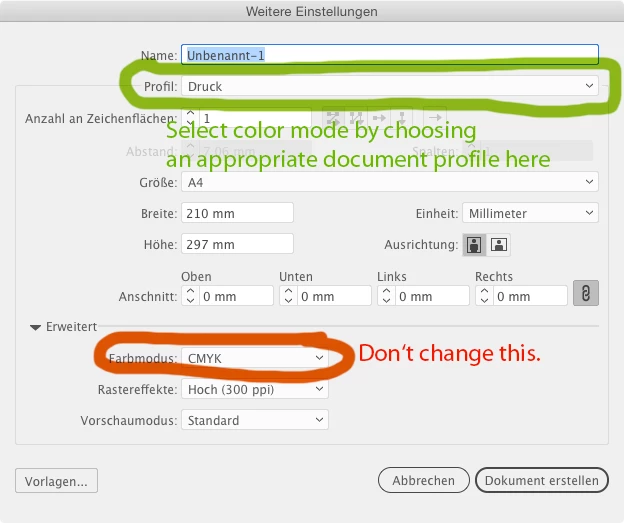
The reason I came to this conclusion was initially when I bring up a new document the RGB colour mode has a warning next to it that says;
"The chosen colour mode is different from the colour space defined by the document profile. Panel content may not match the new colour mode"
If I choose a document for web this warning document box goes away. Why is this?
Thirdly, if I choose a custom profile in RGB and the warning is there when I open up the new document, I then go to Colour Settings and it says:
"Unsynchronized. Your creative suite applications are not synchronized for consistent colour. To synchronize, select Suite Colour Settings in Bridge."
Which brings me back to my first point, Bridge won't let me synchronize.
Colour setting modes are all a bit double dutch to me. I originally set them up when I watched a Lynda.com tutorial but must have changed something along the way to get this warning, and recently I saved an RGB logo as a PDF and the colours were muddy. So really need to get this fixed.
Any help on this would be GREATLY  appreciated.
Thx
 AdChoices