


Exit
  • Global community
    • Language:
      • Deutsch
      • English
      • Español
      • Français
      • Português
  • 日本語コミュニティ
  • 한국 커뮤니티
1

Symbol at the end of every pasted text in Illustrator

Community Beginner ,
Nov 26, 2023 Nov 26, 2023

Can enyone hel to get rid of this symbol at end of the text?
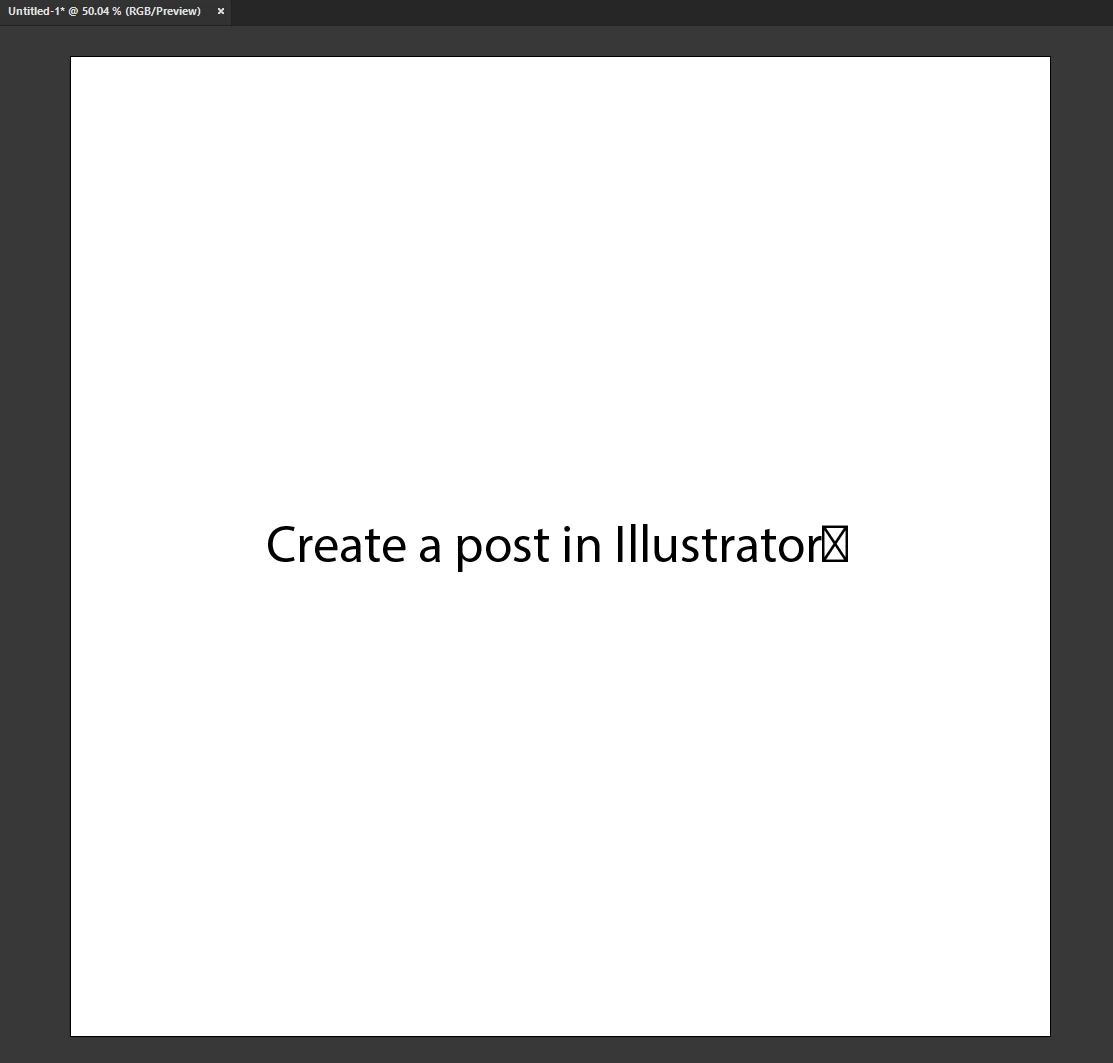
 

BoskoDsgn_0-1701007891810.png


TOPICS
Bug , Draw and design , How-to , Type
804
Translate
Report
Community guidelines
Be kind and respectful, give credit to the original source of content, and search for duplicates before posting. Learn more
community guidelines

correct answers 1 Correct answer

Adobe Employee , Jan 21, 2024 Jan 21, 2024

Hello @bosko.Dsgn,

Thanks for reaching out. Would you mind trying to create a Text Box and then pasting the text into it to check if Illustrator continues behaving this way?


Looking forward to hearing from you.


Thanks,

Anubhav

Translate
Adobe
Community Expert ,
Nov 26, 2023 Nov 26, 2023

something from where you pasted it from?

can you paste it without formatting?

Translate
Report
Community guidelines
Be kind and respectful, give credit to the original source of content, and search for duplicates before posting. Learn more
community guidelines
Community Beginner ,
Nov 27, 2023 Nov 27, 2023

nope, every text in past year.. earlier worked fine. 

Translate
Report
Community guidelines
Be kind and respectful, give credit to the original source of content, and search for duplicates before posting. Learn more
community guidelines
Community Expert ,
Nov 28, 2023 Nov 28, 2023

There is a long thread about it: https://community.adobe.com/t5/illustrator-discussions/copy-text-from-outside-illustrator-and-pastin...


Maybe there is something in it.

Translate
Report
Community guidelines
Be kind and respectful, give credit to the original source of content, and search for duplicates before posting. Learn more
community guidelines
Community Beginner ,
Nov 28, 2023 Nov 28, 2023

Thanks! Yeah, that's it, I'm not the only one :)))

Issue from 2021 is not fixed yet.. we have AI, but can't paste text 🙂

Translate
Report
Community guidelines
Be kind and respectful, give credit to the original source of content, and search for duplicates before posting. Learn more
community guidelines
Community Expert ,
Nov 29, 2023 Nov 29, 2023

You're not the only one, but if this were a general issue then there would be dozens of threads all over the place.

I'm still pretty sure that it is some other software injecting this into your text on the clipboard.


Do you copy the text from different sources? Or all from the same software?


Is there any clipboard enhancer installed or activated in your system?

Translate
Report
Community guidelines
Be kind and respectful, give credit to the original source of content, and search for duplicates before posting. Learn more
community guidelines
Community Beginner ,
Nov 29, 2023 Nov 29, 2023

Non of these.. 

This issue happen even on fresh instalation of Windows, with only Adobe package.. and no extra fonts.


If you look on my answer to @Ares Hovhannesyan , you will see that I copied text on this platform with Adobe font, paste it into Illustrator.. same thing.


If you understand me eralier, I work like this more than a year or two..

But this is like, you buy new car with some defect, door handle.. and while time passing you get use to it.. :))) 

Translate
Report
Community guidelines
Be kind and respectful, give credit to the original source of content, and search for duplicates before posting. Learn more
community guidelines
Adobe Employee ,
Jan 21, 2024 Jan 21, 2024

Hello @bosko.Dsgn,

Thanks for reaching out. Would you mind trying to create a Text Box and then pasting the text into it to check if Illustrator continues behaving this way?


Looking forward to hearing from you.


Thanks,

Anubhav

Translate
Report
Community guidelines
Be kind and respectful, give credit to the original source of content, and search for duplicates before posting. Learn more
community guidelines
Community Beginner ,
Feb 02, 2024 Feb 02, 2024
LATEST

Hi @Anubhav M 

this way it seems to work without any issues. Personally, I rarely use the text box, but thank you anyway for your help. 


If it helps, this started happening about two to three years ago. before that the "paste" function worked perfectly.


Screenshot 2024-02-02 222202.pngScreenshot 2024-02-02 222430.png

Translate
Report
Community guidelines
Be kind and respectful, give credit to the original source of content, and search for duplicates before posting. Learn more
community guidelines
Community Expert ,
Nov 26, 2023 Nov 26, 2023

That symbol contain font that not recognized. Try to change font. 

Translate
Report
Community guidelines
Be kind and respectful, give credit to the original source of content, and search for duplicates before posting. Learn more
community guidelines
Community Beginner ,
Nov 27, 2023 Nov 27, 2023

Every text I copied in past year is like this.. correct me, but I think myriad is default text when I paste it.

I'm using Illustrator over ten years, this is from some update maybe a year ago..


ctrl+c

BoskoDsgn_0-1701123300370.png

ctrl+v

BoskoDsgn_1-1701123431739.png


I hope this font can be reconized 🙂


Translate
Report
Community guidelines
Be kind and respectful, give credit to the original source of content, and search for duplicates before posting. Learn more
community guidelines
