


Inspiring
July 14, 2018
Answered

Text artifacts

  • July 14, 2018
  • 2 replies
  • 2012 views

I created some Arial text with the text tool in Illustrator CC but it displays with some artifacts (the gray areas):
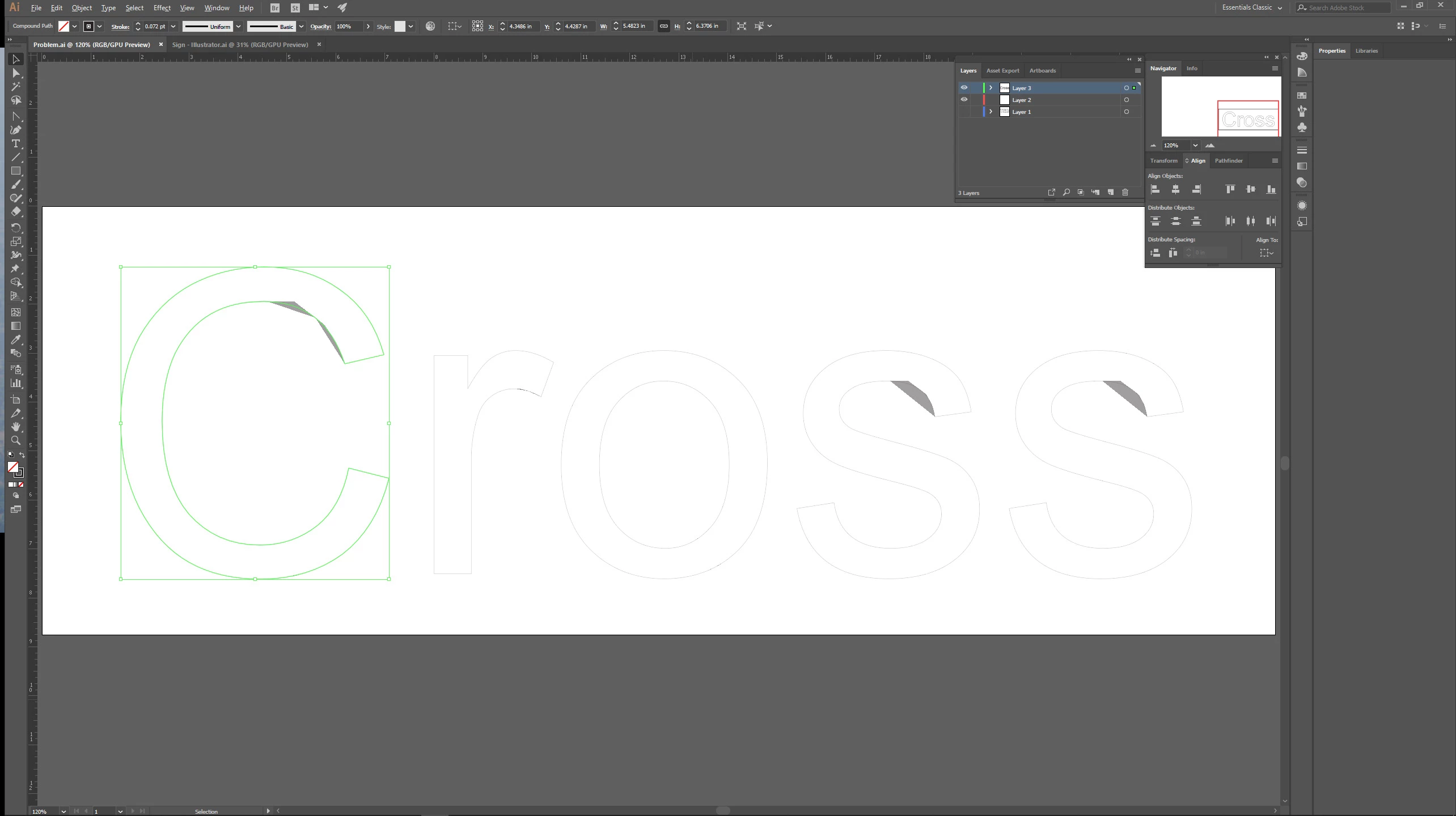
These persist even if I convert the text to outlines, and I can't find a way to select them to delete them.  It doesn't happen with other fonts (but I'd like to stick with Arial).  What might be causing this, and how can I fix/prevent it?  Thanks.  I'd attach the file, but I can't figure out how.  😞

    This topic has been closed for replies.
    Correct answer Monika Gause

    Please try the Preview on CPU.

    2 replies

    Ares Hovhannesyan
    Braniac
    July 15, 2018

    If ti not happened with other fonts, first I can suggest you reinstall  Arial font on machine. May be it doesn't depends on GPU preview.

    Monika Gause
    Braniac
    July 15, 2018

    https://forums.adobe.com/people/Ares+Hovhannesyan  schrieb

    If ti not happened with other fonts, first I can suggest you reinstall  Arial font on machine. May be it doesn't depends on GPU preview.

    The issue has been resolved by turning off GPU acceleration.

    So the GPU rendering most probably caused it in the first place.

    Monika Gause
    Braniac
    July 14, 2018

    Please show us the contents of the layer and also the appearance panel.

    And please try if View > Preview on CPU helps

    Inspiring
    July 14, 2018

    Here you go.  The top art board has the original text.  The bottom one has it converted to curves.  I've selected the upper board's text for the Appearance panel:

    Monika Gause
    Monika GauseCorrect answer
    Braniac
    July 15, 2018

    Please try the Preview on CPU.