The Invid
Participating Frequently
October 18, 2018
Answered

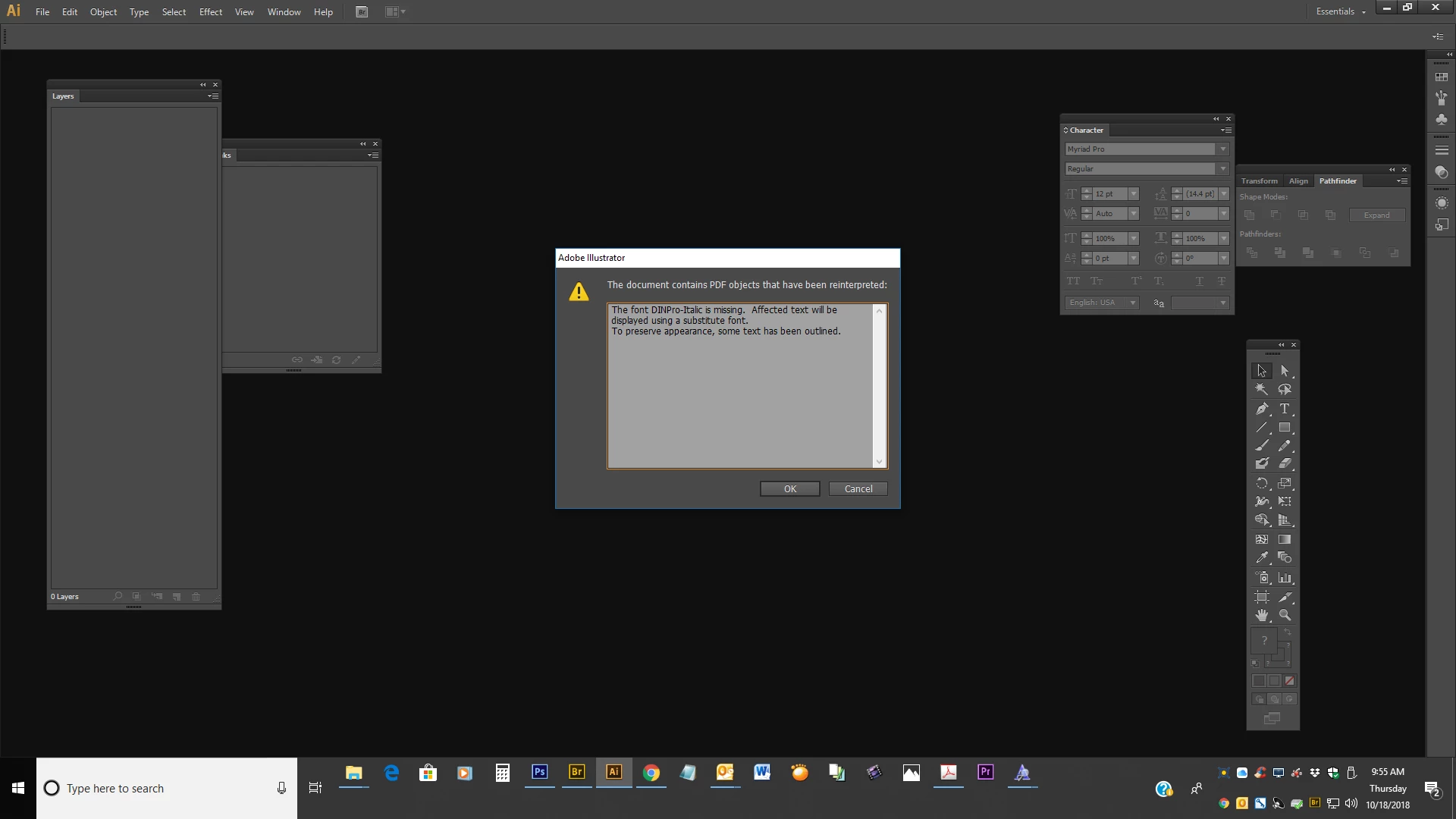
The font " " is missing. Affected text will be displayed using a substitute font. Can I choose which font to sub?

  • October 18, 2018
  • 3 replies
  • 6793 views

I want to choose which font to substitute.  I actually have the font, but it's named something else.  I have D-DIN - Italic, which is EXACTLY like DINPRO-Italic.  Same exact font, different name.  When I open it, it randomly selects a substituted font.  So annoying.  I rather choose which one.  Anyone help??  And no, I do not want to place the file to convert the text to outlines. 
This topic has been closed for replies.
Correct answer Mario Arizmendi

You can do this

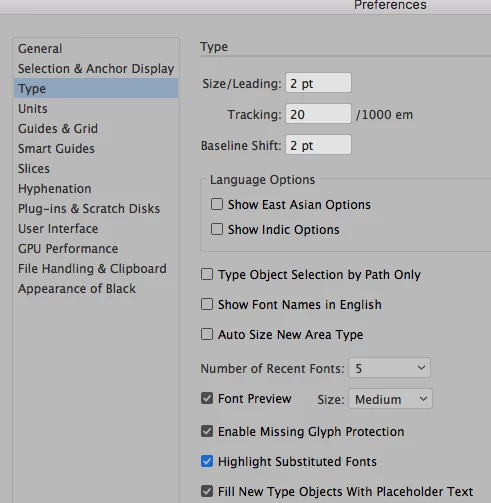
1. Go to the preferences command+K and bu sure the "higlight substituted fonts" is checked, when you open the file the substited font will be resalted in pink, you can choose it and change it for another as you like/

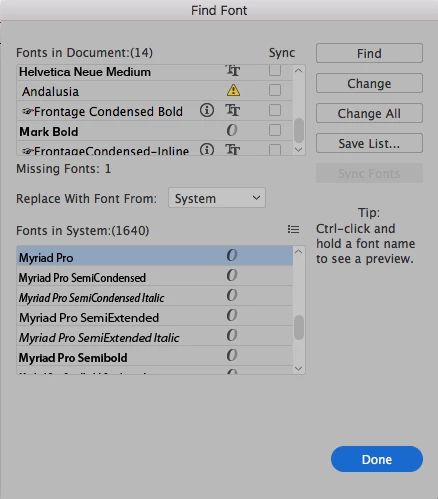
2. You can go under the type menu and choose "Find font" here you can see the missing font with an exclamation, you can change it  for other used on the document or other in your sistem.

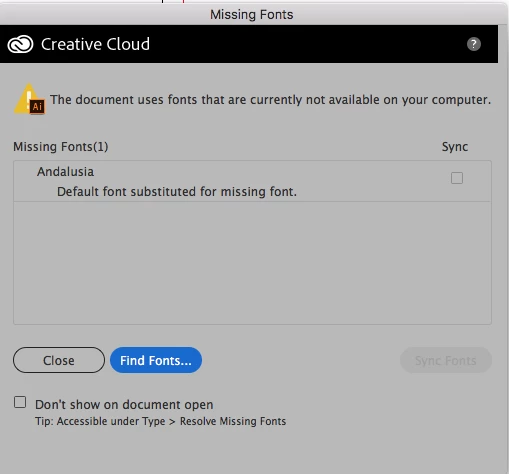
If you open the file instead of place it, may be you get this window where you can procedure as in the point number 2.

3 replies

Participant
October 17, 2023

The font MyriadVariableConcept-Roman is missing. Affected text will be displayed using a substitute font.
To preserve appearance, some text has been outlined.

Ton Frederiks
Community Expert
Community Expert
October 17, 2023

Which Illustrator version do you have?

Community Expert
October 20, 2023

That's what I'm wondering. The Myriad Variable Concept fonts are a required inclusion with installations of Adobe Illustrator CC 2018 and later. If the original poster is using an earlier version of Illustrator (such as version CS6) they wouldn't be able to use the font files even if they had them since OTF Variable Fonts are only supported in Illustrator CC 2018 and later.

Mario Arizmendi
Mario ArizmendiCorrect answer
Legend
October 18, 2018

You can do this

1. Go to the preferences command+K and bu sure the "higlight substituted fonts" is checked, when you open the file the substited font will be resalted in pink, you can choose it and change it for another as you like/

2. You can go under the type menu and choose "Find font" here you can see the missing font with an exclamation, you can change it  for other used on the document or other in your sistem.

If you open the file instead of place it, may be you get this window where you can procedure as in the point number 2.

Anna Lander
Inspiring
October 18, 2018

take a look here:

Use fonts in Illustrator

the "Change the default font" bookmark.

Hope it should be helpful.