


New Participant
March 5, 2025
Answered

The text outline in smaller when exported

  • March 5, 2025
  • 1 reply
  • 452 views

 Dear adobe community,

I'm a beginner who just started to learn illustrator. I started to create a poster yet I noticed that, when I place the text outline in illustrator exported JPEG and PNG comes out with smaller stroke. could you please help me with the said issue and guide me to the solution

In the screenshot below the inverted text is bolder:
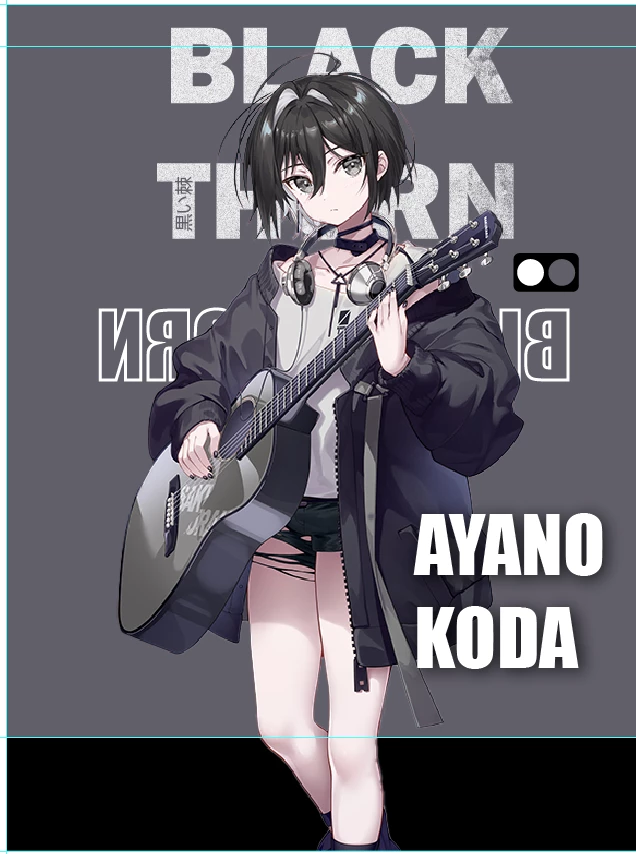
yet when I export it, the same text outline becomes barely visible
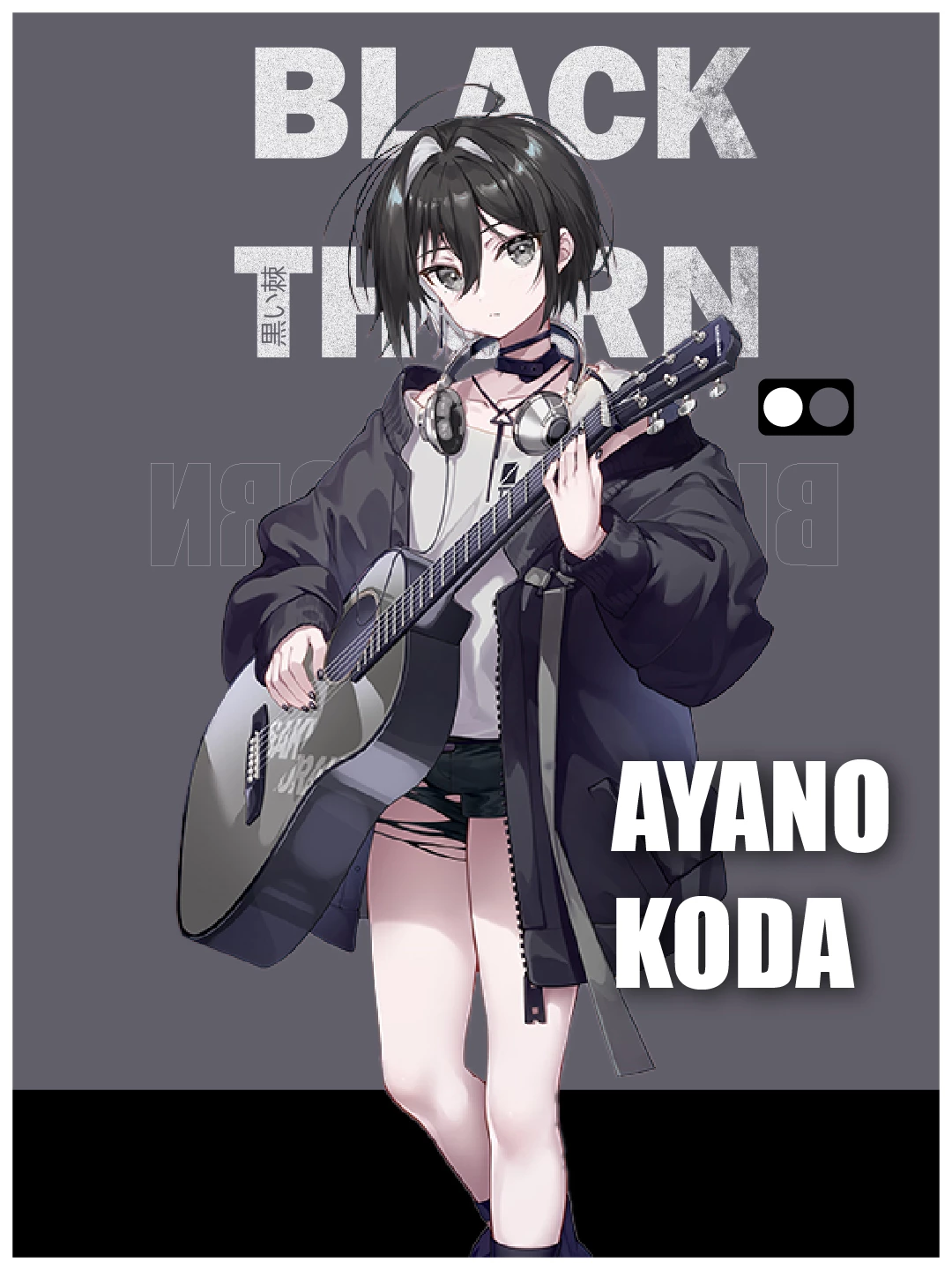
 Thank you for your support and time

Correct answer Ton Frederiks

Maybe it's happening because of my hardware being kinda old, I wouldn't be surprised, because photoshop also has some issues cuz of that, although in other aspects


Can you copy the text, paste it in a new document and check if that exports, if not can you share the document.

Save as PDF to attach it here.

1 reply

Ton Frederiks
Community Expert
March 5, 2025

Can you select the text and show more info, like the expanded items in the Layers and Appearance panel?

nika_7983Author
New Participant
March 5, 2025

 Like this, yes?

Ton Frederiks
Community Expert
March 5, 2025

Yes, thanks, looks normal to me.

Can you check, with that text selected, if Overprint is checked it the Window > Attributes Panel?