


Answered
Topmost shape of multiple selection highlighted with heavy layer contour
When I have multiple shapes on the artboard and select more than one, the topmost shape is highlighted with a thick line. This happens whether Show Edges is on or not. (See the pink circle in the image below.)
This is a new phenomenon, maybe a week or two old (but was already present in 24.2). I might have turned this effect on my mistake, but I can't figure out how to get rid of it.
The problem is, it interferes with my workflow. When I draw with the pencil tool, the tracer line is far more jagged and approximate. It also makes it harder to edit the heavy highlighted shape with the pencil.
Does anyone know how to turn this effect off? Thank you!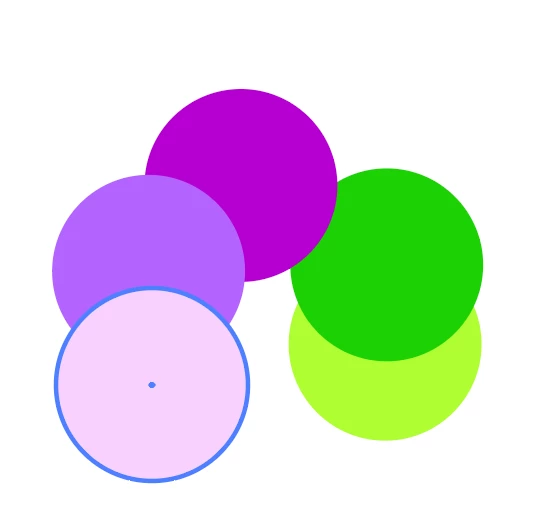
 AdChoices