


Question
UI is tiny and files can't be opened
Hello together,
I started Illustrator today and I'd realized the title bar was incredibly tiny.
Not just small, absolutely tiny - as you can see in the screenshot below.
In contrast to this the starting screen itself has normal size as you can see, but the title bar and all windows in Illustrator have this problem.
Additionally I can't open any file, because I get a message box saying it's not enough memory to open file, which I think is caused by the UI problem.
My question is simple, even when the solution isn't: How can I fix this?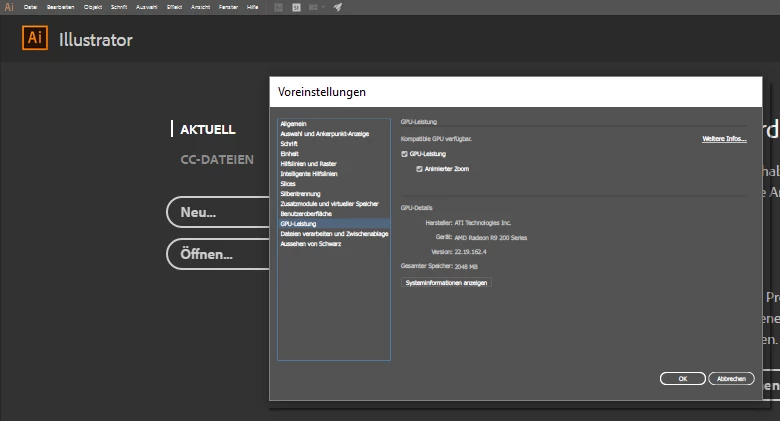
 AdChoices