


Participant
December 15, 2019
Question

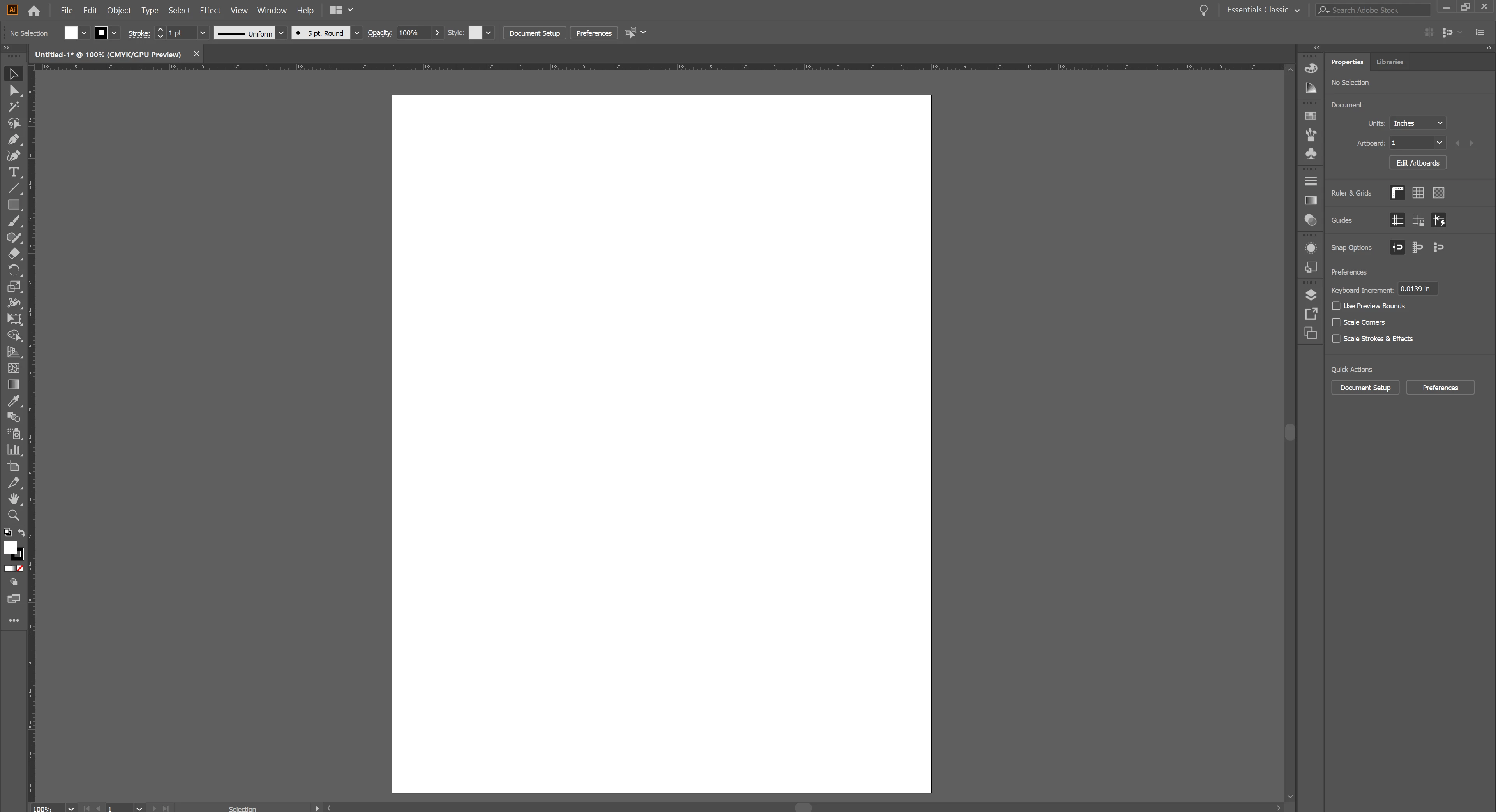
UI scaling on Illustrator works fine with everything except for the ruler on Windows machaine

  • December 15, 2019
  • 1 reply
  • 763 views

Is there anyway to increase the size of the rulers on the top and side, because right now it's so small it's hard to use. I've messed with the UI settings in preferences but that makes everything else too big. Don't have this problem with Photoshop, so not sure why it's an issue here. Thanks for any help!


{Renamed by MOD}

This topic has been closed for replies.

1 reply

Srishti Bali
Community Manager
Community Manager
December 16, 2019

Hi Tyler,


Thanks for reaching out. Try changing the UI scaling settings from Illustrator preferences to large and restart the application. If it is already set to Large, then change it to Small and restart the application then again change it to Large and check how it goes.


Please note whenever you change UI scaling, Illustrator will ask you to restart the application to apply the changes. Make sure you have saved all your files before this.


Regards,

Srishti

Graphic Squirrel
Inspiring
August 19, 2020

Thank you for this information.  One thing to note is that the image shows the ability to move it to medium, but that is not possible.  Mine pops from large to small with no ability to set a custom view.  It would be nice if this was available as the large is really extra-extra large, but at least I can read the numbers on the rulers now.  Thanks again for posting this solution. 

GS