


jaimee-annd45074739
New Participant
August 10, 2017
Answered

Unable to create new document in Illustrator CC 2017

  • August 10, 2017
  • 5 replies
  • 29432 views

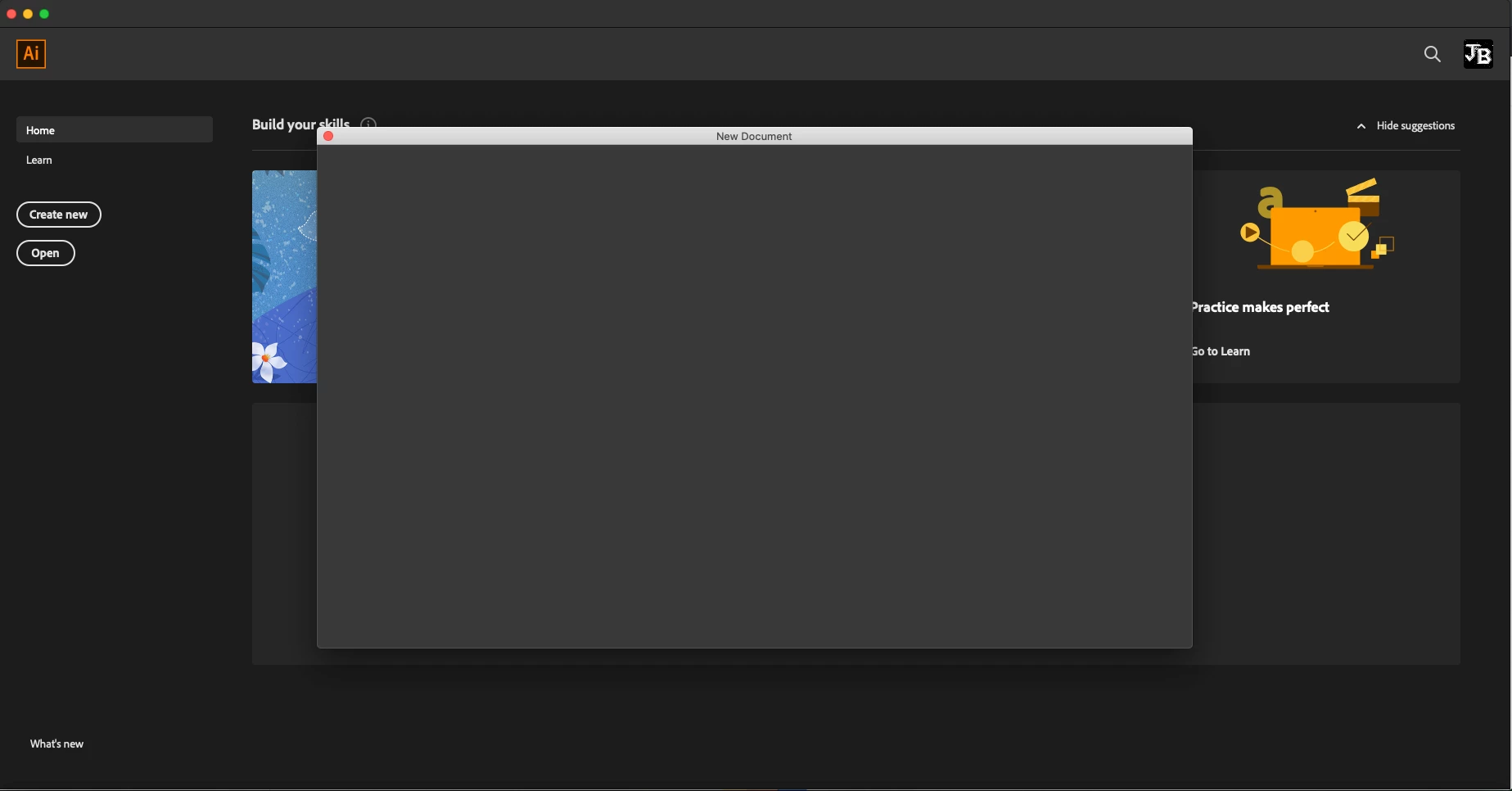
I've just installed Illustrator CC 2017 and I'm unable to create a new document. I can open documents up but for some reason I can't create new. It's all normal until I press the "ok" button, and nothing happens. Driving me crazy!

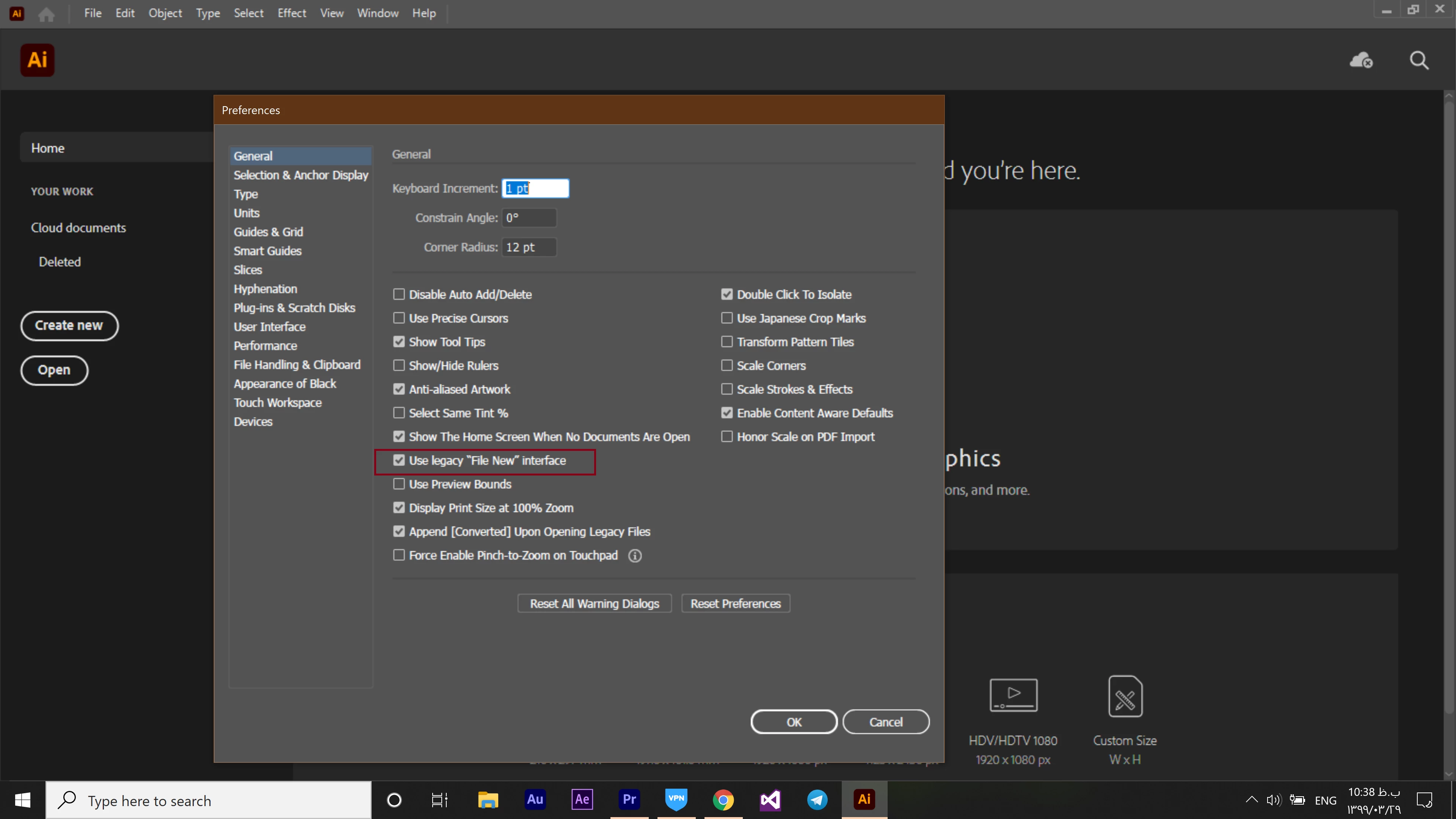
I've already gone to preferences and changed it to legacy "file new" interface and it hasn't helped.
This topic has been closed for replies.
Correct answer ALBORZ17484648

Hi, I am having the same issue with blank new document screen. I cannot create new custom files except for the presets on the home page.


Maybe Adobe is doing background maintenance today. 


Hi Im using windows and I had the same problem ... 

I searched and found this solution which was fine for me 


follow the path " Edit --> Prefrences --> General ( Or use Ctrl + K for shortcut) 
then enable the "(Use legacy "file new" interface)" item and press ok  


now you can create a new document ... I hope this will solve your problem too

5 replies

New Participant
January 15, 2021

Hey, I am facing a problem while creating any new document, i am unable to select or edit.

New Participant
June 23, 2020

Dear Bll_Silbert,


 I am unable to create files in Adobe Illustrator 2020. It create blank screen at the time of file creation. currently, I formatted my device and installed only Adobe Illustrator 2020.  I am sharing the screenshot kindly help us on that.

in  my system  I am only installed Adobe Illustrator 2020 not nay previous version available in my system  

New Participant
June 23, 2020

Dear Bll_Silbert,


Please reply I am waiting for your end  response 

Monika Gause
Adobe Expert
June 23, 2020

This is a community forum. Everyone here helps on their own schedule in their spare time.

This thread is marked as solved. So many people won't even see that there's a new message.

This thread is about version CC2017. You have a different version.

You might want to create a new thread.

Please tell us the exact system and version in your new thread.

New Participant
February 2, 2020

I am going through this problem in my head. Will you help me?

Monika Gause
Adobe Expert
February 2, 2020

So you're not able to reset your preferences?

Which version and which system is it?

June 8, 2020

Hi, I have also this problem. Please check enclosed picture. 

Macbook pro, MacOS Catalina, Illustrator CC 2020


New Participant
February 2, 2020

llease can you send me screenshots of this problem because I have too this problem can you help me? sir

Bill Silbert
Adobe Expert
August 10, 2017

If you have had a previous version of Illustrator installed prior to installing CC 2017 then it might be a problem with the preference file that was left behind. For some reason CC 2017 doesn't seem to like running with an old preference file.

To reset Illustrator's preferences:

For Macintosh Users: With Illustrator closed launch a Finder Window in column view and click on your home folder. With the Option Key pressed choose Library from the Finder Go Menu. Within the Library folder find the folder called Preferences and within it find the following two files and delete them: “Adobe Illustrator <Version #> Settings” (earlier versions of Illustrator might just say “Adobe Illustrator”) and “com.adobe.Illustrator.plist”. When Illustrator is next launched it will create new preference files and the program will be restored to its defaults.

After you’ve reset up the program (make sure that no document window is open) to your liking, it is a really good idea to create copies of your personalized “mint” preference files (make sure that you quit the program before copying them—that finalizes your customization) and use them in the future to replace any corrupt versions you may need to delete.

For Windows Users: Hold down Ctrl + Alt + Shift when launching Illustrator and respond affirmatively when asked if you want to reset.

jaimee-annd45074739
New Participant
August 10, 2017

You're a genius! Thank you so so much!

Bill Silbert
Adobe Expert
August 10, 2017

Happy to help.