


Inspiring
June 12, 2025
Question

Unwanted Displacements of Objects and Strokes in Large Canvas

  • June 12, 2025
  • 2 replies
  • 944 views

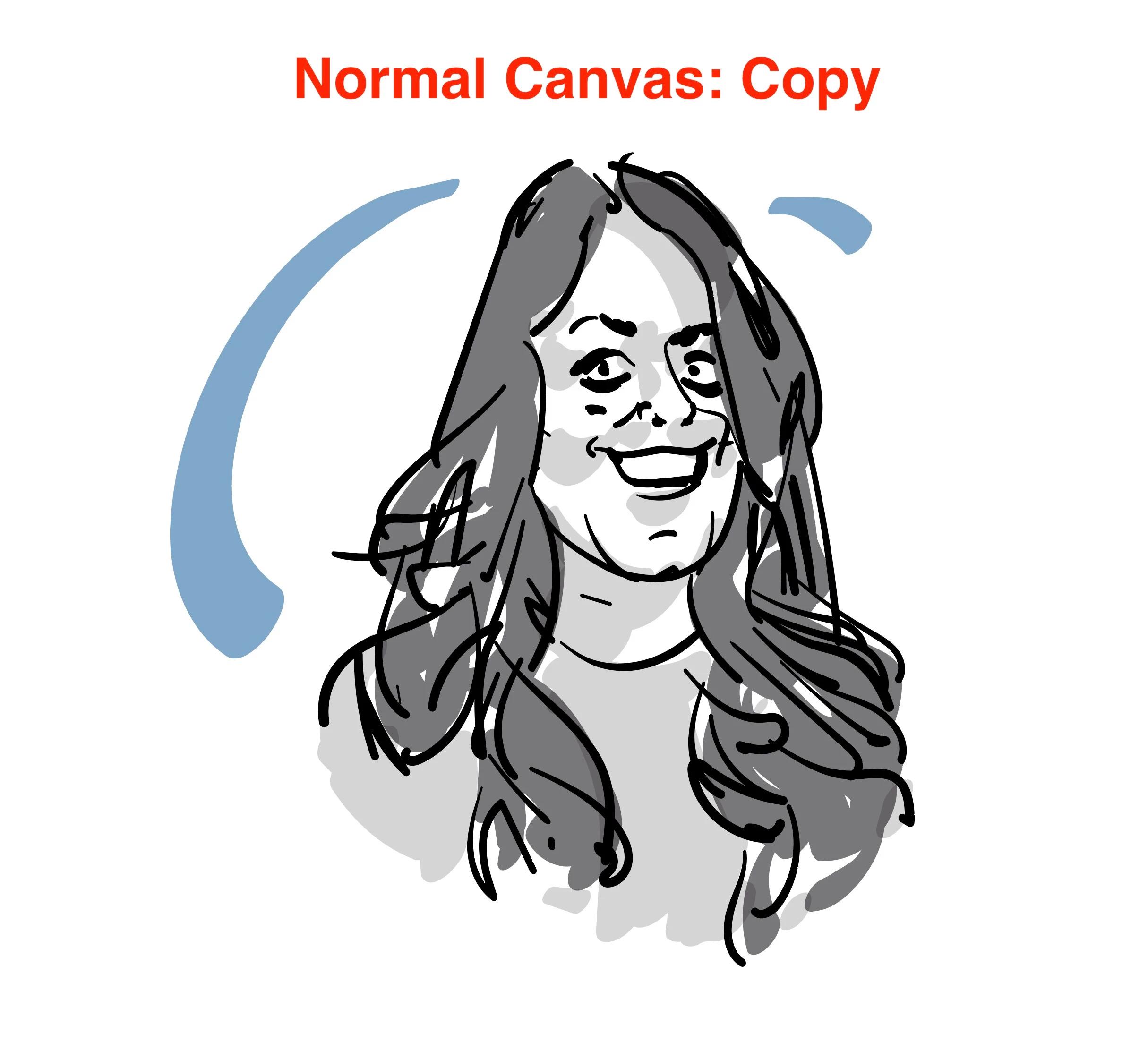
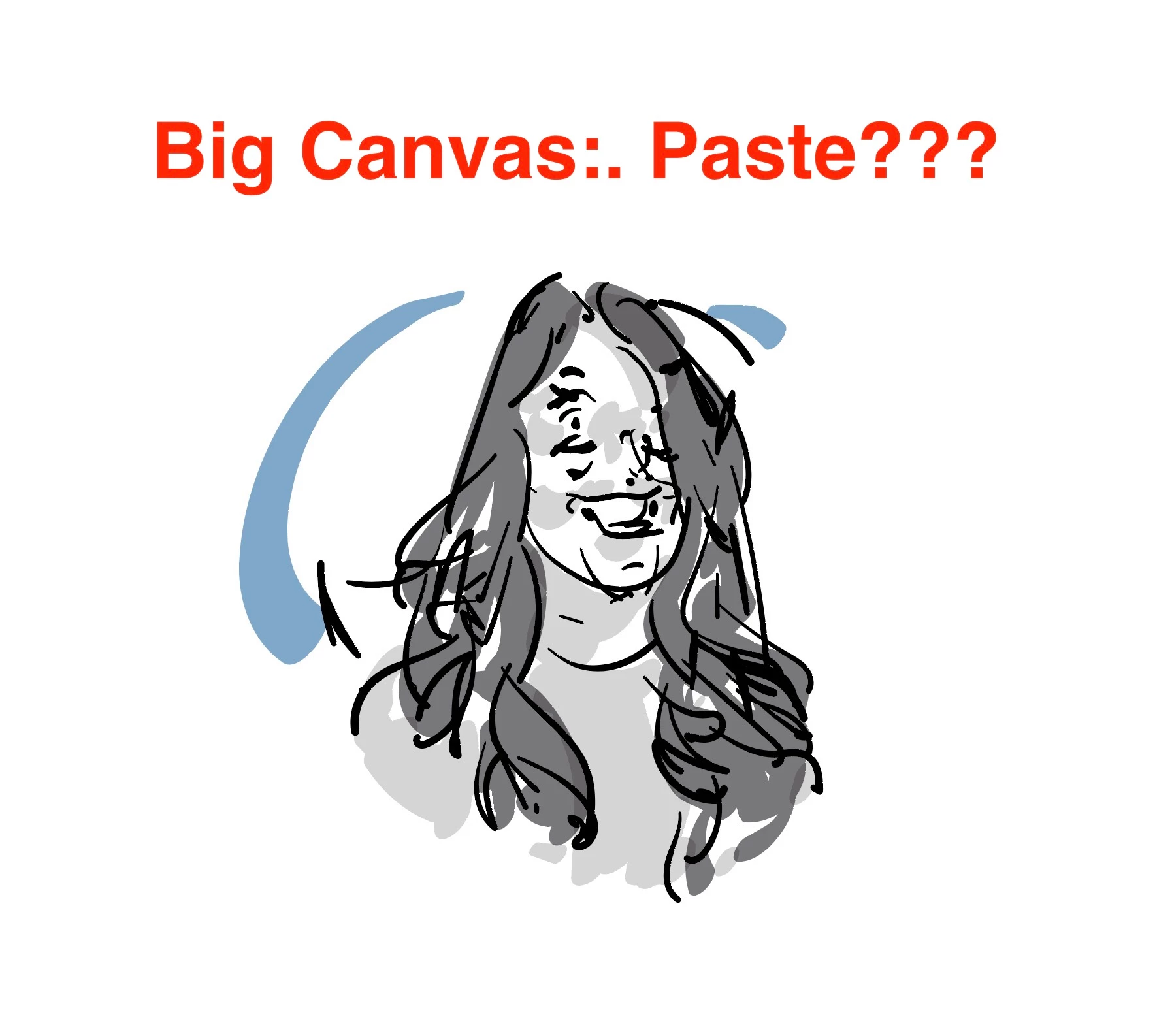
When creating a document that needs a canvas that's larger than 227" it results in pathes, objects and even gridlines being offset from their original path without any additional effects?

When creating a document that has a 227" canvas averything is correctly aligned to their place.

Did not find a way to fix this with any trick ... big canvas just seems bascially broken.

(Look at the images, what a mess, isn't it? And you cannot change anything to make it work. It looks like an effect in apperance, but there is none... )
2 replies

Ton Frederiks
Community Expert
Community Expert
June 12, 2025

There are several problems with large canvas documents and this is one of them from 5 years ago:

https://illustrator.uservoice.com/forums/601447-illustrator-desktop-bugs/suggestions/41713246-brush-strokes-get-displaced-from-their-paths-in-la

Dave Creamer of IDEAS
Community Expert
Community Expert
June 12, 2025

In addition to the bug that @Ton Frederiks referenced, remember that the large canvas is just a behind-the-scenes mathmatical manipulation. Illustrator just multiplies everything by 10. (Note that the maximum view goes down by a factor of 10.)


In the "old days", we would just adjust the output scale when printing. Of course, the large canvas is more convienient, but it's really not that special. Perhaps you can try the output scale with your original drawing.


David Creamer: Community Expert (ACI and ACE 1995-2023)
Someone75Author
Inspiring
June 12, 2025

I don't think it's a bad thing mentioning rivals to Illustrator by name, especially when doing so to point out a capability they might not really have, such as an unlimited maximum art board size.


Over the years I've seen a lot of forum participants beat up on Adobe for the art board size limits in Illustrator, often claiming the other guys' apps don't have any limits at all. Every vector graphics app has its sizing limits.


The whole discussion does not get the point: If a program offers a functionallity, it should just work. That's so simple.

If Illustrator cannot handle big canvas - don't offer it. If it is completely buggy - don't offer it.

That's all.

But don't promote features which do not work.

Abhishek Rao
Community Manager
Community Manager
June 12, 2025

Hi @Someone75,


Thanks so much for sharing those screenshots. The distortion and misalignment you're seeing on canvases larger than 227" definitely looks unexpected and I can understand how frustrating that must be.

Could you let me know which version of Illustrator and operating system you're currently using? Also, does this happen with all files once you switch to a large canvas, or only in specific cases? If you haven't already, please try creating a new file with a simple shape on a large canvas and see if the issue appears there as well.

Additionally, it would be really helpful if you could share a sample file so we can test this further. You’re welcome to upload it via a cloud sharing service like Google Drive or Dropbox and share the download link here. If the file contains confidential information, feel free to send it over via DM on the community.


Looking forward to hearing back from you!

Abhishek

Someone75Author
Inspiring
June 12, 2025

@Abhishek Rao 

  • Each of these files is a brand new document
  • It will be caused by all large canvas files
  • OS X Sequoia 15.5
  • If I use a brush form a smaler codument, it will get the same offset like copy & paste
  • If I create a new brush stroke in a new document the offset is much smaller, but there is an offset, still - example image with standard brush attached (currently the upload in the forum seems broken: https://imgur.com/a/D2Rd5hM)


I cannot upload the files here. Find the downlod available for 3 days from now: https://we.tl/t-5ad4Ou4VJX