Inspiring
September 26, 2017
Answered

Unwanted dots added to PNG

  • September 26, 2017
  • 2 replies
  • 704 views

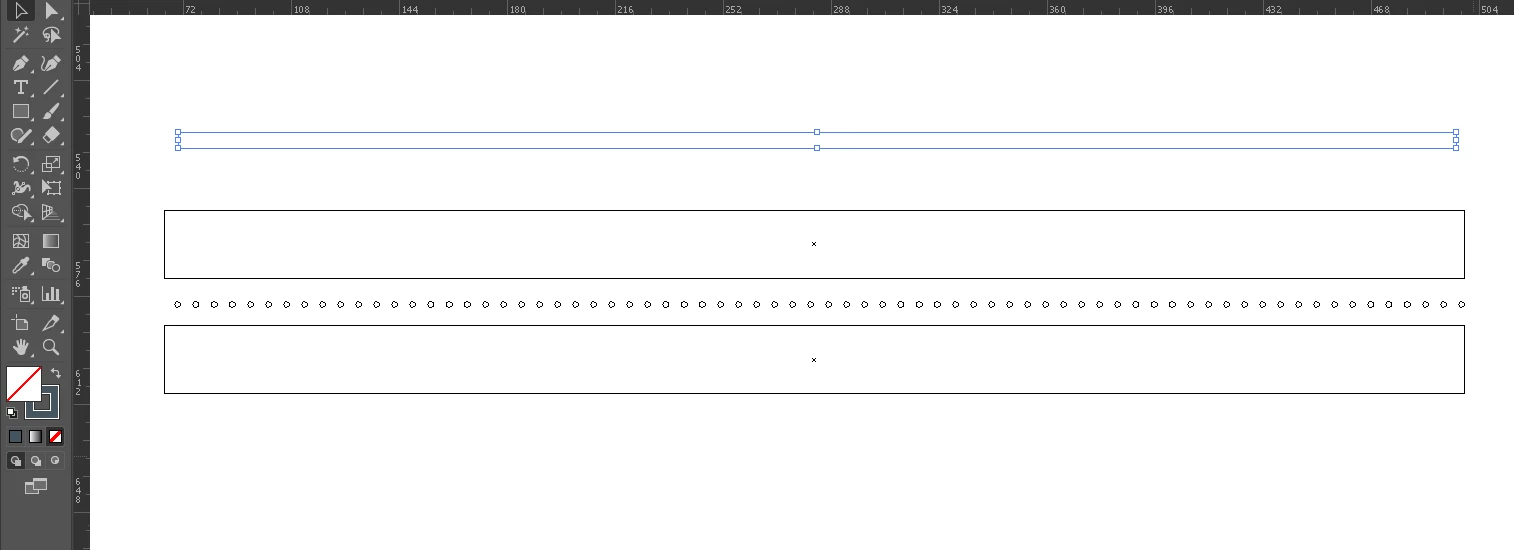
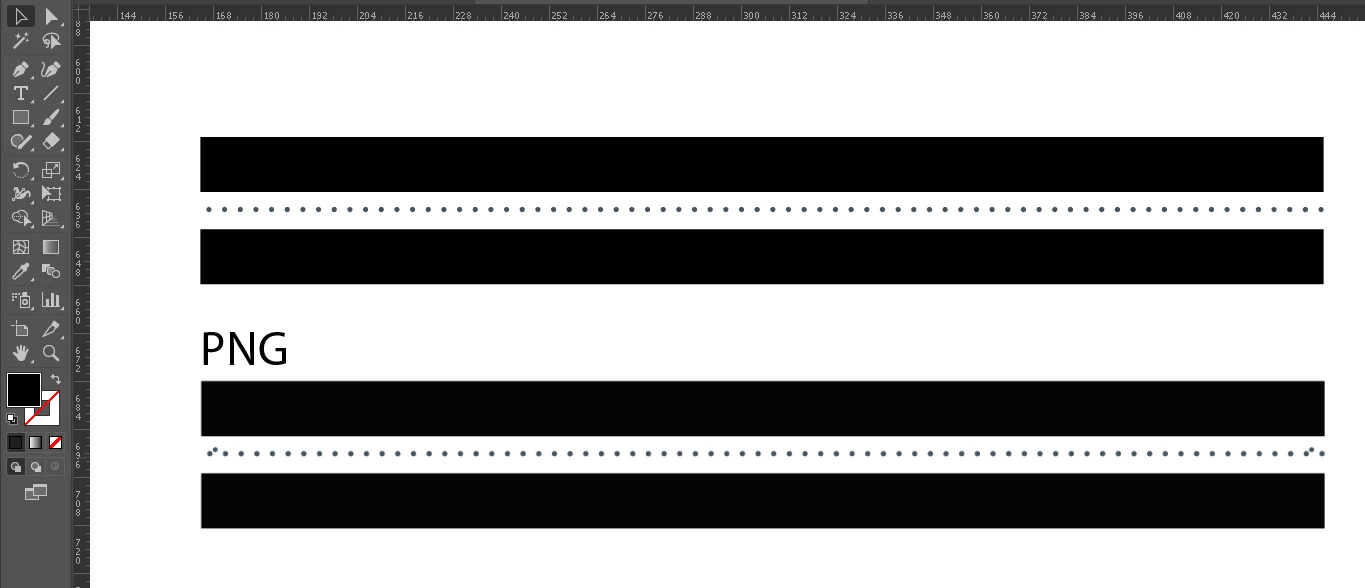
When I tried to export the image you see on the top to PNG, two dots appeared from nowhere as you can see from the PNG at the bottom.

How did this happen? I can't find a way to export it correctly. Extra dots are always showing on. The same will happen when I export to PDF. Please help. 
This topic has been closed for replies.
Correct answer jsen2015

Problem Solved:
There were two invisible dots in there. When I moved the design down and selected everything, I found those dots. Although the size was 0pts, for some reason when exported they appear in a minimum point size.

Hope this helps anyone with the same issue.

2 replies

jsen2015AuthorCorrect answer
Inspiring
September 26, 2017

Problem Solved:
There were two invisible dots in there. When I moved the design down and selected everything, I found those dots. Although the size was 0pts, for some reason when exported they appear in a minimum point size.

Hope this helps anyone with the same issue.

Mike_Gondek10189183
Community Expert
Community Expert
September 26, 2017

Can you post a copy of the .ai file, using dropbox or similar ftp link.  You may have to expand appearance on the dots, that is they are created as dashes or brush strokes.

jsen2015Author
Inspiring
September 26, 2017

Thanks MikeGondek for offering help. The problem was actually having hidden dots in there.

Mike_Gondek10189183
Community Expert
Community Expert
September 26, 2017

Good to hear you got this resolved. For my part you are welcome.