


Inspiring
March 25, 2024
Question

Weird dots in the screen that I can't find a way to get rid of

  • March 25, 2024
  • 1 reply
  • 643 views

Hi there,


I have a document with 2 dots in the middle of the diagram that i cannot seem to get rid of. Please see the screen capture below:
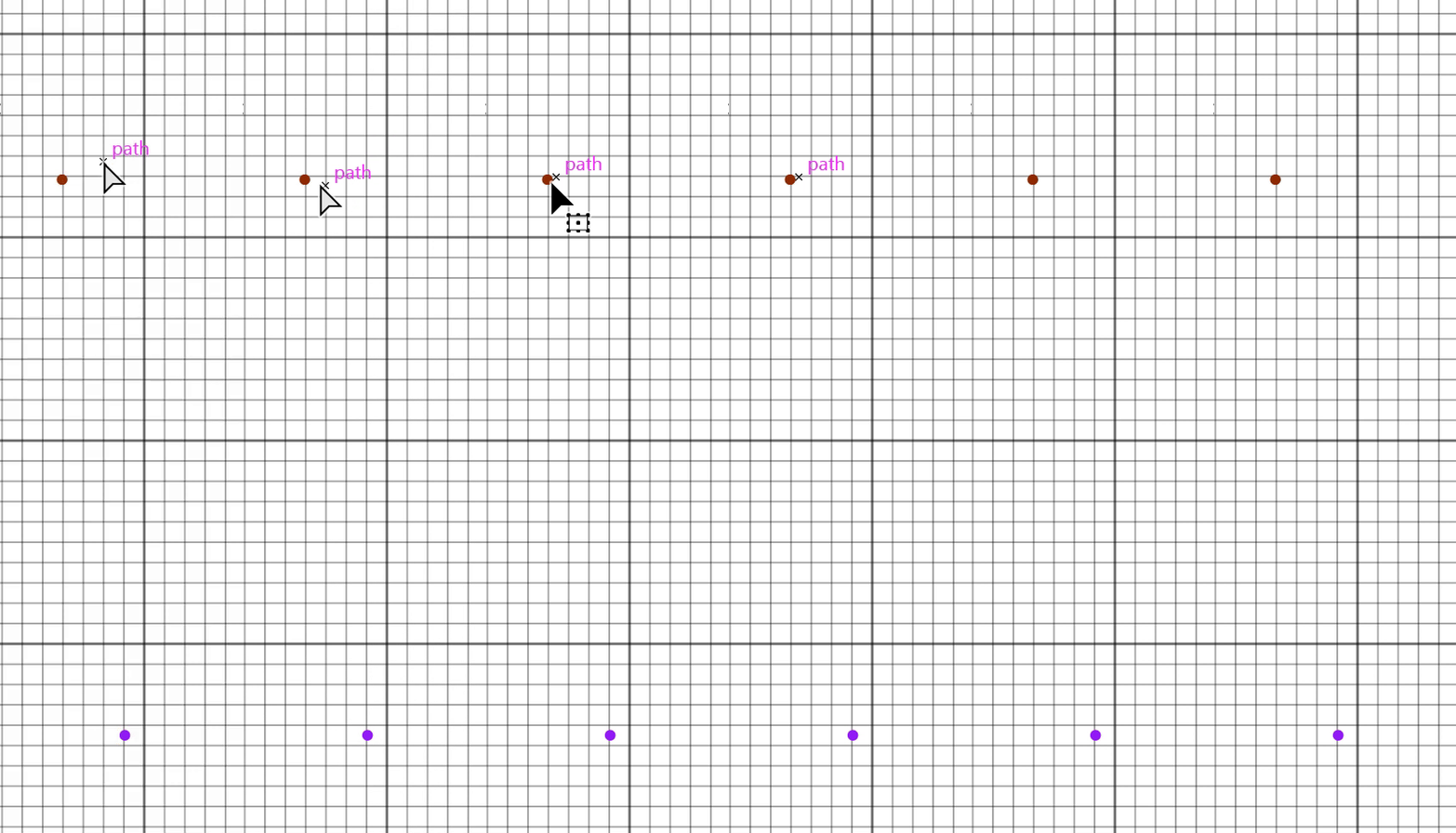


1. Other files don't have it.

2. I cannot select or click it but when mouse over it, it shows somesort of icon (like it's showing positions or layout or something?).

3. When I move around the diagram, it moves too (e.g., it doesn't stay in a relative position within the diagram).


I've checked documentation and online but didn't find any information about this. Does anyone know what these are and how to get rid of it?


Thanks in advance.

This topic has been closed for replies.

1 reply

Ton Frederiks
Community Expert
Community Expert
March 25, 2024

Can you check the Layers panel for that item?

Community Manager
April 2, 2024

Hello @Jack26101709tj2p,

Thanks for reaching out. I hope the suggestions shared by Ton helped resolve the problem. If not, kindly share a public link to a sample file you're having trouble with after uploading it to Dropbox/Google Drive/etc. so we can check it on our end.

Looking forward to hearing from you.


Thanks,

Anubhav

Inspiring
April 4, 2024

Sorry for delayed response.


I cannot check the layers panel because it doesn't exist. The dot doesn't seem to be belonging to any layers. When I click on it, nothing happens. I looked through each item in the layer manu but nothing there. In fact, I can delete all layers and it's still there.


One thing i have noticed is that it seems to only appear after the file has been opened for a while. If i restarts the application and open the same file, it's gone. But after a while, it shows up. I don't know what is the exact condition that's triggering it but that's what I have observed so far.