Exit
  • Global community
    • Language:
      • Deutsch
      • English
      • Español
      • Français
      • Português
  • 日本語コミュニティ
  • 한국 커뮤니티
0

weird menu size issue in illustrator

Community Beginner ,
Dec 31, 2020 Dec 31, 2020

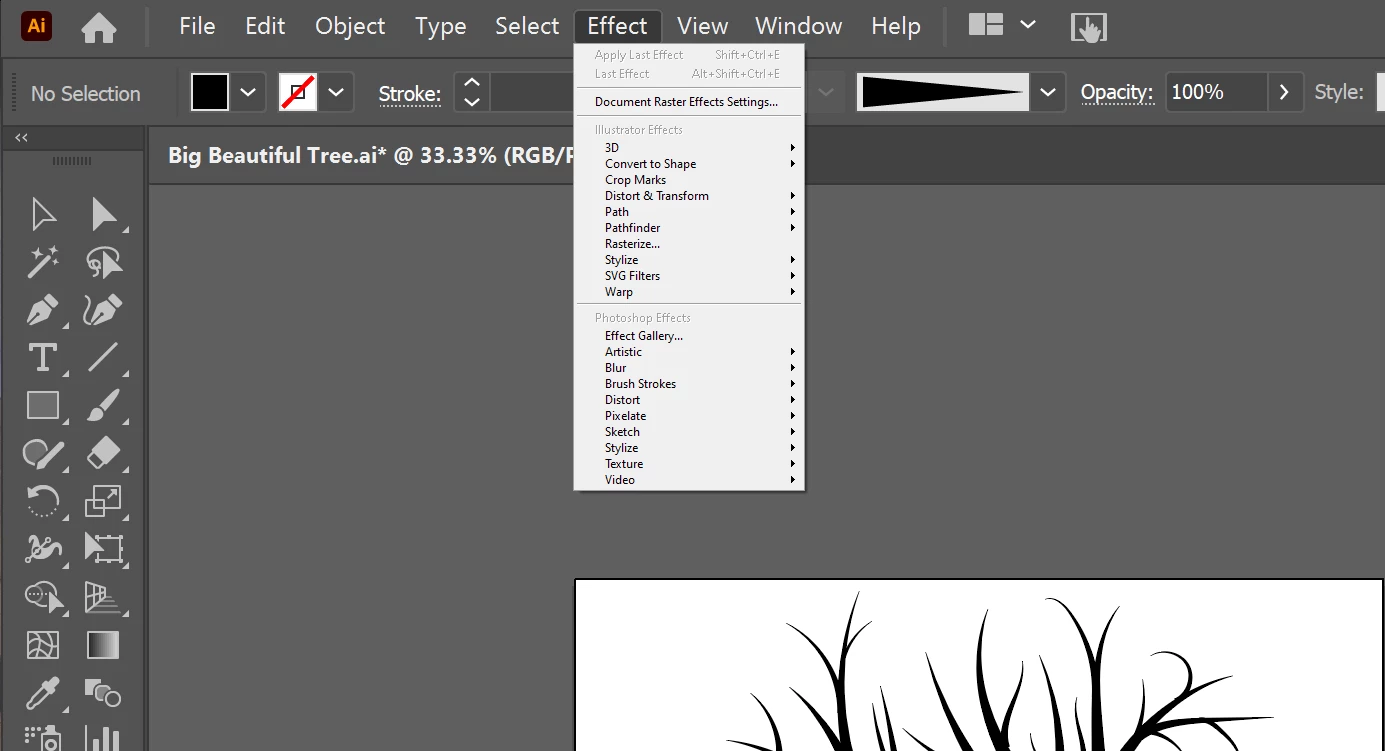
So, for a day now, my Effects menu, when pulled down, is like 1/3rd the size of the other menus. I have restarted illustrator, rebooted my computer, and have checked the user interface preferences. My illustrator version is up to date. Does anyone have any idea what might be happening here?

Here are a couple of pictures to illustrate:

Regular menu size:
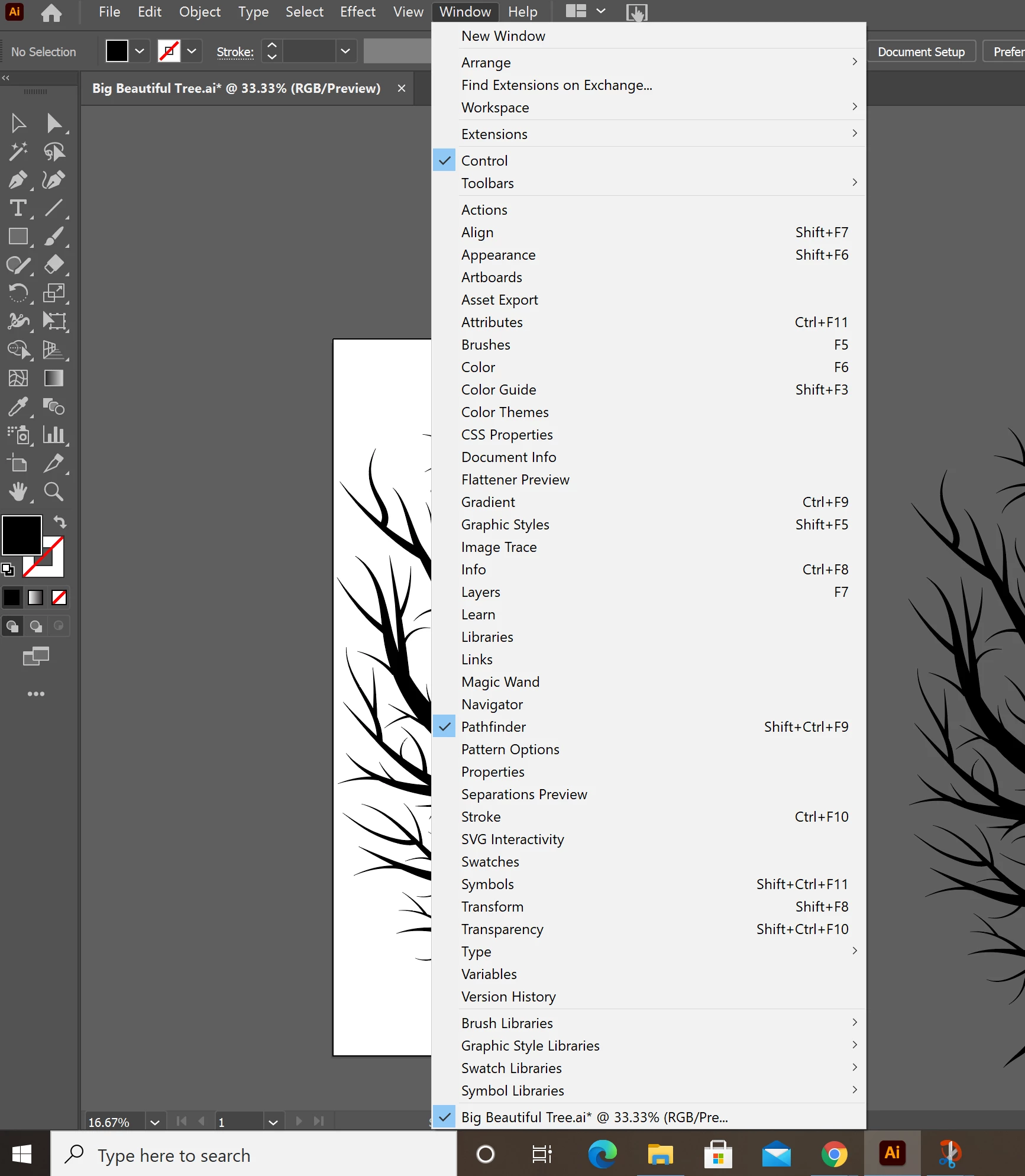
other menu size.png

Effects menu size:

Effects menu size.png


TOPICS
Bug , Performance , Tools
939
Translate
Report
Community guidelines
Be kind and respectful, give credit to the original source of content, and search for duplicates before posting. Learn more
community guidelines
Adobe
LEGEND ,
Jan 01, 2021 Jan 01, 2021

Hi there,


Sorry to hear about this. Are you using a second monitor? Have you tried changing the Windows scaling?

If you are using Adobe Illustrator on secondary monitor, try using it on primary. Let us know if it helps with the menu.

Looking forward to your response.


Regards,

Ashutosh

Translate
Report
Community guidelines
Be kind and respectful, give credit to the original source of content, and search for duplicates before posting. Learn more
community guidelines
Community Beginner ,
Jan 05, 2021 Jan 05, 2021
Thanks so much for your response Ashutosh!

I did check and change the display settings, but it did not help, and does not really explain the menu size issue. The menu size issue persists when I am only using my laptop and have my second screen shut off. What is weird is that all other menus are the proper size. It is just the Effects menu pulldown that is 1/3 the size of a regular menu. Nothing seems to fix it. I'm hoping the next time there is an Illustrator update, this will fix the issue.

I hope this email finds you well, and thanks again for the suggestion.

Regards,
Amber
Translate
Report
Community guidelines
Be kind and respectful, give credit to the original source of content, and search for duplicates before posting. Learn more
community guidelines
New Here ,
Jan 30, 2023 Jan 30, 2023

I have this issue too. It works on my primary monitor but not on my large calibrated monitor.


Is there a fix?

Translate
Report
Community guidelines
Be kind and respectful, give credit to the original source of content, and search for duplicates before posting. Learn more
community guidelines
Adobe Employee ,
Feb 03, 2023 Feb 03, 2023
LATEST

Hi @CoolAF @Ross Garden,


Thanks for reaching out. The effects menu is programmatically drawn and doesn't use Operating System UI. 

Our product team is aware of the issue, and we have already logged a ticket with them to improve the look and feel of the effects menu to match the latest Operating System UI, regardless of the monitor's DPI and resolution.


I hope this clarifies!


Thanks,

Anshul Saini

Translate
Report
Community guidelines
Be kind and respectful, give credit to the original source of content, and search for duplicates before posting. Learn more
community guidelines