Participant
January 29, 2025
Answered

What is happening to my image alignments when I reopen a file?

  • January 29, 2025
  • 4 replies
  • 2127 views

Hello,  for the past few weeks I have had an image alignment issue when reopening ai document


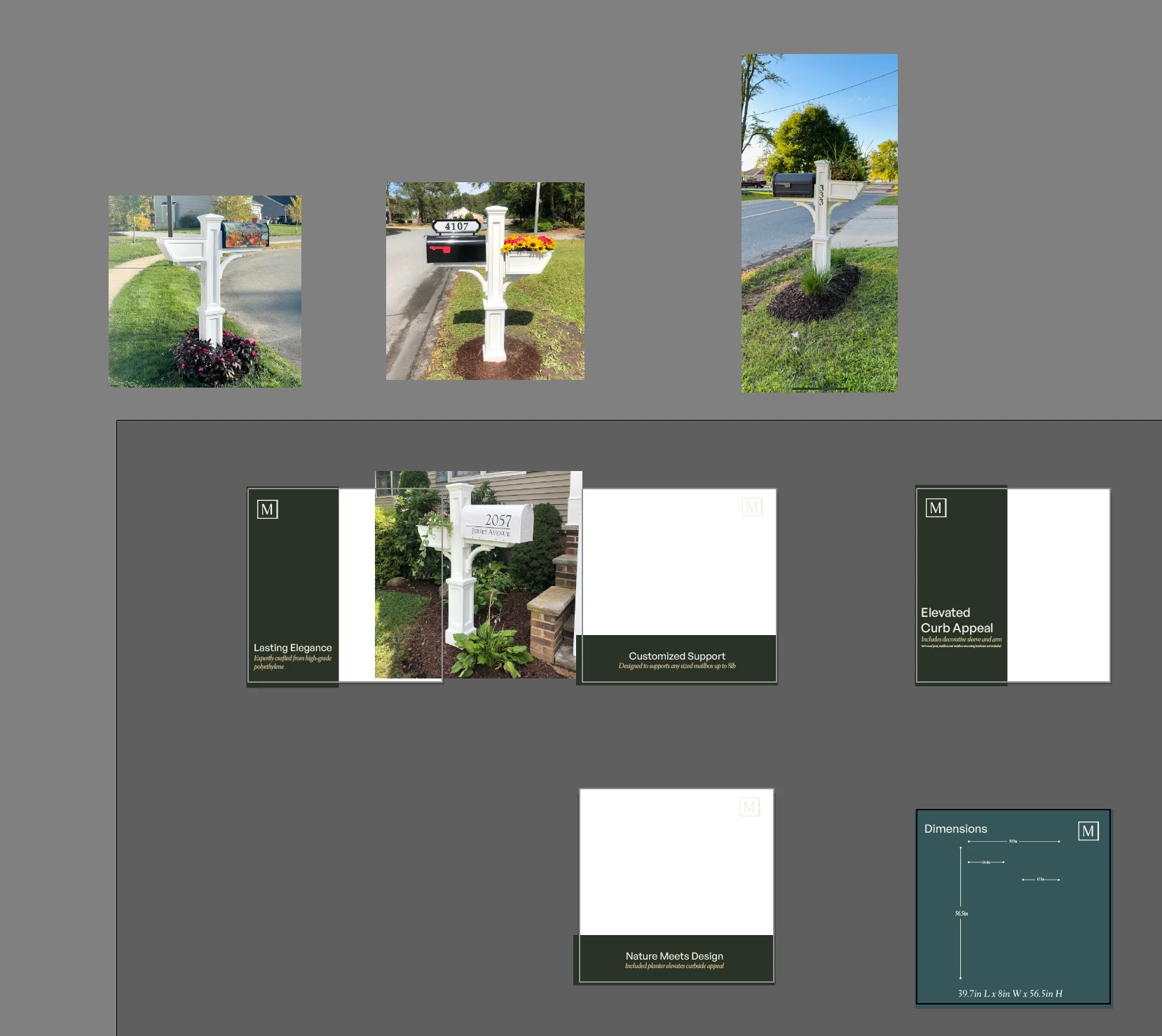
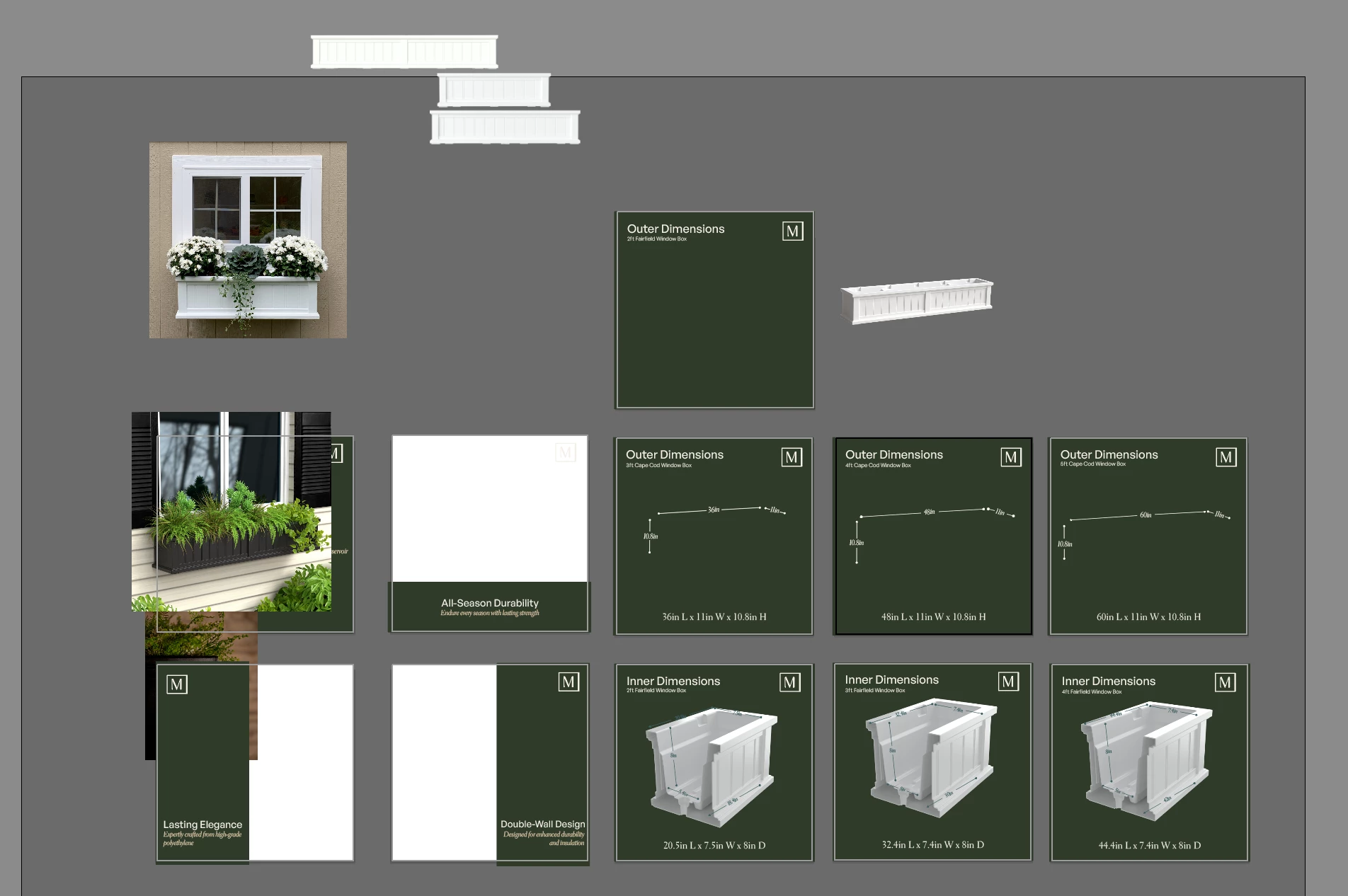
Every ai file I open, the images (embedded) have all moved up and to the left. I don't know what is happening and if there is a fix, but it is in every file I open(see screen shots). The thumbnails are correct before opening, but just the ai file is doing this. 


I have tried opening the files using the latest Ai, Ai Beta, on my work computer using my work adobe account, as well as my home studio computer using my personal adobe account.  


Both are mac version (2024 macbook pro 16") & (2023 Mac Studio).


Has this happened to anyone else? Any help would be amazing, as it is so annoying and time consuming to have to realign every image everytime I work on a file. 


Correct answer Anubhav M

Sarah, that looks more like this bug: https://illustrator.uservoice.com/forums/601447-illustrator-desktop-bugs/suggestions/50515743-artboards-content-are-displaced-after-saving-and


Hello everyone,

The team has attempted to fix this issue in the latest Illustrator Beta and Pre-Release builds. Could you try installing it to see if it helps?

Looking forward to hearing from you.
Anubhav

4 replies

HARSHIKA_VERMA
Community Manager
Community Manager
October 24, 2025

Thank you for sharing the workaround that might help our customers in the community resolve the issue. Please feel free to reach out to us for any assistance in the future.

We would be happy to help.

Thanks,

Harshika


dirtyewe
Participant
October 26, 2025

Yes, thanks Jim for the help, hoping it's going to work for me. And absolutely NO THANKS to Adobe and their 'help'. I don't want to install Beta versions, I actually want my current version of Illustrator to work and not cause me massive stress and time having to redo work already completed!! This is absolutely disgraceful!!!

MarkeMenschNatur
Participating Frequently
October 8, 2025

Actually, I don't feel like being friendly and respectful right now, dear Adobe team. I can think of lots of swear words right now. And what's the point? You don't care about your customers' time at all. Normally, we should get three months free, sorry.


But what's this about?


We created a complex shop window sign. At the time, we were still using version 29.7.X. Then corrections were made to the graphics and Illustrator was automatically updated to 29.8.X in the background, which I didn't notice – at first.

Then I copied version 2 of our file and renamed it version 3. I was able to work with it normally and saved it, and turned off my Mac yesterday evening. This morning, I opened the file again and all the layers I had created were scattered wildly across the artboards and beyond.


Then I did the work again and copied version 2 again, made all the changes again, and saved it as version 3—and was satisfied. I'm opening version 3 again right now. The same bug again.


My colleague still has version 29.7.1. on his computer, but it looks the same there. I also reinstalled the old version and opened the file. That didn't help either.


We can't charge our customer for your mistakes. How do you deal with that? Don't you feel guilty?


Attached are screenshots.


Best regards,
Toby


<Title renamed by MOD>

Participant
October 21, 2025

Same issue here. V29.8.2 which has been installed for a week with files opened and saved during that time.

Its not just embeded or linked images that scatter, its drawn shapes and text boxes. Some have moved well beyond the boundary of the workspace. Unable to test to see if its just files over a certain size since this has only happened to two of my 800mb+ files. Ruler 0 point is also set on say, the second artboard in a row. Ive rewound the version to 29.0 and reopened file but no luck, still scattered. Additionally the thumbnail for the file within illustrator appears normal, as in how it was last saved before everything scattered.


Not sure what other details are useful, cannot share screenshots due to privacy. This does affect my client work so any assistance is appreciated thankyou.

Participant
October 21, 2025

apologies i realise ive replied to the person above me instead of the whole thread

Participant
June 18, 2025

same issue here, it is quite annoying, any solution of it?


Participant
August 26, 2025

I have the same problem and it still hasn't been resolved.
You can fix this problem temporarily by restoring your Illustrator to version 29.0.
But when you update Illustrator in the future, you'll encounter the same problem again.
Adobe needs to fix this problem itself.

HARSHIKA_VERMA
Community Manager
Community Manager
August 28, 2025

Hi there,


We understand your frustration. Would you mind confirming if you're still experiencing the issue with the current version, i.e, 29.7.1? 


The team confirmed that the issue is resolved in the UserVoice


Please let us know if you're still having the issue. We'll be happy to assist you further.


Thanks,

Harshika

Monika Gause
Community Expert
Community Expert
January 29, 2025

Which version of Illustrator is it?

Did you already reset the preferences (which will erase your settings)

Participant
January 29, 2025

I currently am using 29.2.1 which is the latest update.  I have also tried the latest beta to see, but same results.  I have not tried to reset the preferences, I will try that and see. Im thinking it has to do with saving the files, so I will probably have to fix them all and resave them if it works. 

Participant
April 11, 2025

Did you menage to fix the problem by any chance? I have the same problem, cant seem to find a solution for this "bug".  Reseting preferences didnt fix the problem. Im using the latest 29.4. Illustrator.