


malyssaa13595466
Participant
October 18, 2019
Question

What is the best format to print sharp text?
  • October 18, 2019
  • 2 replies
  • 5457 views


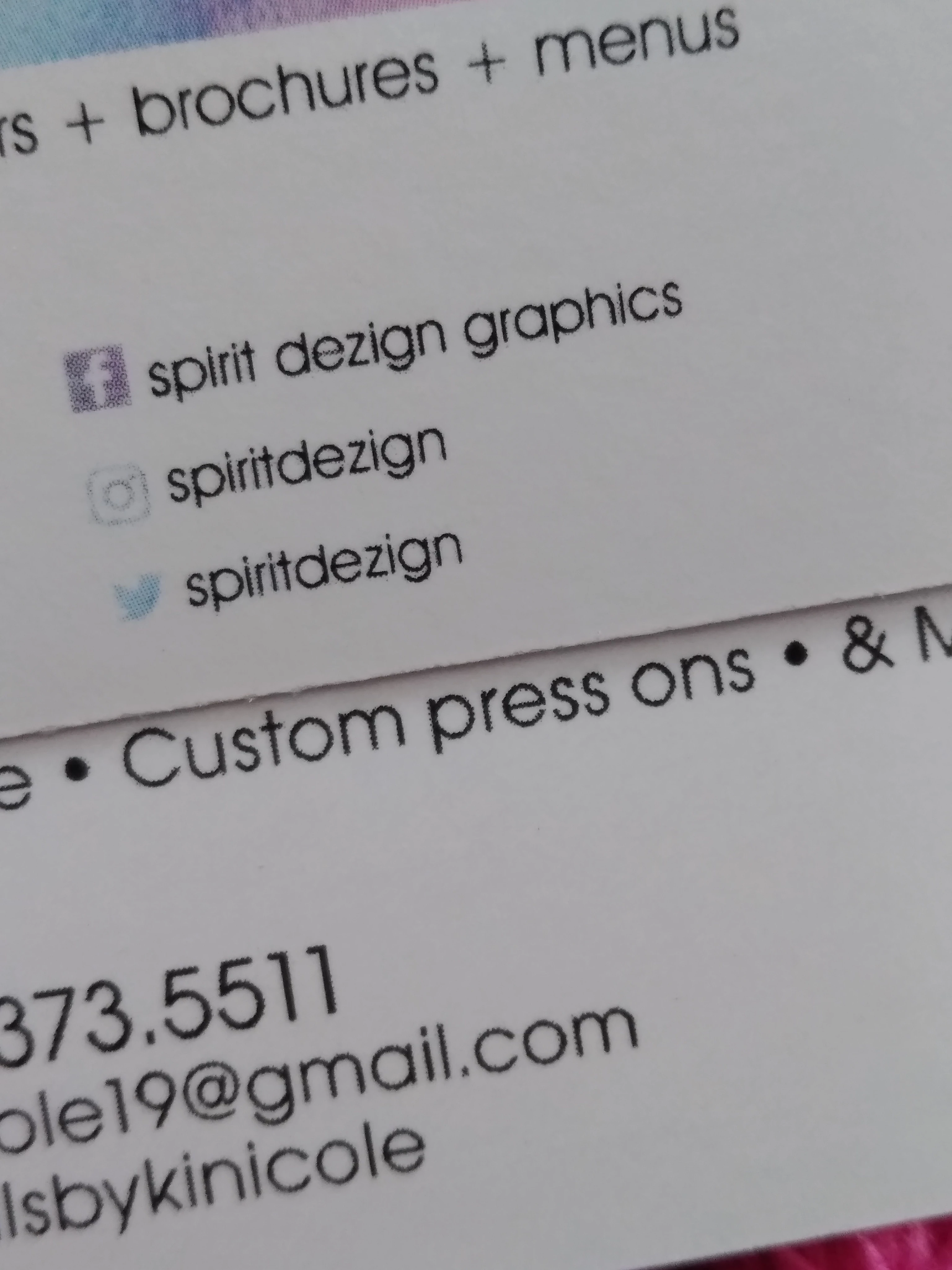
I design mainly business cards. Most of my design are produced in Photoshop; however, I've started to convert my designs to Illustrator to get a higher printing quality. When saving my files for print in Photoshop I flatten the file and save as an PDF. I outline my text and save as a PDF in illustrator for printing. The DPI is 300 for both. I notice my text still isn't sharp when either is printed.


I've attached an image of the quality. The font looks pixelated to me. When I zoom in to 800% on Illustrator everything is sharp. The business card on top was produced in Photoshop and the bottom in Illustrator.


What would make my text sharp?


Thanks in advance.

    This topic has been closed for replies.

    2 replies

    Legend
    October 19, 2019

    Outlining text also reduces quality. Don’t do it. You say you work in CMYK. Is it the right CMYK?

    malyssaa13595466
    Participant
    October 20, 2019

    Really? Yes, I do work and produce designs in CMYK.

    malyssaa13595466
    Participant
    October 21, 2019

    You still have not told us your settings when exporting PDF and/or printing. There might be happeneing CMYK to CMYK transformations at that point. The questions about the "right CMYK" hints at that.


    Monika Gause
    Community Expert
    Community Expert
    October 18, 2019

    It's not pixelated, it's halftone. Your text is not 100% black. There's some color conversion happening. Either:

    1. you set up an RGB file. Use CMYK instead

    2. You have inappropriate color management settings

    3. It's a cheap print service, that prints in RGB or doesn't know their job or both.

    malyssaa13595466
    Participant
    October 18, 2019

    Thank you for your response.


    1. I use CMYK. That's what my printer supposedly uses.


    2. My screen color management on my screen is brighter because at the normal brightness my screen looks dim to me. This being said, I use the Adobe swatch black. In Illustrator, it's set to 100% K. 


    3. They are very affordable so this could be the case. When I'm sent the proof to confirm the finishes I do notice if I zoom in it's pixelated as the picture shows. I'm not sure, if my printer is converting my files in any way. I don't see why they would as my files meet the requirements.

    Monika Gause
    Community Expert
    Community Expert
    October 18, 2019

    Color management is not just your monitor setting.

    It's also happening when you save PDFs or when you import files.

    Are you sure you set up 100K?


    At some point in the workflow your colors are converted. Because those are halftone dots.