


lukav
New Participant
February 26, 2017
Answered

What is this mysterious shape/outline?

  • February 26, 2017
  • 4 replies
  • 1922 views

Hi everybody, I suspect my problem can be solved easily.

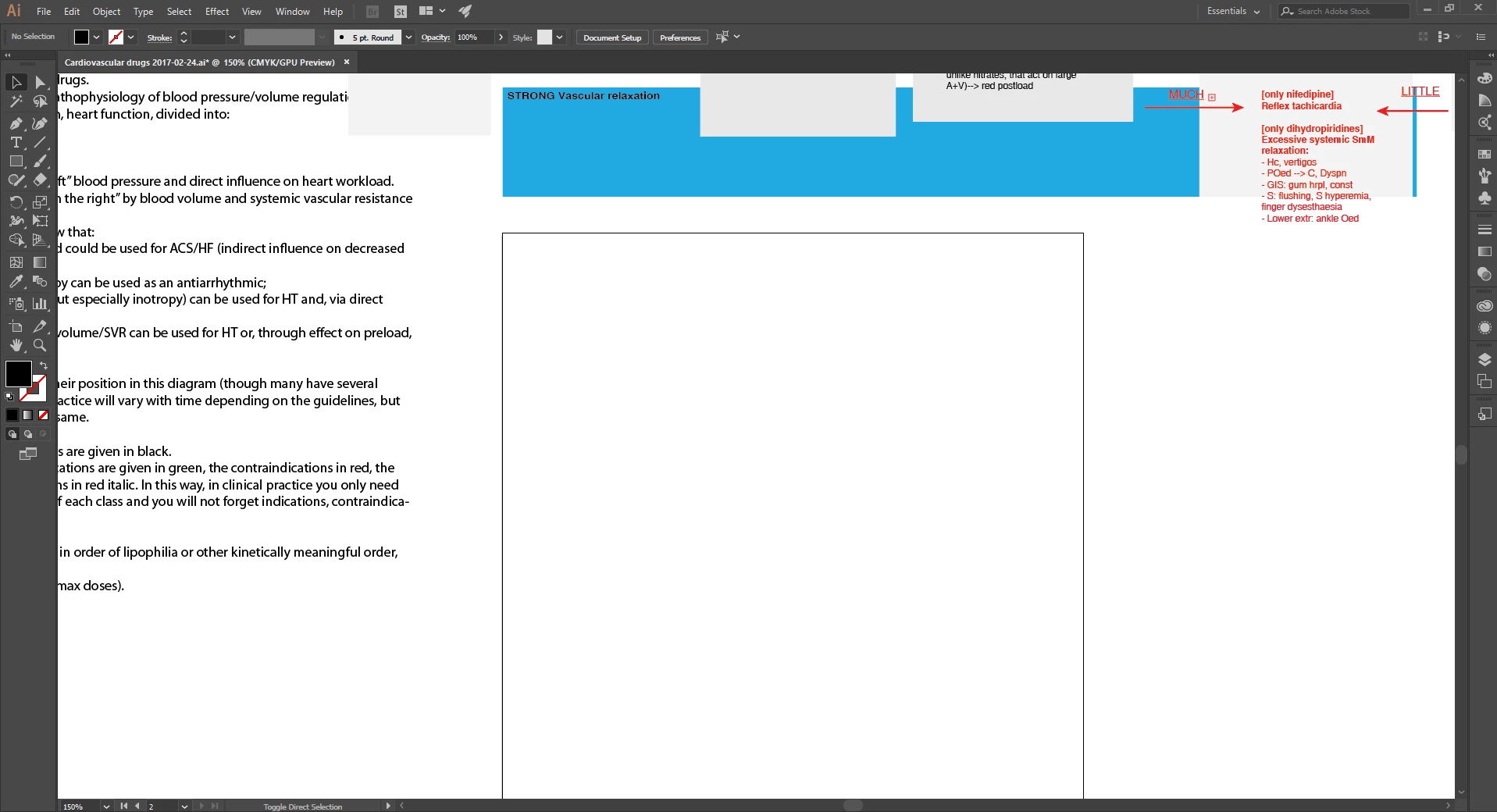
While I was working a mysterious square appeared in the place where previously a text box had been: see figure below. I seem to be able to select it: the outline becomes then slightly darker, but no traction points appear and it cannot be deleted by pressing "Delete". I would like to remove it. 

It could be something obvious to you all: I have been using Illustrator for years, but I am not a designer and I always use only very basic functions (text boxes, arrows, coloured diagrams, placing external images). Do you recognize this square?

I am using Adobe Illustrator CC, release 2017.0.2, version 21.0.2 64-bit.

I guessed at a couple of tags that MIGHT have something to do with the question. Thanks in advance.
This topic has been closed for replies.
Correct answer Monika Gause

This looks like an artboard.

4 replies

lukav
lukavAuthor
New Participant
February 26, 2017

Thanks for not shouting at me for the EXTREMELY newbish question. I assure you I had no clue what to do.

Kurt Gold
Community Expert
February 26, 2017

Next time you provide a screenshot you may consider to mark the object or area in question with an arrow.

I, for one, couldn't imagine that you actually meant the boundaries of an additional artboard because normally that's not "mysterious" at all. That's why I assumed that the tiny overset text indicator was the only square that might be a mystery to users who have never seen it before.

Monika Gause
Monika GauseCorrect answer
Community Expert
February 26, 2017

This looks like an artboard.

lukav
lukavAuthor
New Participant
February 26, 2017

That was it. It was an artboard inside the artboard. I therefore removed it via Document setup->Edit Artboards. Thanks, I knew it must be something that somebody with more experience would recognize.

Kurt Gold
Community Expert
February 26, 2017

Do you mean the small red square next to the word MUCH (with a Plus sign inside it)?

That would indicate that there is overset text in the text box. It will disappear if you enlarge the text box or remove the overset text.

lukav
lukavAuthor
New Participant
February 26, 2017

No, I meant the huge white square with black outline in the middle of the window. Turned out to be an "Artboard inside the artboard".

Jacob Bugge
Community Expert
February 26, 2017

Luka,

You may try to Ctrl/Cmd+E to toggle between GPU and CPU view.

This is what GPU is about:

https://helpx.adobe.com/illustrator/kb/gpu-performance-preview-improvements.html

lukav
lukavAuthor
New Participant
February 26, 2017

Thanks! The square remains anyway in both views.

Jacob Bugge
Community Expert
February 26, 2017

For my  part  you are welcome, Luka.

At first glance I (also) thought of an Artboard, but this had me fooled (or maybe not):

a mysterious square appeared in the place where previously a text box had been

Now I am wondering whether this is a new hidden way of crating Artboards.