


dang8813046
Known Participant
October 13, 2022
Question

When I merge objects in illustrator, the shapes are actually changing

  • October 13, 2022
  • 1 reply
  • 876 views

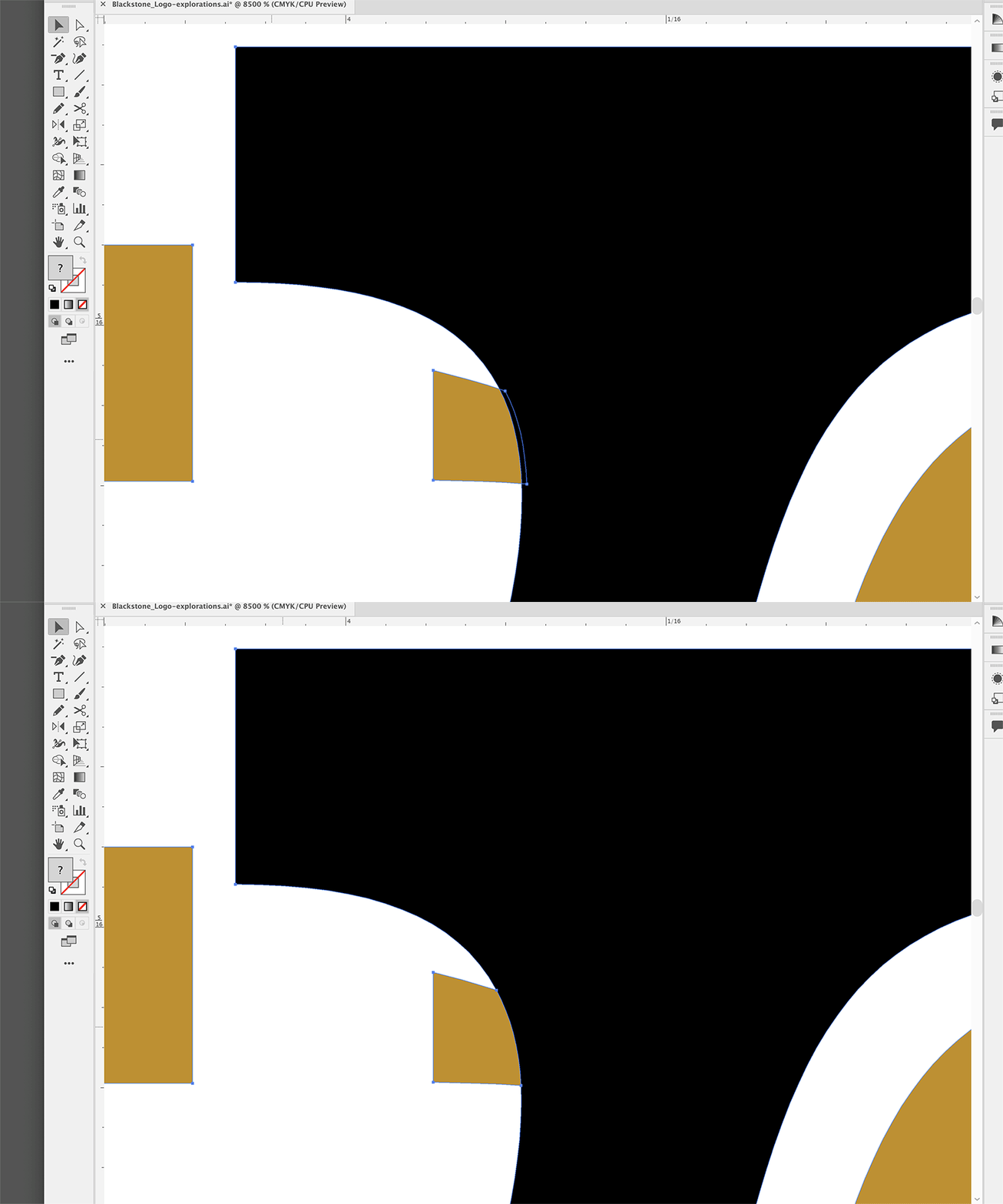
I'm working with another company's wordmark in a brand refresh. I'm adding a single-color drop shadow behind the wordmark. When I merge the two colors, I can see the shape of the objects changing (creating totally new points). I'm attaching a gif for reference—the black fill should not shift at all. I've been noticing this happening a lot lately and not sure how to fix this. Everything is vector, everything is outlined. This is a huge liability considering I'm working with someone else's IP.

iMac Retina 5K, 2020
3.1 GHz 6-Core Intel Core i5

32 GB 2667 MHz DDR4
AMD Radeon Pro 5300 4 GB

This topic has been closed for replies.

1 reply

Monika Gause
Community Expert
October 13, 2022

Please show before and after in outline view. It will help if you can show them as stills in addition to the GIF

Also please describe exactly how you do this. Step by step. I don't know what is happening in your GIF and what you did to get there.


The Pathfinder panel has a precision setting. Just in case you are using it.

dang8813046
Known Participant
October 13, 2022

Thanks so much for the quick reply. A precision setting could definitely be affecting this. I was never familiar with such a thing. I was also wondering if it was 'snapping to' a nearest point or something. Anyways, here is the outline view of that same area. It's slightly more zoomed in. 

So in illustrator, I'm selecting two separate vector objects, and then using the 'merge' in the pathfinder. The gold (smaller) object is behind the black object. So ideally the black object would stay exactly the same.